Ultimate WooCommerce Brands Plugin 2.0
Wordpress Plugins Codecanyon 4.8 (1.9K reviews)
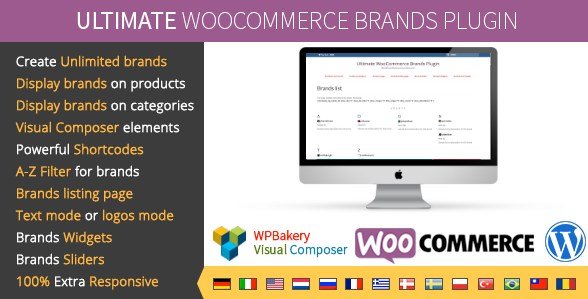
The Ultimate WooCommerce Brands Plugin is a commercial extension originally distributed through Codecanyon, and it gives store owners a straightforward way to attach brand names and logos to their WooCommerce products. Instead of treating brand information as just another text field, the plugin creates a dedicated brand taxonomy that works across your entire catalog. You can create as many brands as you need, assign each product to its own brand, and upload a distinct logo for every label. This setup is useful for shops that carry multiple manufacturers and want their storefront to feel organized. The brand data lives natively inside WooCommerce, so it behaves like other product categories rather than a bolt-on afterthought. Merchants can build a shopping experience where customers recognize familiar names instantly, which often helps with trust and navigation. Because the plugin taps into standard WooCommerce structures, it works with most themes that follow normal template conventions. The whole idea is simple: give brands a proper home inside your store.
Once brands are created, the plugin gives you several ways to display them. Product pages can show the assigned brand name and logo near the title, price, or description area, depending on your theme layout. Category pages can also surface brand information, so visitors browsing a particular product line see which manufacturers are represented there. A dedicated brand listing page gathers every brand into one location, making it easy for customers to browse by label. For sidebars and other areas, the plugin includes brand widgets that show logos or names in a compact block, and a responsive brand slider lets you feature logos in a rotating carousel on the homepage or any other page. These display options are controlled through the plugin settings, so you choose where brands appear and how they look. Nothing requires touching code, and each element can be enabled or disabled independently. That flexibility matters for stores that want a clean design without extra clutter.
Similar products

 Ultimate Member


For those who build custom pages, the plugin ships with powerful shortcodes and Visual Composer elements. You can drop a brand list, brand slider, or product filter into any post or page using a simple shortcode, which means you are not locked into fixed template positions. The Visual Composer integration adds drag-and-drop blocks for the same components, so page builders can arrange brand content visually. A useful A-to-Z filter lets shoppers jump to brands alphabetically, which becomes valuable once your catalog grows. The plugin also supports a text mode, where brand names appear as styled text instead of images. That gives store owners a lighter alternative when logo files are missing or when a text-based look fits the store's aesthetic better. Shortcodes are straightforward and accept parameters for things like order, count, and display style. You can combine these tools to create custom brand directories, landing pages, or sidebar sections without touching PHP files.
The plugin comes as a standard zip file, the same package distributed through Codecanyon, and it is available for download at woocrack.com. It is responsive, so the brand elements scale down properly on phones and tablets rather than breaking the layout. The brand listing, sliders, and widgets all adapt to smaller screens, which keeps the storefront usable for mobile shoppers. Because it is built for WooCommerce, it assumes you already have an active WooCommerce installation and a compatible theme. Setup follows the typical WordPress plugin flow: upload, activate, and configure from the settings panel. Support for Visual Composer means sites that already use that page builder can integrate brand blocks without extra steps. There are no subscription requirements and no ongoing service tied to the software itself. Details about purchase options, membership plans, and download conditions are handled separately on the website. If your store needs proper brand organization, this plugin provides the core functionality in a single package.
- Last updated
- August 11, 2026
- Delivery
- Digital
- Availability
- In stock
- Version
- 2.2.9
- Category
- Wordpress Plugins
- Item type
- plugin
The catalog entry for Ultimate WooCommerce Brands Plugin is grouped with Wordpress Plugins and classified as a plugin. Available product information is shown below with related items from the local catalog.
Usage rights depend on the license selected at checkout. Review the complete terms before using this item for client work, redistribution, SaaS, or more than one end product.