VC One Page Builder - Addons for Visual Composer 1.4
Wordpress Plugins Codecanyon 4.8 (4.0K reviews)
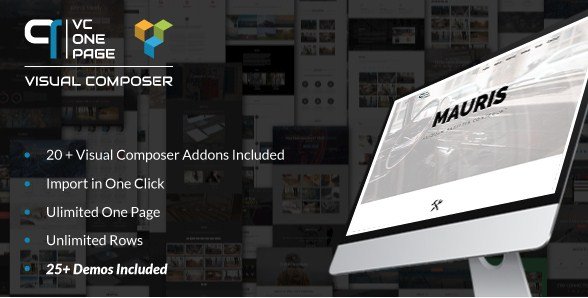
VC One Page Builder is an addon collection for Visual Composer, the well-known page builder plugin for WordPress. This package adds a set of specialized content elements that let you build a complete one-page website inside the Visual Composer editor. A one-page site is a single scrolling page where all the usual sections, like about, services, portfolio, and contact, appear one after another. Rather than assembling those sections from generic widgets and columns, you can use the dedicated components included here. They are designed specifically for this layout style, which makes it easier to create a cohesive page without extra custom coding. The plugin is not a standalone theme; it works as an extension to Visual Composer. Install it alongside the main builder, and its new elements appear in your existing Visual Composer toolbox. You can drag them in like any other content element and arrange the page in the order you want.
Inside the package are more than twenty additional content elements. The list includes custom headings that can be styled in various ways, buttons with different link actions, icon boxes that combine a symbol with a short text block, and counters that display numbers counting upward when the section scrolls into view. There are also countdown timers for upcoming events or launches, message boxes for alerts or notices, and social button groups that link to your profiles. For visual content, you get map blocks for embedding locations and chart components for presenting data in a graphical form. The package also brings a header element for creating a fixed or scrollable site header, which is handy for one-page navigation. These elements all share the same visual style settings, so you can adjust colors, spacing, and typography without touching code. This makes it practical to keep a consistent design across the entire one-page layout.
The package also includes a collection of more than twenty-five ready-made demo layouts. These demos are full one-page designs that you can import and use as a starting point. Each demo arranges the addon elements into complete sections, so you can see how headers, buttons, counters, icons, maps, and other components work together in a real layout. If you find a demo that matches the style you need, you can import it and replace the placeholder images and text with your own content. Should you prefer not to use a demo wholesale, you can still look at them for ideas and then build your own page from scratch. The demos are provided as part of the plugin, meaning you do not need to download anything extra to access them. This starts you off with the structure already in place, so the time you spend arranging sections is reduced, and you can focus on text and images.
Configuration is handled through each element's settings panel, so you can adjust content, style, and behavior without touching code. After you install and activate the plugin, the new elements appear in the element picker alongside the default ones. You add them to a page just like any other content block, then open their settings to customize them. The demo import step, when you choose to use one, is also managed from the plugin interface, so you do not need to paste code or edit theme files. Since the addon is built specifically for Visual Composer, it follows the same editing patterns and uses the same visual editor. That means you can see your changes as you make them and preview the one-page site without leaving the builder. The package is distributed as a standard plugin zip file that contains the addon code and demo data, and it is meant for a WordPress site that already has Visual Composer active.

 Codecanyon
- Item type
- plugin
- Category
- Wordpress Plugins
- Version
- 2.5.6
- Availability
- In stock
- Delivery
- Digital
- Last updated
- August 12, 2026
This listing covers VC One Page Builder - Addons for Visual Composer, a Wordpress Plugins from plugin. Use the source description and recorded item details below to check whether it fits the intended project.
Usage rights depend on the license selected at checkout. Review the complete terms before using this item for client work, redistribution, SaaS, or more than one end product.