Widget Manager – WordPress Widgets Management System 1.0.2
Wordpress Plugins Codecanyon 4.8 (1.4K reviews)
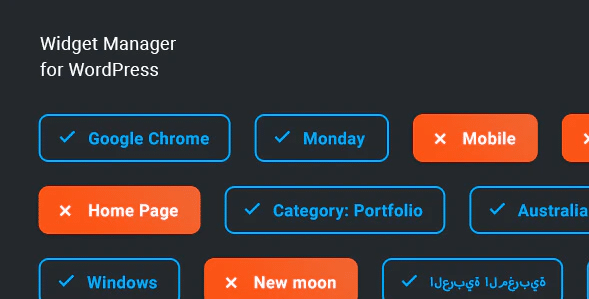
Widget Manager is a WordPress plugin distributed through Codecanyon that changes how you handle sidebar content. Instead of having every widget appear site-wide, this system lets you tie widget visibility to conditions you define. A widget can show up in certain places and stay hidden in others, based on rules you control. The plugin works with the standard WordPress widget area, so your existing widgets keep functioning normally. You decide which widgets appear under which circumstances, and the plugin takes care of the rest. Conditions can be tied to information WordPress already has at runtime, like the page being viewed or the visitor's logged-in status. For site owners who want a flexible layout without touching theme files, this type of control is valuable. The plugin arrives as the exact zip file from the original developer, so what you download matches what the author ships. This page provides the full package with no extra modifications.
The core idea is simple. Each widget can be assigned one or more conditions. When WordPress builds a page, the plugin checks those conditions and decides whether to output that widget. This gives you precise control over your site's design and content flow. You might keep a promotional box on your homepage, hide a tag cloud from archive pages, or restrict a newsletter signup to specific posts. These are hypothetical examples, but they represent the kind of task this plugin handles. Because the logic lives in the plugin, you avoid editing template files or writing custom code. The configuration happens from the WordPress admin area, where existing widget settings remain accessible. You spend time choosing conditions rather than debugging PHP. This condition-based approach lets you present the right widget in the right place without duplicating content. The goal is to make conditional widget display approachable for people who are not developers. With fewer widgets cluttering the page, visitors see content that matches the context.
Setup follows the ordinary WordPress pattern. You go to the widget management screen, pick a widget, and then define when it shows or stays hidden. The interface is meant to be easy to follow, with clear options for setting up those rules. According to the product listing, integration is straightforward and configuration is simple. This means you likely won't face a steep learning curve if you already know how to place widgets in WordPress. The plugin works within the standard widget structure. It behaves as a management layer on top of the existing system. It does not require you to modify theme files. You can change conditions any time and see the results after updating. For sites that rely on multiple sidebars or footer areas, having per-widget control is a practical upgrade. No special programming skill is required, and the admin panel keeps everything in one place. This approach suits users who want more control without moving to a page builder.
Widget Manager is delivered as a straightforward plugin package. The zip you download here is the same file that the original developer distributes through Codecanyon, so there are no altered files or injected extras. You upload it through the WordPress plugins screen and activate it like any other plugin. If you want additional details, the official Codecanyon product page has screenshots and usage notes. This package gives you the unchanged plugin, ready for installation. It remains your responsibility to check the author's documentation for specific condition options and system requirements. The plugin's purpose is narrow and focused: it brings conditional visibility to the default widget system. That focus makes it a lightweight addition to a WordPress site. You get the management capability without a bulky redesign of how widgets work. For anyone who needs widgets to appear selectively, this is a functional tool that does exactly what its name describes. The download itself is just the plugin file. Installation follows the standard WordPress upload process.
Related products

Restrict Content Pro BuddyPress Addon
 Restrict Content Pro

Restrict Content Pro Campaign Monitor Addon
Restrict Content Pro

Restrict Content Pro Easy Digital Downloads Wallet Addon
Restrict Content Pro
- Item type
- plugin
- Category
- Wordpress Plugins
- Version
- 1.0.1
- Availability
- In stock
- Delivery
- Digital
- Last updated
- August 2, 2026
The Widget Manager – WordPress Widgets Management System listing is available in Wordpress Plugins as a plugin. Check the description, item facts, and purchase details to assess its relevance to a project.
Usage rights depend on the license selected at checkout. Review the complete terms before using this item for client work, redistribution, SaaS, or more than one end product.