WooCommerce Advanced Quantity 3.0.6
Wordpress Plugins Codecanyon 4.8 (440 reviews)
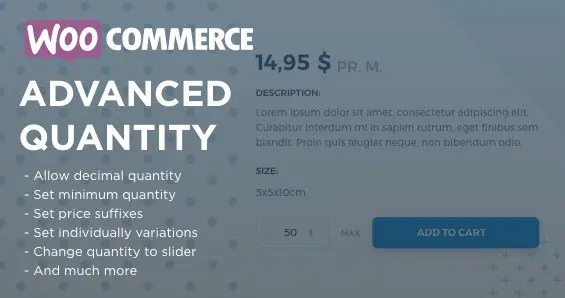
WooCommerce Advanced Quantity changes how the quantity field behaves on your WooCommerce product pages. Out of the box, WooCommerce lets shoppers type a number into the quantity box or click the arrows to increase and decrease it. That is fine for small, simple orders, but many stores need more control. This plugin wraps that basic field in a set of rules you define, so the numbers customers enter always line up with the way you run your business. You might want to enforce a minimum order size, stop shoppers from overbuying a limited product, or require increases in specific steps. The plugin handles those situations without you having to touch a line of code. Configuration is direct and understandable, and because the plugin is built specifically for WooCommerce, it sits comfortably within the product editing screens you already know. The result is a storefront that guides visitors toward the right quantity on their own.
The main advantage is the control you gain between the moment a customer picks a product and the moment the order is placed. When someone adds an item to the cart, WooCommerce normally accepts the quantity they specify. This plugin lets you apply rules before that happens, so a customer never sees an acceptance message and then a confusing error later. Stores that sell in bulk can require customers to buy a certain number of units, while stores managing stock carefully can prevent large spikes from one single order. You can set different behavior for different situations, all from the same clear settings area, and you can change the rules at any time without rebuilding your product pages. For shop owners who have been manually editing orders or chasing customers after checkout, this kind of forward control removes a big source of daily friction. Instead of policing every transaction, you simply set the limits once and let the storefront enforce them.
More from this category
 Yithemes

Installing and configuring the plugin follows the same process you already know from adding any WooCommerce extension. You upload the package, activate it, and then work through the settings panel that appears in your WordPress admin area. Everything is arranged in plain language, with the quantity rules placed close to the product settings you edit on a daily basis. This means no digging through external menus or dealing with a dashboard that looks nothing like your store backend. The plugin is distributed through Codecanyon, which is a standard source for commercial WooCommerce plugins, so you get a normal plugin file that acts like any other extension. It is meant to be a practical tool, not a platform shift; it adds a specific set of controls to a specific part of WooCommerce and leaves everything else alone. You can deactivate it at any point and your products go back to their default quantity behavior with no leftover changes.
What makes this plugin helpful is that it approaches quantity limits as a shop-floor decision rather than a code problem. The quantity field is one of the smallest parts of a store, yet it has a big effect on order value, packing workload, and customer satisfaction. By giving you a simple way to manage that field, the plugin helps your store maintain consistent order shapes without requiring custom PHP or third-party integrations. You remain in full control of your rules, and any adjustment you make applies as soon as you save it. Store owners who need stricter purchasing behavior will find the plugin answers a clear need; owners who are happy with the default field can simply leave it untouched. It is a focused, no-frills extension that does one job and does it cleanly. For anyone running a shop where the number of items per order actually matters, this is a small addition that brings real order to everyday operations.
- Item type
- plugin
- Category
- Wordpress Plugins
- Version
- 3.0.3
- Availability
- In stock
- Delivery
- Digital
- Last updated
- August 10, 2026
WooCommerce Advanced Quantity belongs to the Wordpress Plugins section and is treated as a plugin. Its preview, description, and listing facts can be checked without adding claims not found in the source.
Usage rights depend on the license selected at checkout. Review the complete terms before using this item for client work, redistribution, SaaS, or more than one end product.