WooCommerce Availability Notifications 1.3.1
Wordpress Plugins Codecanyon 4.8 (1.9K reviews)
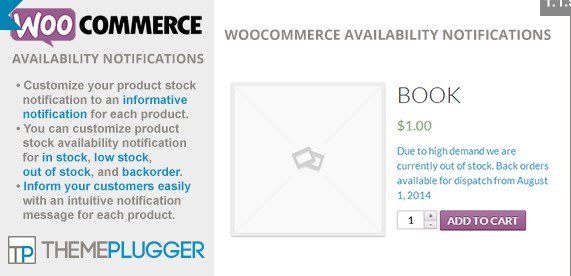
WooCommerce Availability Notifications is a plugin that gives store owners direct control over the stock messages displayed on product pages. Instead of relying on the standard WooCommerce phrases, you can write your own text for each of the four stock states: in stock, low stock, out of stock, and backorder. Each state gets its own editable field, so you might say "Ready for immediate dispatch" for in-stock items, "Only a few left, order soon" for low stock, "Currently unavailable, check back later" for out of stock, and "Can be ordered, ships in 5 days" for backorders. This turns a very generic part of the store into something that reflects your brand, answers common questions, and sets clear expectations for shoppers. The plugin is built specifically for WooCommerce, so it works with the stock options already in your product settings. It does not modify your inventory counts or order logic; it only changes the text that shoppers see.
The plugin handles more than simple text replacement. You get separate customization for each status, so the message can match the actual urgency or tone of your store. For instance, a low-stock notice can gently encourage a purchase, while a backorder notice can explain the delay in plain language. This reduces the number of support questions about stock availability and delivery timing. The feature is also useful for seasonal stores, clearance sales, or shops that sell handmade items where restocking takes time. Because the messages are stored per product, you can keep the global defaults and then edit individual products when needed. The admin interface is straightforward, with fields clearly labeled for each stock condition, and changes appear on the front end immediately after you save. A simple note about a restock date or shipping delay can save a customer from wondering whether an item will arrive in time. This extra clarity encourages better purchasing decisions.
A significant part of this plugin is its support for variable products. When a product has multiple variations, each variation can display its own availability message based on its stock status. You no longer need to accept one message for the whole product. The plugin also includes a quick edit option on the product list screen, so you can change the availability text without opening the full product editor. For stores with many variations, a bulk edit tool lets you apply the same message to multiple variations at once, saving time if you need to update an entire collection. This is especially handy during promotions or inventory changes. In addition, the plugin is compatible with WPML, which matters for multilingual stores. With WPML support, you can translate the availability messages into different languages and let customers see the notice in their preferred language, keeping the shopping experience consistent across regions.
For anyone running a WooCommerce store, stock notifications are a small detail that shoppers actually read. They can affect whether a person waits for a product, looks elsewhere, or contacts support. WooCommerce Availability Notifications turns that detail from a fixed label into something you control. There is no coding involved, and the settings are easy to find. Because you set a default message for each stock state, you only need to write them once. Individual products can then use those defaults unless you choose to change a specific entry. Once you set up your default messages, they apply to all eligible products, and you only override the ones that need special treatment. By matching the notification to your real shipping times and restocking habits, you give customers accurate information right where they are making a decision. Stores with many products benefit from consistent messaging, while stores with distinct inventory situations get the flexibility they need.
Related products

 PaidMembershipPro


- Item type
- plugin
- Category
- Wordpress Plugins
- Version
- 0.2
- Availability
- In stock
- Delivery
- Digital
- Last updated
- August 9, 2026
This page summarizes the available listing data for WooCommerce Availability Notifications in Wordpress Plugins. The item type is recorded as plugin, with further details shown below.
Usage rights depend on the license selected at checkout. Review the complete terms before using this item for client work, redistribution, SaaS, or more than one end product.