WooCommerce Continue Shopping Link 3.1
Wordpress Plugins Codecanyon 4.8 (588 reviews)
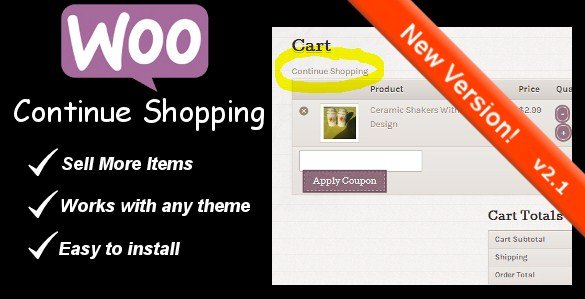
WooCommerce Continue Shopping Link is a lightweight plugin built for online stores that run on WooCommerce. Its job is simple: it places a dedicated Continue Shopping link on both the shopping cart page and the checkout page. When customers finish reviewing their cart or reach checkout, that link gives them an easy way to head back into the catalog and keep browsing. Many stores lose potential additional sales at this exact moment because the cart page feels like an endpoint. This plugin changes that by keeping the shopping session flowing. Instead of forcing shoppers to use their browser's back button or type a URL manually, the link sits right there next to their cart contents. The plugin is distributed through Codecanyon and is also made available through Woocrack.com, which serves as a direct distribution channel for the same downloadable file. The result is a smoother path from cart back to the product pages, with no extra steps required from the customer.
The thinking behind this tool is simple: shoppers often want to buy more than one item, and returning to a store's shelves should not require digging through menus. When a customer clicks into the cart, they often have not finished shopping. They might want to check for one more product, compare options, or grab a gift. Without a clear route back to the storefront, many of those shoppers simply leave. The Continue Shopping link keeps them engaged by sending them straight back to browsing. The plugin is designed to work quietly in the background, adding the link without altering the existing look of the store. Configuration is minimal, which makes it suitable for store owners who do not want to spend time adjusting settings. Once installed and activated, the link appears in the standard WooCommerce cart and checkout layouts. The whole point is to add a helpful exit route from the cart, not to introduce a new set of complex options.
In terms of delivery, the plugin is a standard WordPress extension package. If you obtain it through Woocrack.com, you download the same .zip file that would be provided by the original author on Codecanyon. This means the installation process is the familiar one: upload the zip via the WordPress admin panel, activate the plugin, and the function becomes available. There is no need for custom coding, child theme edits, or third-party services. The file is presented exactly as the original author released it, with no extras or alterations. What you see in the download is the plugin itself, not a wrapper or installer. Because the plugin is straightforward, it generally appeals to store owners who want a focused, single-purpose solution rather than a large bundle of features they do not need. Keep in mind that this is a small utility with a narrow purpose, not an all-in-one marketing suite or a complete store redesign tool.
More from this category

 WPAdverts
For a WooCommerce store, the small friction point of the missing continue-shopping link is easy to overlook until you notice how often shoppers leave after seeing the cart. This plugin addresses that specific moment with a dedicated control that brings shoppers back into product browsing. The value is in the behavior it creates: customers can move between the cart and the catalog as often as they like, which increases the likelihood of adding more items before checkout. Store owners get this benefit without a complicated setup process or a long list of configuration fields. The plugin stays close to WooCommerce's native behavior, adding the link rather than rebuilding the page. Anyone running a WooCommerce store who wants a direct way to encourage extra browsing can install this and see the link appear in the standard locations. It is a focused product, and its job is clear: keep the customer moving through the store, not away from it.
- Last updated
- August 3, 2026
- Delivery
- Digital
- Availability
- In stock
- Version
- 1.7.3
- Category
- Wordpress Plugins
- Item type
- plugin
The WooCommerce Continue Shopping Link listing is available in Wordpress Plugins as a plugin. Check the description, item facts, and purchase details to assess its relevance to a project.
Usage rights depend on the license selected at checkout. Review the complete terms before using this item for client work, redistribution, SaaS, or more than one end product.