WooCommerce Prices By User Role 5.2.1
Wordpress Plugins Codecanyon 4.8 (4.1K reviews)
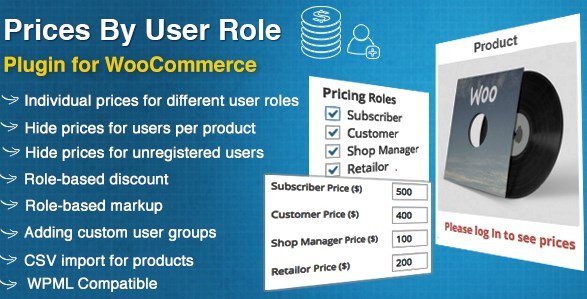
This plugin extends WooCommerce with the ability to set prices according to the user's role. Instead of a single price for everyone, store owners can define different rates for different groups of logged-in users. The default WooCommerce setup treats all customers the same, but this extension adds a layer of control that lets you tailor the shopping experience to the type of account a person holds. You can assign a specific price to a product for any user role that exists on your site. That means administrators, editors, customers, or any custom role you create can each see their own price as they browse the catalog. The price shown at the product page and in the cart will reflect the role associated with the logged-in account. This is particularly useful for stores that want to reward registered members, offer special terms to business accounts, or maintain different pricing tiers without creating separate product listings.
Beyond setting a fixed price, the plugin supports both discounts and markups for specific user role groups. You can choose to reduce the price for a particular role, making it lower than the regular price, or increase it for another, such as a premium tier where a markup applies. These adjustments are applied to the base product price and are reflected in the totals calculated by WooCommerce. The discount and markup options give store owners a flexible way to implement quantity-based client groups, loyalty programs, or regional pricing structures directly through the standard product configuration. You do not need to edit theme files or work around the core price display functions. Everything is handled by the extension, and the changes take effect automatically after the settings are saved. This keeps your pricing logic in one place and ensures that the correct amount is shown during the entire customer journey, from product page to checkout.
Related products

 WPAdverts


The extension also gives you fine control over who can see prices and who can add items to the cart. For non-registered users, you can hide the “Add to Cart” button entirely, so visitors must log in before they can purchase anything. You can also hide the price from these visitors, and in place of a number, display a custom text message such as “Login for pricing.” This keeps your storefront looking clean while directing guests toward registration. The same controls are available for any specific user role group. If you want a certain role to browse the catalog but not make a purchase, or to see product descriptions without price information, you can set that role accordingly. Each of these visibility rules works on a per-role basis, so you can use both types of rules together to create a storefront where every group sees exactly the information they are meant to see.
This product is a WooCommerce extension originally distributed through Codecanyon, and it is provided as a standard plugin zip file that installs like any other WordPress plugin. It adds the role-based pricing controls to your existing WooCommerce setup without requiring changes to the core code. The feature set covered here appears in the official documentation, and additional options are available beyond the ones mentioned, so store owners with particular requirements will likely find something useful. The plugin is aimed at anyone running a WooCommerce store who needs differentiated pricing or restricted access per user role, no matter how many products or customer groups you have. It works with the roles already defined in your WordPress installation, meaning you can apply it to standard roles or to custom roles you have created through other plugins. By combining price adjustments with visibility controls, you get a straightforward way to run a multi-tier storefront inside the familiar WooCommerce environment.
- Item type
- plugin
- Category
- Wordpress Plugins
- Version
- 1.1.0
- Availability
- In stock
- Delivery
- Digital
- Last updated
- August 3, 2026
This page summarizes the available listing data for WooCommerce Prices By User Role in Wordpress Plugins. The item type is recorded as plugin, with further details shown below.
Usage rights depend on the license selected at checkout. Review the complete terms before using this item for client work, redistribution, SaaS, or more than one end product.