WooCommerce Product Size Guide 4.3
Wordpress Plugins Codecanyon 4.8 (2.6K reviews)
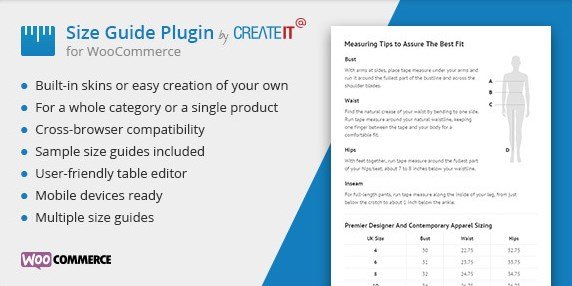
The WooCommerce Product Size Guide is an extension that puts size charts directly into your product pages. If your store sells clothing, shoes, or anything with sizing, you know the struggle of customers guessing between a medium and a large. This plugin gives them a visual reference before they click add to cart. You can attach a size guide to a single product, or apply it across entire categories at once. That flexibility means you set it once and it appears wherever needed. The guide is presented in a clean popup or tabbed layout, depending on the skin you choose. Three built-in skins let you match the look to your store’s design without touching code. For those who want deeper customization, the included LESS files give you control over colors, spacing, and typography, making it easy to match your brand. Everything is generated from your WordPress dashboard, so you never have to edit templates manually.
Related products

 WooCommerce.com


Sample size guides are included, which is handy when you want to get running right away. Instead of building charts from scratch, you can import one of the provided examples and tweak only the measurements you need. The plugin supports unlimited size guides, so a store with dozens of product types can maintain a unique guide for each one. You might have a shoe size chart for boots, a separate one for sneakers, and yet another for apparel. Each guide can be assigned to specific products or to entire categories. There’s no limit on how many you create, and no restriction on how many products a single guide covers. The interface for managing guides is straightforward, designed for store owners who want functionality without a steep learning curve. You’ll spend more time selecting measurements than figuring out the settings. That simplicity makes it practical for small shops and large catalogs alike.
Mobile readiness is built in, which matters because a large share of shoppers browse on phones. The size guide displays properly on smaller screens, with buttons and tables that remain usable on touch devices. LESS files are included for those who want to adjust the visual style beyond the default skins. You can compile them into your theme’s stylesheet or use a LESS compiler to generate custom CSS. This is useful if your store has a specific color palette or you want the size guide to blend with your existing product galleries. The plugin also works across different themes since it does not rely on a particular template layout. It hooks into the product page in a standard way, so compatibility with other WooCommerce extensions is generally smooth. The setup process involves adding the plugin, creating your guides, and assigning them to the right spots. From there, customers see the relevant chart automatically.
Beyond the headline features, the plugin is built to be unobtrusive. It adds a size guide link or button near the product options, and the guide opens without reloading the page. This keeps the shopping experience fluid. Store owners can also choose which category or product gets a guide, so you could restrict a special chart to a particular collection. The included sample charts cover common sizing standards, giving you a starting point for different markets. Because everything is managed from the WordPress admin, updates and changes are quick. There is no need to create images or HTML tables by hand. The plugin simply takes the data you type in and formats it as a clean table. That is the core value: a straightforward way to present size information clearly. For any WooCommerce store dealing with sizes, this extension removes guesswork for customers and reduces follow-up questions from confused buyers.
- Item type
- plugin
- Category
- Wordpress Plugins
- Version
- 1.7.0
- Availability
- In stock
- Delivery
- Digital
- Last updated
- August 10, 2026
The WooCommerce Product Size Guide listing is available in Wordpress Plugins as a plugin. Check the description, item facts, and purchase details to assess its relevance to a project.
Usage rights depend on the license selected at checkout. Review the complete terms before using this item for client work, redistribution, SaaS, or more than one end product.