WooCommerce Profit of Sales Report 1.3.2
Wordpress Plugins Codecanyon 4.8 (4.1K reviews)
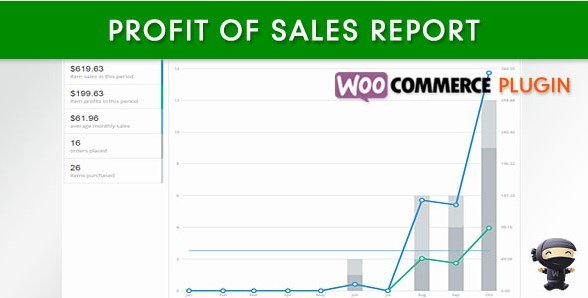
WooCommerce Profit of Sales Report is an extension that brings profit tracking directly into your store's admin panel. Most WooCommerce stores can easily see total sales, but that number doesn't tell you what you actually keep after covering product costs. This plugin closes that gap by letting you assign a cost to every item you sell. Once those costs are in place, the plugin turns them into meaningful figures you can review right where your orders and products live. It is built as a straightforward administrative tool, so you do not need to leave your dashboard or set up any external accounting software to understand how your store is performing. Installing it adds a practical layer of financial visibility to the WooCommerce back end, and the way it is designed fits naturally into the workflows store owners already use every day. The plugin is not a complex add-on; it focuses on one clear job and does it well.
Setting up your product costs is the first step, and the plugin offers two simple ways to handle it. On the main admin products listing, you can use quick edit to fill in the cost of goods for each item without opening the full product page. This makes initial setup much faster, especially if you have a large catalog. For individual products, you can enter the cost directly on the product's own edit screen, which is useful for adding more detail or adjusting a single item. The plugin stores this information per product, so each listing carries its own cost value. That level of control matters because it lets the profit calculations reflect the true amounts you pay for stock, rather than using a guess or an average across the whole store. You can also revisit any cost later and update it if your supplier raises prices or a batch was more expensive than usual.
Beyond product records, the plugin brings profit information into your order management flow. On the admin order details page, you can see the profit for that specific order at a glance, without toggling between screens or pulling out a calculator. The same page also allows you to edit the cost of goods right there if something needs adjustment. This is handy when a product's actual cost differs from what was originally entered, or when you want to correct a mistake without hunting through the product settings. Seeing profit displayed alongside the order totals helps you understand which sales are truly worthwhile and which ones carry thin margins. Having the ability to make corrections from the order screen keeps your records accurate without creating extra busywork. The order-level view gives a clear picture of each transaction's profitability the moment you look at it, and it all takes place within the same interface you already use to manage orders.
Other products to consider

 WPMU DEV


The reporting side of the plugin pulls all of this cost data together into dedicated profit reports. You can view reports that monitor your profit across the whole store, then narrow the results to a specific period that fits your needs. Custom date ranges give you the flexibility to check a single week, a month, or a particular sales campaign. This makes it easier to spot trends, understand seasonal changes, and see which parts of your catalog contribute the most to your bottom line. Every report can be exported as a CSV file, so you can bring the numbers into a spreadsheet program for further analysis or keep records for your own bookkeeping. The reports are designed to be readable and direct, showing the relationship between sales and product costs in plain figures. You set the dates, and the plugin applies your saved cost data to calculate what each period actually earned.
- Item type
- plugin
- Category
- Wordpress Plugins
- Version
- 1.4.9
- Availability
- In stock
- Delivery
- Digital
- Last updated
- August 11, 2026
WooCommerce Profit of Sales Report belongs to the Wordpress Plugins section and is treated as a plugin. Its preview, description, and listing facts can be checked without adding claims not found in the source.
Usage rights depend on the license selected at checkout. Review the complete terms before using this item for client work, redistribution, SaaS, or more than one end product.