WooCommerce Social Plugin 1.8.1
Wordpress Plugins Codecanyon 4.8 (668 reviews)
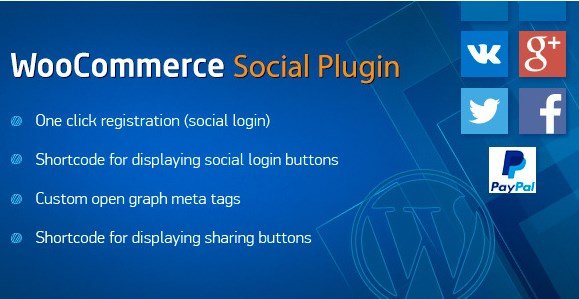
This WooCommerce Social Plugin is a WordPress extension that connects customer accounts to their social media profiles. Shoppers can log in or register with existing credentials from platforms like Facebook, Twitter, or Google. That removes the friction of creating a new password and remembering it later. The plugin's main purpose is to speed up the checkout process by linking social accounts directly to the WooCommerce customer database. When a returning visitor clicks a social button, the plugin matches their profile to their stored account and pulls up their details. This makes repeat purchases much quicker. For store owners, the integration means fewer abandoned carts caused by forgotten login details. The plugin runs entirely inside the WordPress admin area, so you manage everything from the dashboard you already use. It also works alongside existing WooCommerce settings, so you don't need to reconfigure your store from scratch. This is a straightforward tool for any shop that wants a faster route from browsing to buying.
Related products

 Advanced Custom Fields


The plugin brings several practical features through simple shortcodes and built-in tags. One-click registration lets a new visitor create an account by authorizing a social network, with profile details automatically transferred into your customer records. A shortcode displays social login buttons anywhere on your site, whether a dedicated login page, a sidebar widget area, or right beside the checkout form. Choose which social networks appear and how the buttons look. Custom open graph meta tags are also included. These control how your product pages appear when shared on social platforms, letting you set the title, description, and image that show up in a post or message. Sharing buttons come with their own shortcode, so customers can push your products to their followers directly from the product page. Each feature is documented in the plugin files, and the code is organized to work with standard WooCommerce hooks. You can test the shortcodes in the WordPress editor before adding them to your live pages.
By linking social accounts and adding share options, the plugin turns your store into a more social space. Customers no longer need to fill out long forms; they click once and they’re in. This reduces the steps between seeing a product and completing a purchase. The open graph tags also make sure your store looks professional when someone shares a product link, with a clear thumbnail and title instead of a random snippet. The sharing buttons encourage buyers to spread the word, which can bring new visitors without extra advertising. Because the plugin is distributed through Codecanyon, you get a well-tested codebase that follows WordPress standards. That means fewer conflicts with your theme or other plugins. The files are organized and commented, so a developer can easily adjust the styling to match your brand. You install it just like any other WordPress plugin: upload, activate, and configure the settings. There’s no separate server or external service required for the core features to work.
Store owners who want to reduce checkout friction will find this plugin helpful. It addresses a common problem: customers abandoning carts because they don’t want to create an account. By offering social login, you give them a familiar and instant option. The open graph tags are equally valuable for anyone who relies on social media traffic. When a product is shared, the preview looks intentional rather than accidental. The plugin is also a good fit for small shops that want social features without building custom code. Since everything is controlled from the WordPress dashboard, you don’t need a developer for basic setup. The shortcode system is flexible; you can place buttons in headers, footers, or product pages as needed. This plugin does not try to replace your existing checkout flow. It simply adds social options on top of what WooCommerce already provides. If you’re running a store and your customers are active on social media, this is a practical addition to your toolkit.
- Last updated
- August 11, 2026
- Delivery
- Digital
- Availability
- In stock
- Version
- 5.0.1
- Category
- Wordpress Plugins
- Item type
- plugin
The catalog entry for WooCommerce Social Plugin is grouped with Wordpress Plugins and classified as a plugin. Available product information is shown below with related items from the local catalog.
Usage rights depend on the license selected at checkout. Review the complete terms before using this item for client work, redistribution, SaaS, or more than one end product.