WooCommerce Variations Table 1.3.13
Wordpress Plugins Codecanyon 4.8 (3.0K reviews)
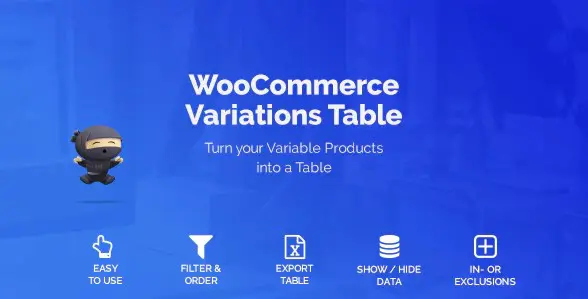
In WooCommerce, variable products usually present options as a series of dropdown menus. That works fine for one or two attributes, but it quickly turns into a frustrating exercise when a product has several choices like size, color, material, and storage capacity. The WooCommerce Variations Table plugin changes that experience by turning every variation into a row inside a straightforward table. Each column holds a specific piece of information you select, so a customer can look at all available combinations in one place. Instead of opening multiple dropdowns, they simply scan rows and compare details such as price, stock, SKU, and any custom attribute you have configured. The table appears directly on the product page and uses the exact data already stored in your WooCommerce catalog. This plugin is distributed through Codecanyon, and the version offered at woocrack.com is the same original WordPress plugin file. It installs through the normal WordPress plugin upload process and works with existing WooCommerce setups.
You decide what appears in the table. A settings panel lets you select which product fields become columns. Price, stock status, SKU, weight, dimensions, or any custom attribute you have set up can all be shown. Removing a column is as simple as unchecking it, so the table stays focused on the details that matter to your customers. This customization also keeps the table readable on both desktop and mobile. Column order is adjustable, and you can choose how many variations appear at once. The result is a practical display that reduces support questions about availability or specifications, because people see everything at a glance. Since the table pulls directly from existing product data, there is no duplicate information to maintain and no risk of mismatch between the table and the actual product pages. The available fields come straight from the attributes you have already registered, so the table never asks you to recreate information that already exists in WooCommerce.
Long lists of variations do not become a problem. The plugin includes built-in search and filter tools, so shoppers can narrow down rows by typing a keyword or selecting specific attribute values. This is especially useful when a product has dozens or even hundreds of combinations. Paging controls break the table into manageable chunks, and scrolling options let you choose between a paginated layout or a scrollable area with a fixed header. You can also choose the number of rows displayed per page. That means users can jump straight to the option they want instead of scrolling endlessly. Store owners also benefit from an export function. You can export the variation data as a file, which makes it easy to share inventory details with suppliers, use the data in spreadsheets, or create backup copies. All of these features work together to keep the browsing experience smooth and keep your product information accessible.
More from this category

 wpDiscuz


This particular copy is distributed through woocrack.com. The download is the exact .zip file you would receive from the original author on Codecanyon. There are no modified plugin files, no added code, and no extra wrappers. After downloading, you install the plugin just as you would install any WordPress extension. The plugin directory contains the same structure, the same license headers, and the same functionality as the official release. This matters if you plan to update the plugin later or if you want to verify the code against the original source. The distribution site does not ask you to complete any membership steps or checkout process to get the file. You simply download the archive and use it on your own WooCommerce store. Keep in mind that support and updates depend on the original Codecanyon item page, so you may want to check the official plugin page for the latest details.
- Last updated
- August 9, 2026
- Delivery
- Digital
- Availability
- In stock
- Version
- 7.2.1
- Category
- Wordpress Plugins
- Item type
- plugin
This listing covers WooCommerce Variations Table, a Wordpress Plugins from plugin. Use the source description and recorded item details below to check whether it fits the intended project.
Usage rights depend on the license selected at checkout. Review the complete terms before using this item for client work, redistribution, SaaS, or more than one end product.