Woocommerce Variations To Table - Grid 1.5.8
Wordpress Plugins Codecanyon 4.8 (4.6K reviews)
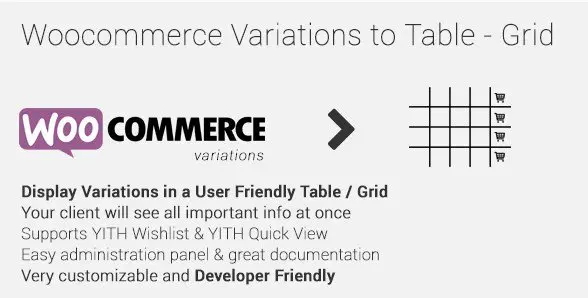
WooCommerce Variations To Table - Grid replaces the default variation select boxes on your product pages with a display that shows every option in a table or grid. Customers can see all combinations of size, color, or any other attribute without having to click through one drop-down after another. The layout is generated from the existing variation data already stored in your WooCommerce product, so there is no need to re-enter information. Each row represents a variation, and columns display the attribute values, price, stock status, SKU, and any other field you choose to include. The extension activates just like a normal plugin and works with your current theme. It gives shoppers a complete view of what is available before they make a selection, which makes the buying process feel more direct and less hidden behind conventional menu controls. This is especially helpful for stores that sell items with multiple options.
You retain full control over what the table shows. Each piece of variation data can be enabled or disabled with a simple option, so you can choose to display price, stock, SKU, weight, dimensions, or any custom attribute you have created. The extension also respects the “any” setting for variations, allowing customers to leave a particular attribute unspecified while still narrowing down the other options. This is a useful behavior for products where some combinations are not fixed. In addition, the table/grid display can be turned off or on for each product individually. That means you can leave standard dropdowns on a simple product while using the table format on more complex items. The plugin does not force the same layout everywhere; you decide where it makes sense. If you only need to show a few fields, the table becomes a compact list rather than a bulky grid. Column order is flexible too.
Stock messages can be customized to match your store's tone. You are not stuck with the default phrases; instead you can write your own in-stock, out-of-stock, and low-stock messages directly in the settings. For placement, the plugin offers two shortcode options. A simple shortcode lets you drop the variation table into any specific page, post, or custom location. A global shortcode applies the table sitewide, which is handy when you want every variable product to use the same display without editing each one. Because the plugin is extensible, developers can hook into its output, filter the displayed data, or adjust the markup to fit their theme. The shortcode system keeps things flexible, so you are not tied to a fixed position on the product page. You can embed the table in a tab, below the description, or wherever your design calls for it. This makes it simple to reuse the table in multiple places without duplicating code.
Related products

 Codecanyon

Using this extension means your customers spend less time guessing which option matches their needs. The table format makes pricing, availability, and other details visible at a glance, so there are fewer surprises at checkout. It is a practical upgrade for stores that sell configurable products, whether that is clothing, furniture, or anything with multiple attribute combinations. The per-product setting and shortcodes give you room to experiment, while the custom stock messages help you communicate stock levels clearly. For developers, the extensible structure allows the table to be shaped to fit unusual requirements. Nothing about the display is locked away. You can adjust column order, hide fields, or restructure the output entirely through hooks. This extension focuses on a single task and executes it well, turning a clunky set of dropdowns into a straightforward comparison tool that feels natural on any product page. The result is a cleaner, more informative product page that serves both casual browsers and focused buyers.
- Item type
- plugin
- Category
- Wordpress Plugins
- Version
- 1.0.6
- Availability
- In stock
- Delivery
- Digital
- Last updated
- August 2, 2026
The available listing for Woocommerce Variations To Table - Grid places it among Wordpress Plugins products. It is presented here as a plugin with its supplied description and purchase information.
Usage rights depend on the license selected at checkout. Review the complete terms before using this item for client work, redistribution, SaaS, or more than one end product.