WooSwatches - Woocommerce Color or Image Variation Swatches 7.0.0
Wordpress Plugins Codecanyon 4.8 (2.7K reviews)
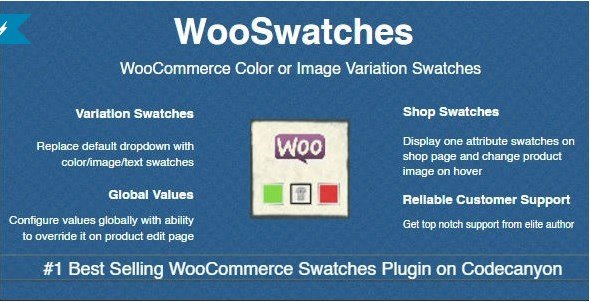
WooSwatches is a WooCommerce extension that replaces the usual dropdown menu on variable product pages with a set of clickable swatches. Instead of reading a list of color names and trying to imagine what each one looks like, customers see a row of colored circles, uploaded images, or short text labels directly on the page. You decide which kind of swatch appears for each attribute. A clothing store might use fabric swatches for color, a furniture store might use images of different finishes, and a shop selling buttons or threads could use text labels. The extension picks up the attributes you already set up for your products, so you don't need to rebuild your catalog or change how you manage inventory. It just changes how those attributes are presented at the front end. The change is purely visual, but it has a real effect on how quickly shoppers understand their options.
Beyond the basic swap from dropdown to swatch, WooSwatches also gives you control over how each attribute value is displayed. For a color attribute, you can assign a hex code or a custom color swatch. For something like a pattern or a fabric texture, you can upload an image that gets shown as the selectable thumbnail. Text attributes can be turned into labeled buttons. These settings live on the product edit screen, so you can apply them per attribute or per product. The extension also includes a product filter widget that uses the same swatches. That means visitors to your store can narrow down product listings by clicking a color or image swatch instead of using a regular checkbox filter. It keeps the visual style consistent across the catalog, whether someone is on a single product page or browsing a category. That gives customers a quicker way to filter through large catalogs without leaving the page.
Shopping on a phone is a different experience from using a desktop, and WooSwatches is built with that in mind. The swatches respond to touch, so tapping a color or image works the same way clicking does on a larger screen. There is also a direct variation link feature. This lets you construct a URL that automatically selects a specific variation on the product page. If you want to send a customer to the blue version of a shirt, or the large size of a pair of shoes, that link takes them straight to the selected swatch. On the storefront side, you can control the size of the swatches. Different attributes may need different proportions, and the extension gives you the freedom to set swatch dimensions that match your theme and the types of products you sell. You might make color swatches larger and keep text buttons compact, depending on what fits the product.
More from this category
 AIT Plugins
WooSwatches is a Codecanyon-distributed extension, so it follows the usual pattern of a downloadable WordPress plugin that you install and activate like any other WooCommerce add-on. You get the exact feature set described above: dropdown conversion, color, image, and text swatches, attribute-based display, the product filter widget, mobile-friendly interaction, direct variation links, and adjustable swatch sizes. There is no requirement to change your existing product variations or rewrite your product data. The extension works with the attributes you have already created, which makes it a practical addition to a store that has been running for a while. It handles the standard variable product type, which is the same structure most WooCommerce stores already use, so the main setup task is assigning swatch values to your attributes. For a shop that relies on visual distinction between variations, this kind of interface removes a common point of friction between a customer and the add-to-cart button.
- Last updated
- August 9, 2026
- Delivery
- Digital
- Availability
- In stock
- Version
- 1.0.0
- Category
- Wordpress Plugins
- Item type
- plugin
This page summarizes the available listing data for WooSwatches - Woocommerce Color or Image Variation Swatches in Wordpress Plugins. The item type is recorded as plugin, with further details shown below.
Usage rights depend on the license selected at checkout. Review the complete terms before using this item for client work, redistribution, SaaS, or more than one end product.