WooTabs - Add Extra Tabs To WooCommerce Product Page 2.1.8
Wordpress Plugins Codecanyon 4.8 (4.3K reviews)
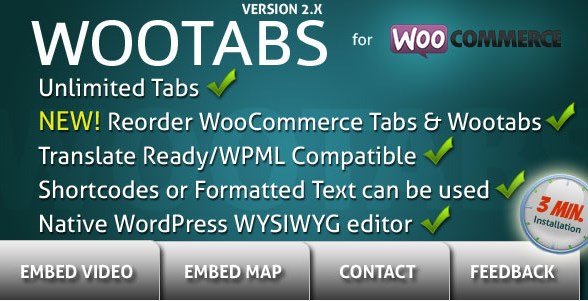
WooTabs is a WooCommerce extension that gives store owners the ability to add as many extra tabs as they need to the product details page. Out of the box, WooCommerce shows a small set of tabs like Description and Additional Information. WooTabs lets you place your own custom tabs right alongside those, so you can include sizing charts, shipping details, care instructions, video embeds, or anything else a customer might look for before making a purchase. The extension was built for the WooCommerce product page and is distributed through Codecanyon, so it works as a standard plugin install. You get a familiar WordPress admin interface for managing everything. The real appeal is that there is no limit on the number of tabs you can create, which makes it easier to keep product information organized without squeezing everything into a single long description field. Adding a tab does not require touching theme files or writing custom code.
Similar products

 AffiliateWP


The most useful part is the control you get over where tabs appear. You can create a tab that applies to every product in your store with one setting. Alternatively, you can assign tabs to specific product categories, so different groups of products can show different information. For example, clothing items might show a size guide while electronics show a warranty tab. There is also an option for empty global tabs, which lets you create a tab layout that is ready to use and then decide on a product-by-product basis whether it should show up. If you have a global tab applied everywhere, you can disable it on individual products that don't need it. That is a level of flexibility that saves time when you have a large catalog. This becomes handy when you run a store with many products because you won't have to edit each product page separately. Instead, the tab rules do the heavy lifting for you.
Tab placement and editing are straightforward. You choose whether your custom tabs appear before or after the default WooCommerce tabs, so the extension works with the look and feel you already have. Each tab’s content is written in the native WordPress WYSIWYG editor, which means you can format text, add links, and embed media just like you would in a post or page. Titles can be changed at any time, and deleting a tab is just as easy. When you make changes, saving happens instantly through Ajax, so you do not have to wait for a full page reload. For store owners working in multiple languages, the plugin includes .mo and .po translation files, and it supports right-to-left languages as well. There is no separate settings page with a steep learning curve; everything lives inside the normal product editing screen. For stores that already run a multilingual setup, the translation files can be loaded through the usual WordPress language system.
WooTabs is a practical store plugin that handles one specific job: putting extra information on your product pages. The feature set is focused, with no page builders or drag-and-drop complexity to learn. You install it, create a tab, fill in the content, and decide where it should appear. Because it is a Codecanyon extension, it follows the usual plugin architecture for WooCommerce and works within the WordPress admin. This makes it a good choice for store owners who want to add product-specific notes, return policies, or seasonal messages without touching theme files or hiring a developer. The ability to apply tabs across all products, hand-picked categories, or individual items gives you enough control for most store setups, and the instant-save feature keeps the experience quick while you are editing. For anyone running a WooCommerce store, this is a simple way to make product pages more useful for customers, and it does not try to be a full page builder.
- Item type
- plugin
- Category
- Wordpress Plugins
- Version
- 1.2
- Availability
- In stock
- Delivery
- Digital
- Last updated
- August 3, 2026
For shoppers browsing Wordpress Plugins, WooTabs - Add Extra Tabs To WooCommerce Product Page is recorded as a plugin. The page below separates supplied product information from general store and license terms.
Usage rights depend on the license selected at checkout. Review the complete terms before using this item for client work, redistribution, SaaS, or more than one end product.