Wordpress Viral Quiz – BuzzFeed Quiz Builder 4.06
Wordpress Plugins Codecanyon 4.8 (3.8K reviews)
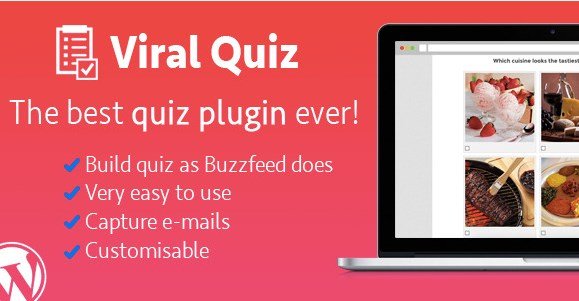
Building engaging content for your website requires tools that capture visitor attention and encourage social sharing. WordPress Viral Quiz is a dedicated plugin designed for the WordPress platform that enables site administrators to construct interactive assessments modeled after popular formats found on modern media websites like BuzzFeed. Content creators can build custom questionnaires directly within their standard dashboard without needing advanced coding knowledge or complex external applications. Visitors answering these questions can share their specific results across various social media platforms, which helps drive organic traffic back to the host blog or publication. The interface provides straightforward options for setting up questions, adding answers, and assigning custom result outcomes based on user choices. Every created assessment adapts automatically to different screen sizes, ensuring visitors using mobile phones, tablets, or desktop computers enjoy a properly formatted experience. Bloggers and media publishers use this plugin to increase user retention, boost page views, and encourage community interaction through entertaining, highly shareable personality tests and trivia challenges.
Similar products

 MainWP

Two distinct quiz formats are available within the plugin structure, giving site owners flexibility in how they present information to their audience. Personality assessments allow creators to group answers into specific personality profiles, culminating in a descriptive outcome tailored to the user selections. Trivia challenges test visitor knowledge by awarding correct points for right answers, ending with a score display that reflects overall performance. Random quiz generation options add an extra layer of engagement by mixing up the presentation order of questions or possible outcomes for returning visitors. Administrators retain full control over the visual presentation, allowing the assessments to blend nicely with existing site aesthetics regardless of the active WordPress theme. Building a new quiz takes only a few minutes through the administrative panel, where creators type in questions, upload relevant images, and map out the resulting outcomes. This straightforward approach removes technical barriers and lets publishers focus on writing compelling questions that resonate with their target audience members.
Managing existing content remains straightforward through built-in database tools that support complete data portability for individual assessments. Site administrators can export completed quizzes into structured files for backup purposes, migration to another server, or sharing across multiple web properties. Importing previously saved quiz files takes just a few clicks, restoring all questions, answers, images, and settings without requiring manual re-entry. Such functionality proves useful for webmasters running network sites or agencies building identical content blocks for different client domains. The plugin architecture relies on standard WordPress functions, keeping database overhead minimal while maintaining reliable performance under heavy visitor traffic. Regular updates ensure ongoing compatibility with core WordPress software releases and standard security protocols. Website owners do not need to worry about custom styling clashes, because the output markup adapts smoothly to standard CSS stylesheets provided by most active theme templates found in the marketplace.
Installing the plugin follows the standard WordPress upload procedure, requiring only the provided archive file through the plugins administration menu. Once activated, a new management tab appears in the dashboard where creators can monitor active assessments, review configuration settings, and build new interactive content from scratch. Documentation provided with the software outlines the basic setup steps, shortcode usage, and configuration options for social sharing integrations. Webmasters can place quizzes into any post, page, or custom widget area simply by copying and pasting the generated shortcode assigned to each individual assessment. No complex API configurations are strictly required for basic operation, allowing quick deployment right after activation. The codebase remains focused entirely on quiz creation and social distribution, avoiding bloat from unnecessary features that could slow down page loading speeds. Publishers looking to increase visitor engagement and social media reach will find this plugin a practical addition to their digital toolkit.
- Item type
- plugin
- Category
- Wordpress Plugins
- Version
- 1.9.9
- Availability
- In stock
- Delivery
- Digital
- Last updated
- August 11, 2026
The Wordpress Viral Quiz – BuzzFeed Quiz Builder listing is available in Wordpress Plugins as a plugin. Check the description, item facts, and purchase details to assess its relevance to a project.
Usage rights depend on the license selected at checkout. Review the complete terms before using this item for client work, redistribution, SaaS, or more than one end product.