WP Admin Menu Manager 3.0.12
Wordpress Plugins Codecanyon 4.8 (4.8K reviews)
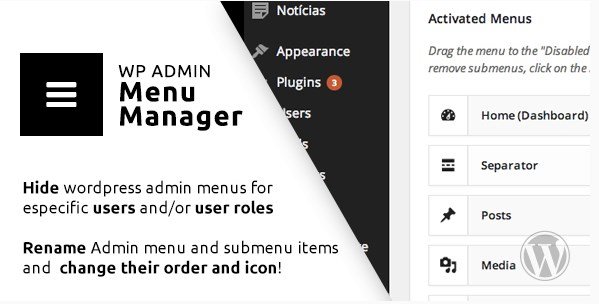
WP Admin Menu Manager is a WordPress plugin originally distributed through Codecanyon. It gives site administrators direct control over the appearance and organization of the WordPress dashboard navigation. Instead of accepting the default menu structure that WordPress ships with, this plugin lets you shape the admin sidebar to match how you actually work. The tool applies to both top-level menu items and the submenus nested beneath them. Every change you make is cosmetic and structural at the same time—you can decide what shows up, what stays hidden, what names appear, the order items sit in, and which icons represent each section. The plugin is packaged as a standard .zip file, so installation follows the usual WordPress plugin upload process through the Plugins screen. There are no complicated setup wizards or external services required. It works directly within your existing admin area, which makes the whole experience straightforward for anyone comfortable managing a WordPress site.
The hide feature addresses one of the most common frustrations for WordPress administrators: dashboard clutter. Fresh installations come with default menu items that not every user needs, and client sites often have sections that should remain out of sight. With this plugin, you can hide entire top-level menus or drill down and hide individual submenu pages. A site owner might conceal the Comments section from an editor while leaving Posts and Pages untouched. You could hide specific settings pages from junior staff members. The rename function works in the same granular fashion. Menus and submenus can be given clearer, more descriptive labels that match your organization's vocabulary. A default "Media" menu could become "Photos" or "Uploads." The plugin preserves the underlying functionality—renaming a menu does not break the pages it links to—so the changes are purely presentational from a user perspective. The labels and visibility of each item adjust to your preferences, while the actual screens behind them remain unchanged.
Similar products
 Codecanyon
Reordering menus puts frequently used sections where they naturally belong in your workflow. Rather than scrolling past a long list of items, you can position the most important menus at the top of the sidebar and push rarely used ones toward the bottom. This applies to submenus as well, so you can arrange the dropdown items under each parent menu in a logical sequence. The icon changer adds another layer of visual customization. Each menu item in the WordPress admin sidebar carries a default icon, and this plugin lets you swap those out for something more recognizable or thematically suited to your brand. Custom icons can be assigned to both primary menus and submenu entries. All of these settings are managed through a dedicated interface within the WordPress admin area, giving you a central place to review every menu, apply changes, and see the hierarchy of your dashboard navigation clearly.
What makes this plugin practical is that it addresses real problems without rewriting core WordPress files. The plugin works alongside the standard admin menu system, which means your changes persist without needing custom code snippets or child theme edits. When you hide or rename items, the underlying pages remain fully functional—you are only adjusting how they appear in the navigation. This becomes especially useful on multi-user sites, where different roles interact with different parts of the dashboard, or on client projects where you want to present a cleaner, more focused admin experience. Because the plugin ships as the same .zip file distributed through Codecanyon, you get the original author's code as-is, with no modifications or bundled extras. WordPress site administrators who find themselves constantly scrolling through an oversized sidebar will appreciate the ability to tailor the menu structure precisely to their daily tasks. The result is a dashboard that feels less like a generic template and more like a workspace built for the people actually using it.
- Item type
- plugin
- Category
- Wordpress Plugins
- Version
- 9.3
- Availability
- In stock
- Delivery
- Digital
- Last updated
- August 2, 2026
The available listing for WP Admin Menu Manager places it among Wordpress Plugins products. It is presented here as a plugin with its supplied description and purchase information.
Usage rights depend on the license selected at checkout. Review the complete terms before using this item for client work, redistribution, SaaS, or more than one end product.