WP Flat Visual Chat - Live Chat & Remote View for Wordpress 5.403
Wordpress Plugins Codecanyon 4.8 (2.4K reviews)
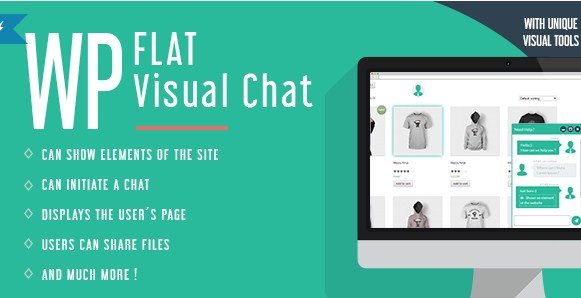
This WordPress plugin turns your website into a support hub with a live chat system that runs on AJAX, so messages appear instantly without page reloads. The interface uses a flat, modern design that works cleanly on desktops, tablets, and phones. Visitors see a friendly chat panel that invites them to ask questions. The plugin is built for site owners who want more than a standard contact form. Instead of waiting for email replies, your team can talk to customers in real time. Installation follows the usual WordPress plugin process, and settings are straightforward enough for someone with basic WordPress experience. There is no heavy learning curve. You activate the plugin, choose where the chat appears, and your team can start receiving messages. The responsive design means the chat window adapts to the visitor's screen, so mobile users get the same smooth experience as desktop visitors. This is a reliable, visually appealing chat tool that integrates directly with your WordPress site.
The standout feature is the remote view capability. An operator can see the exact page a visitor is viewing, so you know what the customer is looking at before they even describe it. It is not screen sharing, but a view of the website page itself. That context makes support faster and more accurate. If someone cannot find a button or form, the operator can guide them precisely without guessing. The plugin also lists online users, letting operators see who is on the site and start a conversation proactively. You do not have to wait for customers to send the first message. An overview on the operator panel lets you click to initiate chat with any online visitor. The remote view is two-way, meaning the customer can also see what the operator is referencing on the page. Such shared visual context reduces long explanations and turns a simple chat into a guided assistance session. The result is more productive support sessions.
The chat itself is built for real-time conversations. Messages appear instantly through AJAX, with no page refresh. The flat design keeps the interface uncluttered, offering clear cues for new messages and typing activity. Visitors can send messages without leaving the page. The dashboard shows open conversations and lets your team respond directly. It works across devices, so visitors and operators can use it on desktop or mobile. Configuration is easy: adjust chat colors, position, and greeting messages. You also control which team members get operator access. As a standard WordPress plugin, it works with most themes that follow common coding practices, and no coding is needed to get it running. After activation, you set the basic options and the chat is live for your visitors. This is a practical tool for small businesses, online stores, and any site where quick support matters. The AJAX system keeps conversations fluid, even with multiple customers chatting at once.
Other products to consider

 Event On


This product is delivered as a downloadable WordPress plugin file, the same zip you would receive from the original developer on Codecanyon. It includes all the core features in a single installable file. Once you install it, the plugin belongs to you and you can use it on your own website. The flat design is not just for looks; it contributes to a fast, responsive interface that works well across browsers. For any WordPress site needing live support, this plugin provides a combination of chat and visual context rarely found in a single package. The remote view function alone can reduce back-and-forth messages and help solve issues faster. This plugin does not rely on an external chat service, so all conversations happen on your own server. That gives you control over your support data. If you need a straightforward live chat solution with a visual edge, this plugin is worth considering.
- Last updated
- August 11, 2026
- Delivery
- Digital
- Availability
- In stock
- Version
- 2.4.18
- Category
- Wordpress Plugins
- Item type
- plugin
WP Flat Visual Chat - Live Chat & Remote View for Wordpress is one of the Wordpress Plugins items recorded as a plugin. The content below uses the supplied listing information and current local catalog data.
Usage rights depend on the license selected at checkout. Review the complete terms before using this item for client work, redistribution, SaaS, or more than one end product.