WPMU Dashboard Widget Order 2.0.4.2
Wordpress Plugins WPMU DEV 4.8 (2.5K reviews)
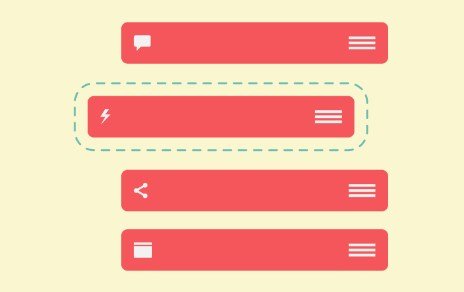
Managing a WordPress multisite network often involves dealing with inconsistent dashboard layouts across dozens or hundreds of individual subsites. WPMU Dashboard Widget Order is a WordPress plugin built specifically to solve this problem by letting network administrators define a single default arrangement for all dashboard boxes. Default WordPress installations display widgets in an arbitrary order that rarely matches specific organizational needs. Network administrators frequently face the tedious chore of manually adjusting these layouts on a site-by-site basis. This plugin eliminates that repetition by applying a chosen widget sequence across every single subsite simultaneously. Newly created sites inherit the designated layout immediately upon creation, ensuring consistency from the moment a user logs in for the first time. Existing sites on the network can also be aligned with this master arrangement through a single network-wide reset action. Widget positions dictate what users see first after signing in, meaning a predictable layout helps staff find essential information quickly without hunting through cluttered screens.
Operating this tool requires minimal effort because the configuration controls reside directly on the main dashboard rather than inside a separate settings menu. Administrators avoid digging through nested admin pages or searching for forgotten configuration tabs. Built-in instructions appear right alongside the controls to explain functionality clearly without requiring separate documentation lookups. The software focuses exclusively on positioning and avoids adding extra background bloat to the content management system. Core WordPress boxes such as recent comments, activity feeds, and incoming links are fully supported. Custom boxes originating from themes, plugins, or custom code also fall under the control of the plugin. Network managers maintain the freedom to place specific metrics or client-facing tools exactly where they make the most sense for the organization. No widgets get deleted, hidden, or altered in their content; only their physical placement on the screen changes. This straightforward behavior ensures that site owners experience zero risk of losing important data while layout adjustments take place behind the scenes.
Other products to consider

 MainWP


Deploying the software involves installing the plugin at the network level and dragging items into the desired sequence. Saving that arrangement locks the positions into place for all subsites across the entire network. Organizations that have watched individual subsites drift from standard layouts over months or years can restore order instantly. The network-wide reset feature overrides custom user arrangements and pulls every dashboard back to the administrator's master template. Quiet background operation means site owners rarely notice the utility running, keeping the administrative experience completely friction-free. Small plugin footprints prevent any noticeable slowdown inside the WordPress administration panels, preserving standard load times. Maintenance teams gain a predictable environment where users across different network branches encounter the exact same visual hierarchy upon logging in. Removing guesswork from initial site setups frees up valuable hours that would otherwise go toward manual layout configurations and support requests from confused site operators.
WordPress multisite operators frequently struggle with maintaining brand standards and administrative consistency as their networks expand over time. Standard core software treats each subsite as an isolated entity regarding dashboard arrangement, leaving network managers with fragmented user experiences. This plugin addresses that architectural limitation by enforcing strict structural rules over how administrative homepages display information. Organizations utilizing custom plugins for membership management, e-commerce tracking, or analytics can position those critical tools prominently at the top of the page. Information hierarchy improves significantly when the most relevant metrics appear immediately upon login rather than sitting buried at the bottom of the screen. Technical overhead remains remarkably low because the software sticks entirely to its single intended purpose of ordering dashboard blocks. Administrators seeking a reliable method to govern multisite visibility will find that this focused utility provides exact layout control without unnecessary features or complicated configuration steps getting in the way.
- Item type
- plugin
- Category
- Wordpress Plugins
- Version
- 4.0
- Availability
- In stock
- Delivery
- Digital
- Last updated
- August 11, 2026
This page summarizes the available listing data for WPMU Dashboard Widget Order in Wordpress Plugins. The item type is recorded as plugin, with further details shown below.
Usage rights depend on the license selected at checkout. Review the complete terms before using this item for client work, redistribution, SaaS, or more than one end product.