WPMU DEV In Post Ads 1.5.2
Wordpress Plugins WPMU DEV 4.8 (2.2K reviews)

WPMU DEV In Post Ads is a WordPress plugin that places advertisements directly inside your post content, rather than limiting them to sidebars, headers, or footer areas. The thinking behind this approach is straightforward: readers give their full attention to the articles they open, so ads positioned within that content see far more engagement than those pushed off to the periphery. The plugin automates this entire process, so you do not need to manually edit each post and drop in ad code by hand. You configure your ad units once, and the plugin handles the placement across your existing posts and any new content you publish. That makes it a practical tool for publishers and bloggers who rely on advertising revenue and want their inserts to appear exactly where readers are already looking. WPMU DEV built the plugin to work natively with how WordPress organizes posts, so it fits into an existing site without a complicated setup.
The plugin's primary function is automatic ad insertion. After you set up an ad unit, you can apply it to your posts and the plugin drops it into the content without further effort on your part. Nobody has to copy and paste ad code into each article, which is a major relief for editors who manage a lot of content. Posts that already exist on the site can be fitted with the ad, and newly published posts will have it applied as they go live. The ad sits within the post content, matching the reading experience of the page rather than floating off to the side like a traditional banner. Because the insertion happens automatically, the placement stays consistent across your whole site. That consistency matters for branding and for advertisers, who like knowing exactly where their message will appear. It also means a single change to the ad unit can be applied across every post, so updating campaigns is quick.
Related products

Easy Digital Downloads Coupon Importer Addon
 Easy Digital Downloads

Easy Digital Downloads Checkout Fields Manager Addon
Easy Digital Downloads
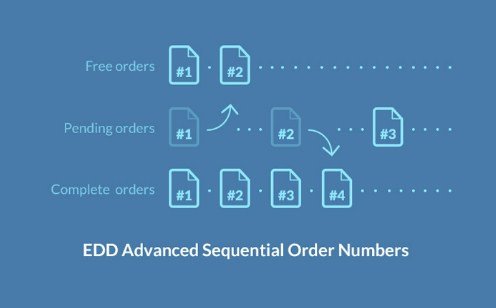
Easy Digital Downloads Advanced Sequential Order Numbers
Easy Digital Downloads
Two features make the plugin easy to fold into a real publishing workflow. First, it integrates with Google Analytics, so you can see how your in-post ads are performing without leaving the analytics platform you already use. You are not working blind; the reports show whether a particular ad placement is earning attention, and you can compare that against your other content metrics. Second, the plugin includes styling options that let the ad match the look of your theme. That means the ad can adopt the visual style of the page, so it blends with the design rather than looking like an external element bolted on. When an ad matches the site's design, readers are less likely to ignore it, and the page itself looks cleaner. Site owners who dislike writing custom CSS will appreciate having these design controls built into the plugin. Analytics and the visual controls work together: test a new design, check the numbers in Analytics, and adjust again.
For a publisher, the appeal of the plugin is the way it turns post content into a revenue opportunity without disrupting the reading experience. Ads that sit inside an article are naturally harder to miss than those tucked into a sidebar, and the plugin makes that placement reliable and repeatable. The plugin handles the technical side of ad management, so the person running the site can focus on creating content instead of fiddling with code. Since it is built specifically for WordPress, it installs like any other plugin and works with the normal post editor and content structure. There is no need to change how you write or publish articles. The combination of automatic insertion, analytics tracking, and theme-matched styling covers the essentials of in-content advertising in one package. That makes the plugin a sensible choice for anyone running a content-based site who wants advertising to feel less like an interruption and more like a natural part of the page.
- Item type
- plugin
- Category
- Wordpress Plugins
- Version
- 1.0.11
- Availability
- In stock
- Delivery
- Digital
- Last updated
- August 11, 2026
This page summarizes the available listing data for WPMU DEV In Post Ads in Wordpress Plugins. The item type is recorded as plugin, with further details shown below.
Usage rights depend on the license selected at checkout. Review the complete terms before using this item for client work, redistribution, SaaS, or more than one end product.