Yogavia - Yoga & Meditation Elementor Template Kit Latest Version
Elementor Kits Themeforest 4.8 (821 reviews)
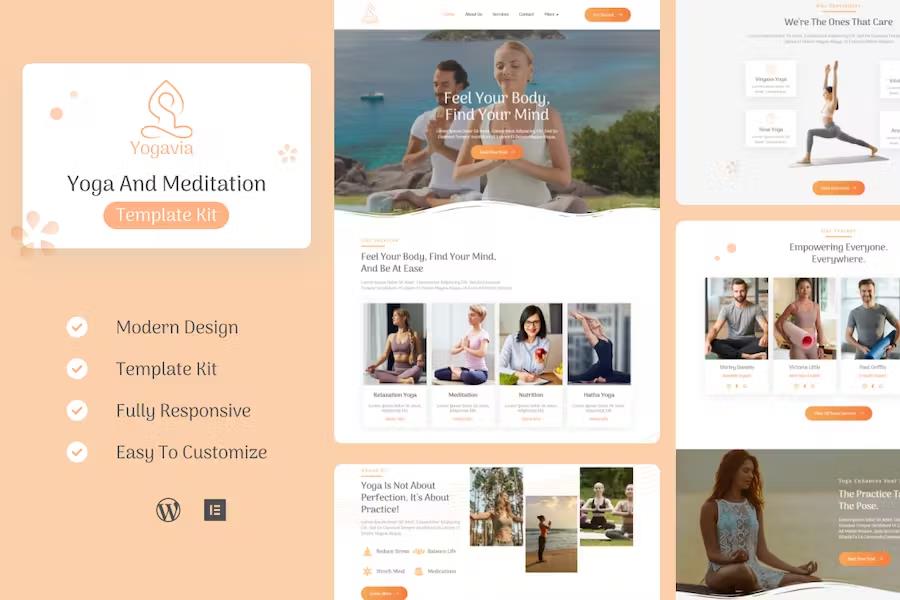
Building a professional website for a yoga studio, fitness center, health club, or massage parlor requires thoughtful design and proper structure. Yogavia provides a complete Elementor template kit designed specifically for these wellness industries. Page layouts load quickly and display correctly on desktop computers, tablets, and smartphones because the design adapts to different screen sizes naturally. Studio owners and web designers can build a complete online presence without writing any code. Every page layout uses a clean, contemporary visual style that suits meditation teachers, wellness coaches, and physical therapy practices alike. Setting up the site involves uploading personal images and replacing placeholder text with relevant business information. Pre-built pages cover common needs like class schedules, instructor bios, pricing options, and contact forms. Standard elements include custom color controls, dedicated content boxes, title typography settings, thumbnail layouts, and a custom 404 error page. Building a site becomes straightforward since the structural elements are already arranged for immediate use. Everything works smoothly inside WordPress using standard page-building tools that many site creators already know well.
Visual customization happens directly inside the page builder interface through drag-and-drop controls. Individual design components adjust easily, allowing users to modify fonts and global colors from a central location. Several required and recommended plugins work alongside the kit to provide extended functionality without complicated setup steps. Elementor serves as the primary visual engine, while ElementsKit Lite handles global layout elements like headers and footers. MetForm manages contact submissions, class registration inquiries, and booking questions through custom form blocks. Themesflat Addons For Elementor supplies additional layout widgets to expand design choices further. Importing these components takes only a few minutes through the standard WordPress import workflow. Standard instructions guide users through connecting navigation menus to headers, activating footer areas across the entire domain, and linking form widgets to their respective templates. No technical coding background is necessary to complete these setup steps, making the kit accessible to small business owners who prefer managing their own web pages.
Related products

Educo - Education & Online Course Elementor Template Kit
 Themeforest

KidzOutfit - WooCommerce Kids Fashion Shop Elementor Template Kit
Themeforest
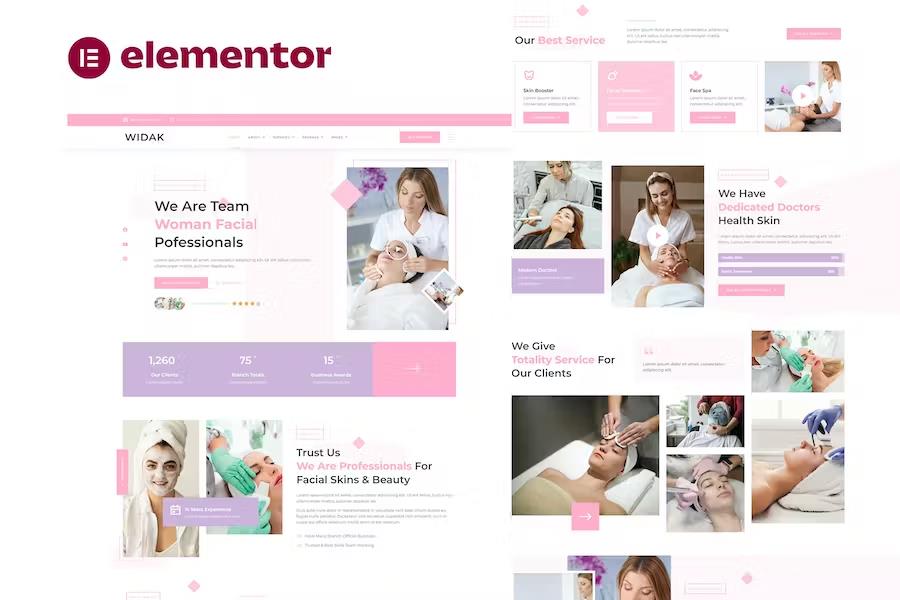
Widak - Facial Care & Beauty Treatment Elementor Pro Template Kit
Themeforest
Template layouts cover all the essential sections a modern wellness business needs to attract clients and display class offerings. Homepage layouts feature prominent areas for welcoming visitors, highlighting featured classes, and displaying instructor credentials. Inner pages accommodate detailed schedules, workshop announcements, gallery displays, and blog posts for sharing wellness tips. Contact pages incorporate structured forms for inquiries alongside map areas and operating hours. Styling remains consistent across every template, creating a unified look that builds trust with prospective students. Background sections, typography hierarchies, and button styles share cohesive design rules established during the initial setup. Adjusting these visual parameters takes effect immediately across the entire site when using the global settings panel. Businesses can establish an online identity that matches their physical studio atmosphere through careful selection of imagery, color choices, and textual content placed inside the layout frameworks.
Demo imagery featured in the presentation previews belongs to Envato Elements and is not included for unrestricted public use with the download package. Site administrators must supply their own photography or acquire the appropriate licenses for the demonstration photos before publishing the site live. Replacing placeholder images takes place directly inside the page builder by uploading personal photography files from a computer. This flexibility ensures that yoga studios can display actual instructors, real studio spaces, and authentic classes rather than generic stock photos. Maintaining a fast page load speed remains a priority throughout the underlying code structure of every template included in the kit. Clean styling rules and efficient element placement prevent unnecessary bloat, helping the website perform reliably on shared hosting environments. Content creators can focus entirely on writing compelling class descriptions and scheduling details while the pre-built templates handle the visual presentation of the wellness business online.
- Last updated
- August 2, 2026
- Delivery
- Digital
- Availability
- In stock
- Version
- Latest Version
- Category
- Elementor Kits
- Item type
- template kit
Listed under Elementor Kits, Yogavia - Yoga & Meditation Elementor Template Kit is a template kit. This presentation keeps the product name and recorded facts intact while organizing the details for easier review.
Usage rights depend on the license selected at checkout. Review the complete terms before using this item for client work, redistribution, SaaS, or more than one end product.