Archidream - Architecture Elementor Template Kit Latest Version
Others Themeforest 4.8 (4.0K reviews)
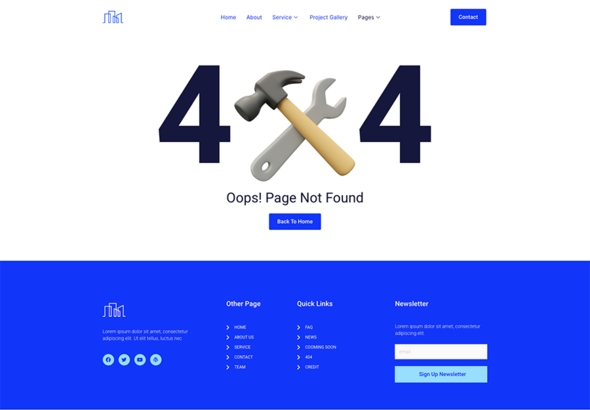
Archidream – Architecture Elementor Template Kit is a collection of layouts for the Elementor page builder WordPress plugin, designed for use with Elementor Free Version for a clean Design. It works with most themes and is optimized for use with the free Hello Elementor theme.
More from this category
 Themeforest

10+ Import Templates Ready For Use :
- Home
- About
- Service
- Service Details
- Project Gallery
- Team
- Faq
- News
- Contact
- 404
- Tab Menu
- Metform
- Global Style Kit
- Block | Header
- Block | Footer
Template Features
- No upgrades or pro plugin required
- True No Coding Required
- Global Theme Style
Plugins installed with kit
- Elementor
- Elements Kit Lite
- Themesflat Addons for Elementor
- MetForm
How to Install:
- Install and Activate the “Template Kit Import” plugin from Plugins > Add New in WordPress
- Do not unzip
- Go to Elements > Installed Kits and click the Upload Template Kit button.
- Before importing a template, ensure the Install Requirements button is clicked to activate required plugins
- For best results, do not import more than one template at a time.
How to import Metforms Template
- Import metform
- Import the template where the form appears, then click View Template to load in the builder
- Right click the page to open Metform widgets
- Click New, leave blank selected then click Edit Form button
- Click ‘Add Template’ grey folder icon.
- Click ‘My Templates’ tab.
- Choose your imported metform template, then click ‘Insert’.
- Once the template is loaded, click ‘Update’.
Setup Global Header and Footer in ElementsKit
- Import the header and footer template
- Go to ElementsKit > Header Footer select Header and click Add New
- Give it a title, leave Entire Site selected and toggle Activation to On
- Click the template title and Edit Content
- Click the gray folder icon and select the header template to import and Update.
- Repeat for Footer
Detailed Guide: https://help.market.envato.com/hc/en-us/articles/360038112932-How-to-use-the-Template-Kit-Import-plugin-from-Envato-to-Install-Elementor-Template-Kits
This Template Kit uses demo images from Envato Elements. You will need to license these images from Envato Elements to use them on your website, or you can substitute them with your own.
Collections
- https://elements.envato.com/collections/8ZCPSNLE9D
- Last updated
- October 12, 2026
- Delivery
- Digital
- Availability
- In stock
- Version
- Latest Version
- Category
- Others
- Item type
- template kit
The Archidream - Architecture Elementor Template Kit listing is available in Others as a template kit. Check the description, item facts, and purchase details to assess its relevance to a project.
Usage rights depend on the license selected at checkout. Review the complete terms before using this item for client work, redistribution, SaaS, or more than one end product.