Elarisse - Wedding Photography Elementor Template Kit Latest Version
Others Themeforest 4.8 (3.2K reviews)
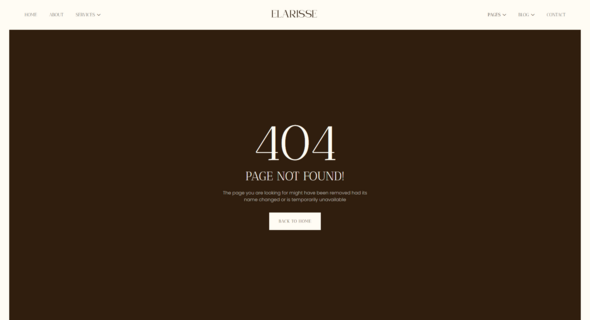
Elarisse is a refined and beautifully crafted Elementor template kit designed
for wedding photographers, videographers, and creative studios. With a
romantic aesthetic and elegant layout, it helps you showcase your portfolio,
share client stories, and highlight services with ease. Elarisse is built with
modern design standards, ensuring full responsiveness, smooth navigation, and
easy customization without writing a single line of code.
Whether you’re capturing intimate ceremonies or grand celebrations, Elarisse
provides all the essential pages: about, services, portfolio, pricing,
testimonials, and blog. With clean typography, soft color accents, and
high-quality visual sections, your work will truly shine. Ideal for
professionals seeking a graceful online presence that feels both personal and
polished.
Important: This is an Elementor Template Kit. Do not use WordPress Tools > Import. Install the Template Kit Import plugin (Plugins > Add New > search “Template Kit Import” by Envato), then go to Tools > Template Kit to import.
Features:
- For Wedding Photography
- Fully With Elementor Free Version (Elementor Pro is not required)
- Simple, Modern and Clean Design
- No Coding Knowledge Required
- 20+ Ready To Use Templates
- Easy & Fully Customizable
Templates Include:
- Global Kit Style
- Home
- About Us
- Services
- Service Detail
- Portfolio
- Portfolio Detail
- Team
- Pricing
- Gallery
- Blog
- Single Blog
- FAQ
- Contact Us
- Metform Contact
- Metform Booking
- 404 Page
- Coming Soon
- Header
- Footer
Plugins installed with kit:
- Jeg Elementor Kit
- MetForm
How to Use Template Kits:
This is not a WordPress Theme. Template kits contain the design data for Elementor and are imported using the Template Kit Import plugin via Tools > Template Kit.
- Plugins > Add New → search “Template Kit Import” (by Envato) → Install & Activate
- Go to Tools > Template Kit
- Upload your Template Kit ZIP
- Click “Install Requirements”
- Import “Global Kit Styles” first, then the pages/parts you need
Help & Support
Need more help? Choose an option below:
- Full Guide: How to Upload & Install Elementor Template Kits
- Contact Us
For further support, go to Elementor > Get Help in WordPress menu.
How To Import Metform Costum Form
- Import metform template
- Import the template where the form appears, then edit in Elementor
-
Click the Metform widget in the column where the form should be and click
Edit Form - Select New, leave blank selected then click Edit Form button
- Click ‘Add Template’ grey folder button
- Click ‘My Templates’ tab
- Choose your imported metform template, then click ‘Insert’
- Once the template is loaded, click ‘Update’
How to setup header in Jeg Elementor Kit plugin If you have
Elementor Pro, headers and footers may be customized under Theme Builder.
- Go to Jeg Elementor Kit menu item > Header Template
- Click Add New Header
- Add condition > All Site and click Create
- Click the pencil icon to Edit and elementor will appear
- Click gray folder icon to access My Templates tab
- Insert the header template.
- Customize and Save.
Images This Template Kit uses demo images from Envato
Elements. You will need to license these images from Envato Elements to use
them on your website, or you can substitute them with your own.
- https://elements.envato.com/collections/WN89CGVEZP
FAQ
- Can I import via WordPress Tools > Import? No. That importer handles WXR posts/pages. This is an Elementor Template Kit and must be imported with the Template Kit Import plugin via Tools > Template Kit.
- Do I need Elementor Pro? No, this kit is built for Elementor Free unless otherwise noted.
- My pages don’t look like the demo. Go to Tools > Template Kit and click Install Requirements, then import Global Kit Styles first before importing pages/parts.
Similar products
 Themeforest
- Item type
- template kit
- Category
- Others
- Version
- Latest Version
- Availability
- In stock
- Delivery
- Digital
- Last updated
- October 21, 2026
For shoppers browsing Others, Elarisse - Wedding Photography Elementor Template Kit is recorded as a template kit. The page below separates supplied product information from general store and license terms.
Usage rights depend on the license selected at checkout. Review the complete terms before using this item for client work, redistribution, SaaS, or more than one end product.