Hostova – WHMCS Hosting Theme Latest Version
Others Themeforest 4.8 (729 reviews)
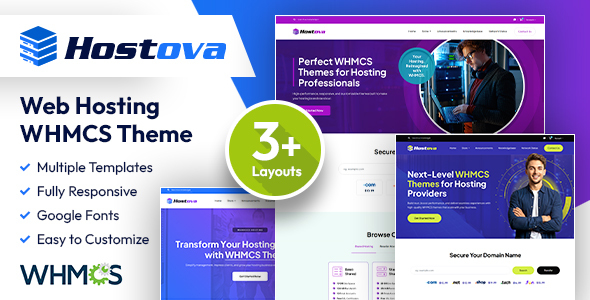
Hostova – Modern WHMCS Hosting Theme
Hostova is a sleek and professional WHMCS Hosting Theme built for
web hosting providers, cloud service companies, domain registrars, and IT businesses.
With its clean design, responsive layout, and optimized performance, Hostova helps you
create a polished client area that enhances your customers’ user experience.
Other products to consider
 Themeforest

Why Choose Hostova?
Speed, usability, and customization are at the core of Hostova.
It comes with a lightweight framework, modern UI, and easy-to-modify template files
that let you quickly adapt the theme to your brand identity. Whether you’re
launching a new hosting business or redesigning your WHMCS interface,
Hostova is a reliable solution.
Theme Information
- Version: 1.0
- Compatible With: Latest WHMCS Version
- Files Included: WHMCS Template Files, Documentation
- Responsive: 100% Fully Responsive
Key Features
- 03 Layout Styles
- Professional & Modern WHMCS Hosting Theme
- 100% Responsive Design for All Devices
- Lightweight Code for Fast Page Loading
- Easy Logo & Branding Customization
- Global Color Options for Brand Consistency
- Dedicated Template Files (header, footer, pricing, client pages, etc.)
- Cross-Browser Support (Chrome, Firefox, Safari, Edge, etc.)
- SEO-Optimized HTML Markup
- Quick & Easy Installation
Installation Guide
Setting up Hostova is simple and quick:
- Download the theme package from ThemeForest.
- Unzip the package on your computer.
- Upload the
hostovafolder to your WHMCS installation →/templates/. - Log in to your WHMCS Admin Panel.
- Go to Setup → General Settings → General.
- Select Hostova as your active theme.
- Save changes – your WHMCS client area will instantly update to Hostova!
Support & Assistance
We provide dedicated support to assist you with setup,
configuration, and theme usage. If you face any issues, please open a ticket via:
https://designingmedia.com/support
Notes
- This is a WHMCS client area theme and requires a WHMCS installation.
Grow Your Hosting Business with Hostova
Upgrade your hosting business with Hostova – WHMCS Hosting Theme.
Designed for performance, simplicity, and professionalism – Hostova ensures
your WHMCS client area looks modern, responsive, and ready to impress your customers.
- Last updated
- October 23, 2026
- Delivery
- Digital
- Availability
- In stock
- Version
- Latest Version
- Category
- Others
- Item type
- theme
Hostova – WHMCS Hosting Theme appears in the Others catalog and is classified as a theme. The page focuses on information available in the listing rather than unsupported performance or compatibility claims.
Usage rights depend on the license selected at checkout. Review the complete terms before using this item for client work, redistribution, SaaS, or more than one end product.