Incredible Contact Form with MailChimp 1.0.2
Wordpress Plugins Codecanyon 4.8 (2.4K reviews)
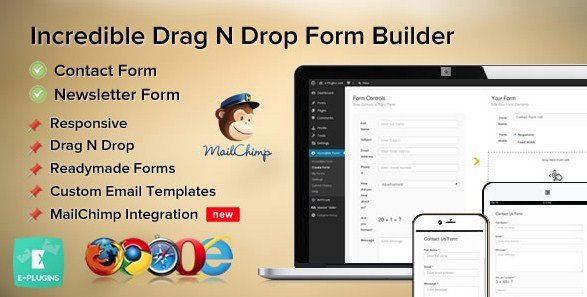
Incredible Contact Form with MailChimp is a WordPress plugin that brings contact and newsletter form creation into the WordPress administrative interface. No coding skill is needed. The editor works with drag-and-drop, so you can add fields from a list and drop them into your layout. Reordering follows the same logic: pick up a field and move it up or down in a simple visual list. Standard fields are included for common requests like name, email, subject, and message, making it easy to assemble a functional form in minutes. Everything stays within the dashboard, so there is no separate builder to learn or navigate. Once a form is created, you can place it on posts, pages, or widgets using the plugin's output. The result is a lightweight way to handle contact requests and newsletter signups without touching code. This makes it a practical choice for site owners who want forms without developer help. Anyone comfortable with WordPress can pick this up quickly.
The MailChimp integration functions in a direct way. You connect the plugin to your MailChimp account, then select which list should receive new contacts. Whenever someone submits a form, their details are added to that list automatically. This is what turns a standard contact form into a newsletter capture tool. The plugin also includes form validation. You can mark fields as required, enforce email address formatting, and display clear messages when the submission is incomplete or incorrect. Those validations run on the form itself before any data is sent, so users get immediate feedback. The built-in standard fields are sufficient for most common forms, and because they are editable, you can adjust labels and settings as needed. All of this is managed from the WordPress admin panel, meaning you don't have to leave your site to handle subscriptions or form configuration. The connection setup is straightforward, and once it is complete, submissions flow to MailChimp without any extra steps.
Related products

 WP Rich Snippets


Confirmation handling is another area where the plugin shows its thoughtfulness. After a visitor submits a form, you can show a customized confirmation message. These messages are built using templates, so you can control the text and layout rather than relying on a plain default response. At the same time, the plugin can send a confirmation email receipt to the user. That email can include relevant details from their submission. This gives the person a record of the contact or signup. The confirmation messages and email receipts are configured in the same administrative area as the rest of the form settings. Everything is clearly labeled, so setting up a thank-you page, a confirmation notice, or an email response does not require any external service. The configuration process stays within WordPress, with options that are easy to locate and modify. This level of control makes the plugin feel complete for everyday use. Separate notification systems are not necessary.
This plugin comes as a standard WordPress installation package. You get the exact .zip file that the original developer distributes. Once downloaded, you upload it like any other WordPress plugin through the Plugins screen, activate it, and the form builder becomes available inside your dashboard. There are no additional files or modifications bundled with it. Because the source files are the original ones, the plugin behaves the same way it would if you obtained it directly from the author. There is no learning curve beyond what you already know about WordPress. Each setting is organized within the same plugin menu, so finding fields, validation rules, and confirmation options is straightforward. The list of features you have read here covers the main functionality, and the plugin includes additional options that you can explore once it is installed. Everything needed to build contact and newsletter forms with MailChimp integration is included in that single file.
- Last updated
- August 12, 2026
- Delivery
- Digital
- Availability
- In stock
- Version
- 1.0.2
- Category
- Wordpress Plugins
- Item type
- plugin
This page summarizes the available listing data for Incredible Contact Form with MailChimp in Wordpress Plugins. The item type is recorded as plugin, with further details shown below.
Usage rights depend on the license selected at checkout. Review the complete terms before using this item for client work, redistribution, SaaS, or more than one end product.