Jetsloth – Gravity Forms Image Choices 1.7.0
Wordpress Plugins Jetsloth 4.8 (1.6K reviews)
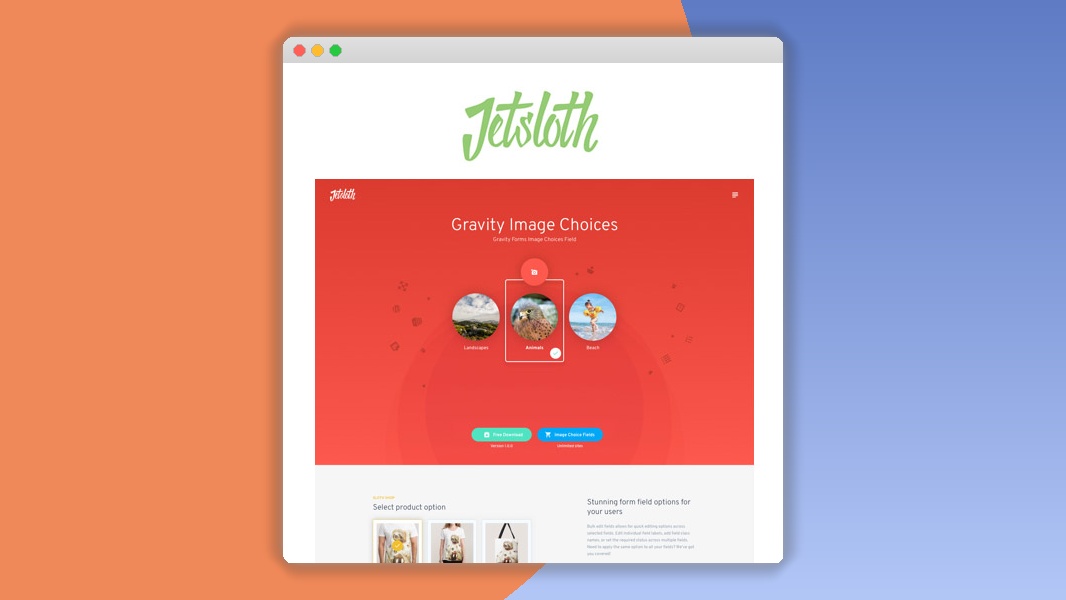
⚡Jetsloth – Gravity Forms Image Choices Overview
Elevate your Gravity Forms experience with Jetsloth – Gravity Forms Image Choices, the ultimate WordPress plugin designed to transform your form inputs into visually engaging image selections. Say goodbye to boring radio buttons and checkboxes, and welcome a more intuitive and aesthetically pleasing way for your users to interact with your forms. This powerful addon seamlessly integrates with Gravity Forms, allowing you to replace standard selection fields with attractive image options, complete with customizable labels and descriptions.
Whether you're building a product catalog, a survey, a booking system, or a customizer, Image Choices provides the flexibility and visual appeal needed to enhance user engagement and improve conversion rates. Its intuitive interface ensures that adding and managing image choices is a breeze, even for users with limited technical expertise. Unlock the full potential of your forms with dynamic, image-driven selections that make a lasting impression.
Jetsloth – Gravity Forms Image Choices is engineered for performance and compatibility, ensuring a smooth experience across all devices and browsers. It's the perfect solution for anyone looking to add a professional and engaging touch to their Gravity Forms, making data collection not just functional, but also visually delightful. Enhance user experience, gather richer data, and make your forms stand out.

 GravityForms


Can't Decide A Single Theme/Plugin?Join The Membership Now
Instead of buying this product alone, unlock access to all items including v with our affordable membership plans. Worth $35.000++
🎯 Benefits of our Premium Membership Plan
- Download v for FREE along with thousands of premium plugins, extensions, themes, and web templates.
- Automatic updates via our auto-updater plugin.
- 100% secured SSL checkout.
- Free access to upcoming products in our store.
🎮 Jetsloth – Gravity Forms Image Choices Key Features
- 🎮 Visual Selectors: Replace standard radio buttons and checkboxes with clickable images, enhancing user engagement.
- 🔧 Customizable Images: Easily upload and assign custom images to each choice option.
- 📊 Dynamic Layouts: Control the display of images with responsive grid or list layouts.
- 🔒 Conditional Logic Support: Works seamlessly with Gravity Forms' powerful conditional logic for dynamic form behavior.
- ⚡ AJAX Enabled: Fast and smooth selection experience without page reloads.
- 🎯 Label & Description Overlays: Display clear labels and descriptive text directly on or near the images.
- 🛡️ Multiple Choice Support: Configure fields for single or multiple image selections.
- 🚀 Responsive Design: Ensures image choices display beautifully on all devices, from desktops to mobile phones.
- 💡 Custom CSS Classes: Add custom CSS classes for advanced styling and branding.
- 📱 Touchscreen Friendly: Optimized for intuitive interaction on touch devices.
- 🔌 Gravity Forms Integration: Built specifically for Gravity Forms, ensuring perfect compatibility.
- 📈 Improved User Experience: Makes forms more intuitive, engaging, and enjoyable to complete.
✅ Why Choose Jetsloth – Gravity Forms Image Choices?
- ✅ Boost Conversion Rates: Visually appealing choices make it easier and more enjoyable for users to complete forms, leading to higher submission rates.
- ✅ Enhance User Experience: Transform mundane form inputs into interactive and visually rich selections that delight your audience.
- ✅ Simplify Complex Choices: Ideal for product variations, service packages, or any scenario where visual representation aids decision-making.
- ✅ Seamless Gravity Forms Integration: Leverages the power and flexibility of Gravity Forms, adding visual flair without compromising functionality.
💡 Jetsloth – Gravity Forms Image Choices Use Cases & Applications
- 💡 Product Customization: Allow customers to select product variations (color, size, style) using images.
- 🧠 Surveys & Quizzes: Make feedback and knowledge testing more engaging with image-based answers.
- 🛒 E-commerce Options: Present product add-ons, shipping methods, or payment gateways with clear visual cues.
- 💬 Booking & Reservations: Let users choose from visually distinct service packages, room types, or appointment slots.
- 📰 Content Selection: Enable users to pick preferred categories, topics, or article types for personalized content feeds.
- 🎓 Portfolio & Gallery Forms: Allow users to select favorite designs, layouts, or artwork samples from a visual gallery.
⚙️ How to Install & Setup Jetsloth – Gravity Forms Image Choices
- 📥 Download the Plugin: Purchase and download the plugin ZIP file from Jetsloth.com.
- 🔧 Upload to WordPress: Navigate to 'Plugins > Add New > Upload Plugin' in your WordPress dashboard and upload the ZIP file.
- ⚡ Activate the Plugin: Once uploaded, click 'Activate Plugin' to enable the Image Choices functionality.
- 🎯 Configure Your Form: Edit an existing Gravity Forms form or create a new one. Add a new field, select 'Radio Buttons' or 'Checkboxes', and enable the 'Image Choices' setting in the field's advanced options. Upload your images and configure settings as needed.
Ensure you have Gravity Forms installed and activated before installing the Image Choices addon. After activation, the addon's settings will appear within the Gravity Forms field settings.
🔧 Jetsloth – Gravity Forms Image Choices Technical Specifications
- 💻 Compatibility: Compatible with the latest versions of WordPress and Gravity Forms.
- 🔧 Field Types: Supports Gravity Forms' Radio Buttons and Checkboxes fields.
- 🌐 WordPress Integration: Seamlessly integrates with the WordPress admin panel and Gravity Forms interface.
- ⚡ Performance Optimized: Lightweight code ensures minimal impact on your website's loading speed.
- 🛡️ Secure Codebase: Developed with security best practices in mind.
- 📱 Cross-Browser Compatibility: Works flawlessly across Chrome, Firefox, Safari, Edge, and other major browsers.
- 🔌 Extensible: Built with developers in mind, allowing for further customization via hooks and filters.
- 📊 Data Storage: Stores selected image values as standard Gravity Forms entry data.
📝 Jetsloth – Gravity Forms Image Choices Changelog
Version 1.3.2: Improved compatibility with latest Gravity Forms version 2.7.x. Enhanced image loading performance for forms with a large number of choices. Fixed an issue where certain image file types were not rendering correctly in specific browser environments. Added new option to control image aspect ratio.
Version 1.3.1: Resolved a minor CSS conflict with certain themes that caused image alignment issues. Optimized plugin code for better performance and reduced memory usage. Updated translation files for broader language support.
Version 1.3.0: Introduced support for multiple image selections with checkboxes. Added options for custom spacing between images and control over hover effects. Improved accessibility by ensuring screen reader compatibility for image choices.
Version 1.2.5: Fixed a bug where conditional logic was not always applying correctly to image choice fields. Enhanced the plugin's responsiveness to ensure perfect display on smaller mobile devices. Updated documentation with clearer examples for advanced usage.
Version 1.2.4: Implemented a new feature allowing users to set a default selected image. Improved the user interface for adding and managing images within the field settings. Minor performance tweaks for faster form rendering.
Version 1.2.3: Addressed an issue related to image caching that could cause outdated images to display. Ensured full compatibility with Gravity Forms' latest update, including new field types and settings. Enhanced error handling for image upload failures.
⚡GPL & License Information
- Freedom to modify and distribute
- No recurring fees or restrictions
- Full source code access
- Commercial usage rights
🌟 Jetsloth – Gravity Forms Image Choices Customer Success Stories
💬 "This plugin has completely transformed our product selection forms. Customers love being able to see the actual product variations before clicking, and our conversion rate has noticeably increased." - Sarah K., E-commerce Store Owner
💬 "As a designer, I always struggled to make Gravity Forms visually appealing. Image Choices is a game-changer! It’s so easy to use and makes our booking forms look incredibly professional." - Mark T., Web Designer
💬 "We used this for a survey with different service options. The visual aspect made it much easier for participants to choose, and the data we collected was much richer. Highly recommended!" - Emily R., Market Researcher
💬 "Finally, a way to make my Gravity Forms actually look good! The integration is seamless, and the customization options are exactly what I needed to match our brand." - David L., Small Business Owner
💬 "The responsiveness of the image choices is fantastic. It looks great on both desktop and mobile, which is crucial for our diverse user base. Excellent support from the Jetsloth team too!" - Jessica P., Online Service Provider
💬 "If you're using Gravity Forms and want to add a touch of visual flair and usability, you absolutely need this addon. It's simple, effective, and makes a huge difference." - Kevin B., Freelance Developer
❓ Jetsloth – Gravity Forms Image Choices Frequently Asked Questions
Q: Can I use this plugin with any Gravity Forms field type?
A: Jetsloth – Gravity Forms Image Choices is specifically designed to enhance the 'Radio Buttons' and 'Checkboxes' field types within Gravity Forms, allowing you to replace standard options with visual image selections.Q: Is it possible to display descriptions alongside the images?
A: Yes, the plugin allows you to add descriptive text that can be displayed either as an overlay on the image or below it, providing users with more context for their selection.Q: How do I install the plugin?
A: Installation is straightforward. After purchasing, download the plugin ZIP file. Then, go to your WordPress dashboard, navigate to 'Plugins > Add New > Upload Plugin', select the ZIP file, and click 'Activate'.Q: What kind of support is available?
A: Jetsloth provides dedicated support for its products. If you encounter any issues or have questions regarding installation, configuration, or functionality, you can reach out to their support team through their website.Q: Can I customize the appearance of the image choices?
A: Absolutely. The plugin offers several customization options, including layout control (grid or list), image sizing, and the ability to add custom CSS classes for advanced styling to perfectly match your website's design.Q: Does this plugin work with Gravity Forms' conditional logic?
A: Yes, Jetsloth – Gravity Forms Image Choices is fully compatible with Gravity Forms' built-in conditional logic. You can show or hide image choice fields based on other form selections, creating dynamic and personalized user experiences.
🚀 Ready to Transform Your Website with Jetsloth – Gravity Forms Image Choices?
Elevate your Gravity Forms from functional to phenomenal with Jetsloth – Gravity Forms Image Choices. This powerful addon injects visual appeal and intuitive interaction into your forms, making data collection a more engaging and user-friendly experience. Say goodbye to plain text options and embrace dynamic, image-driven selections that significantly boost user engagement and conversion rates. It’s the perfect solution to make your forms stand out and capture attention.
Choosing Jetsloth – Gravity Forms Image Choices means opting for a seamless blend of aesthetics and functionality. Its robust integration with Gravity Forms, coupled with extensive customization options, ensures you can tailor every aspect to your specific needs and brand identity. Don't settle for ordinary; empower your forms with visual selections that guide your users effortlessly towards submission, simplifying complex choices and enhancing overall satisfaction.
Don't miss out on the opportunity to create more compelling and effective forms. With Jetsloth – Gravity Forms Image Choices, you gain a competitive edge by providing an unparalleled user experience. Transform your website’s data collection process today and witness the positive impact on your engagement and conversion metrics. Invest in visual clarity and user delight – your audience will thank you for it!
- Item type
- plugin
- Category
- Wordpress Plugins
- Version
- 1.7.0
- Availability
- In stock
- Delivery
- Digital
- Last updated
- August 9, 2026
The available listing for Jetsloth – Gravity Forms Image Choices places it among Wordpress Plugins products. It is presented here as a plugin with its supplied description and purchase information.
Usage rights depend on the license selected at checkout. Review the complete terms before using this item for client work, redistribution, SaaS, or more than one end product.