JetTabs For Elementor 2.3.3
Wordpress Plugins Jet Plugins 4.8 (1.8K reviews)
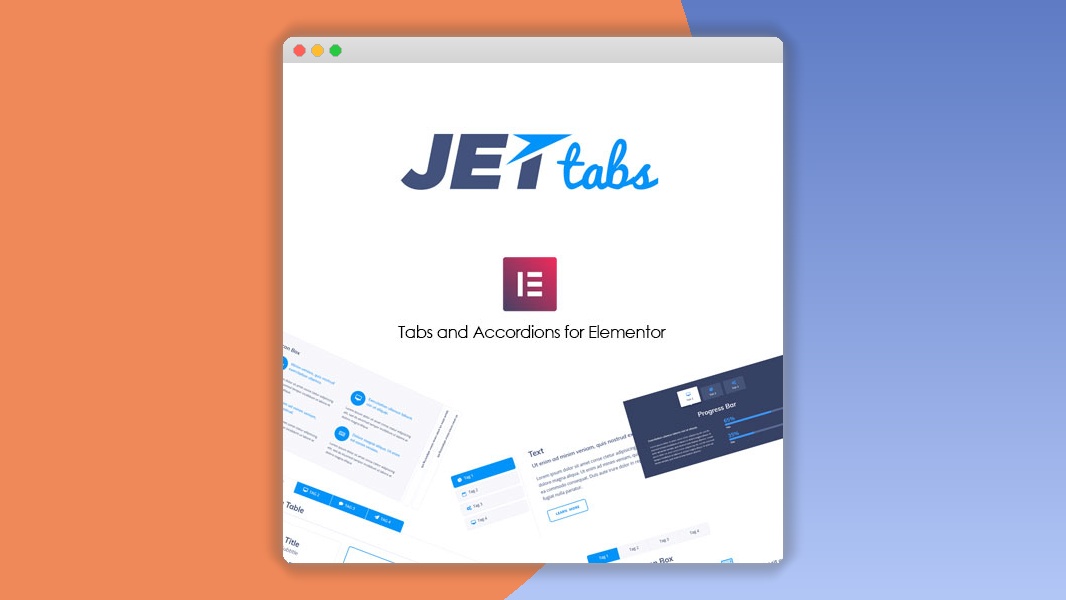
⚡JetTabs For Elementor Overview
Elevate your WordPress website's content presentation with JetTabs for Elementor, a powerful plugin designed to create stunningly interactive tabs, accordion menus, and content blocks. Seamlessly integrate dynamic content into your pages without touching a single line of code, making complex layouts accessible to everyone. JetTabs empowers you to organize information logically, enhance user experience, and boost engagement by presenting your content in visually appealing and easy-to-navigate formats.
Whether you're showcasing product features, FAQs, testimonials, or project portfolios, JetTabs offers unparalleled flexibility and creative control. With a wide array of styling options and pre-designed layouts, you can craft unique and professional tabbed and accordion interfaces that perfectly match your brand aesthetic. Its intuitive drag-and-drop functionality within the Elementor page builder ensures a smooth workflow, allowing you to focus on content creation rather than technical hurdles. Experience the difference that well-structured, interactive content can make for your website's performance and visitor satisfaction.
Can't Decide A Single Theme/Plugin?Join The Membership Now
Other products to consider
 AMPforWP
Instead of buying this product alone, unlock access to all items including v with our affordable membership plans. Worth $35.000++
🎯 Benefits of our Premium Membership Plan
- Download v for FREE along with thousands of premium plugins, extensions, themes, and web templates.
- Automatic updates via our auto-updater plugin.
- 100% secured SSL checkout.
- Free access to upcoming products in our store.
🎮 JetTabs For Elementor Key Features
- 🎮 Stylish Tabs: Create visually captivating tabbed content sections with diverse design options.
- 🔧 Accordion Widgets: Build collapsible accordion menus to neatly organize Q&A, feature lists, and more.
- 📊 Image Tabs: Integrate images directly into your tab content for richer visual appeal.
- 🔒 Content Protection: Secure sensitive content within tabs or accordions, revealing it only when clicked.
- ⚡ Customizable Styles: Tailor every aspect of your tabs and accordions, from typography to colors and borders.
- 🎯 Easy Integration: Seamlessly works with the Elementor page builder for a drag-and-drop experience.
- 🛡️ Responsive Design: Ensures your tabs and accordions look perfect on all devices – desktops, tablets, and mobiles.
- 🚀 Multiple Layouts: Choose from various pre-set layouts or build your own unique designs.
- 💡 Dynamic Content Support: Populate tabs with dynamic content from custom fields, posts, or other sources.
- 📱 Touch-Friendly: Optimized for touch devices, providing a smooth user experience on smartphones and tablets.
- 🔌 Elementor Compatibility: Fully compatible with the latest Elementor versions and other JetPlugins.
- 📈 Improved User Experience: Enhance navigation and content readability, leading to higher engagement.
✅ Why Choose JetTabs For Elementor?
- ✅ Boost Engagement: Interactive elements like tabs and accordions keep visitors engaged longer by presenting information concisely.
- ✅ Organize Content Effectively: Structure complex information logically, making it easier for users to find what they need and improving site navigation.
- ✅ Enhance Visual Appeal: Create modern, professional-looking content layouts that elevate your website's design and user experience.
- ✅ Save Time & Effort: The intuitive Elementor integration and pre-designed options allow for rapid content creation without coding knowledge.
💡 JetTabs For Elementor Use Cases & Applications
- 💡 Product Showcases: Display product features, specifications, and variations in organized tabbed sections.
- 🧠 FAQ Pages: Create easily digestible Frequently Asked Questions sections using accordion widgets.
- 🛒 Service Descriptions: Detail different services or packages with clear, tabbed content blocks.
- 💬 Testimonial Displays: Present customer feedback in an attractive, scrollable tabbed format.
- 📰 Blog Post Enhancements: Break down long articles into digestible tabs for improved readability.
- 🎓 Portfolio Presentations: Showcase project details, images, and descriptions in a structured, interactive way.
⚙️ How to Install & Setup JetTabs For Elementor
- 📥 Download & Install: Purchase and download the plugin, then upload it to your WordPress site via the Plugins > Add New > Upload Plugin interface.
- 🔧 Activate Plugin: Once uploaded, activate JetTabs For Elementor from your WordPress Plugins dashboard.
- ⚡ Add Widgets: Open any page or post with Elementor, search for JetTabs widgets (Tabs, Accordion, etc.), and drag them onto your layout.
- 🎯 Configure & Style: Use the widget settings to add content, customize styles, choose layouts, and fine-tune the appearance of your tabs and accordions.
Ensure you have Elementor and Elementor Pro installed and activated for full compatibility. Regular updates are recommended to maintain optimal performance and security.
🔧 JetTabs For Elementor Technical Specifications
- 💻 Page Builder Compatibility: Fully compatible with Elementor page builder.
- 🔧 WordPress Version: Compatible with WordPress 4.9+ and higher.
- 🌐 Browser Compatibility: Works seamlessly across all major modern browsers (Chrome, Firefox, Safari, Edge).
- ⚡ Performance Optimized: Lightweight code for fast loading times and efficient performance.
- 🛡️ Responsive Ready: Adapts perfectly to all screen sizes and devices.
- 📱 Touch Gestures: Optimized for mobile interaction with smooth touch support.
- 🔌 Extensibility: Designed to work harmoniously with other JetPlugins and many third-party Elementor addons.
- 📊 Customization Options: Extensive styling controls for typography, colors, spacing, borders, and more.
📝 JetTabs For Elementor Changelog
Version 2.1.5: Introduced a new "Fade" animation option for tabs and accordions. Enhanced accessibility features for keyboard navigation. Improved compatibility with the latest WordPress and Elementor versions.
Version 2.1.4: Resolved an issue where complex content within tabs might cause minor rendering glitches on specific screen sizes. Optimized CSS delivery for faster page loads.
Version 2.1.3: Added support for Elementor's Global Colors and Fonts within the widget settings. Improved the "Icon Box" integration within tabs for more dynamic content presentation.
Version 2.1.2: Fixed a bug related to accordion "active state" styling not persisting correctly after page refresh. Refined touch event handling for mobile devices.
Version 2.1.1: Introduced a new "Advanced Accordion" widget with more layout options and custom icon support. Enhanced the styling controls for tab dividers and borders.
Version 2.1.0: Major update with a complete code refactor for better performance and stability. Added new animation presets for tab transitions and improved the overall user experience in the Elementor editor.
⚡GPL & License Information
- Freedom to modify and distribute
- No recurring fees or restrictions
- Full source code access
- Commercial usage rights
🌟 JetTabs For Elementor Customer Success Stories
💬 "JetTabs has been a game-changer for our client websites. We can now create clean, organized FAQ sections and feature lists that look incredibly professional, all without needing to code. The Elementor integration is flawless." - Sarah K., Web Designer
💬 "I used JetTabs to build a product comparison page, and it turned out fantastic. The ability to add images and detailed descriptions within tabs made the information so much more digestible for our customers. Sales have seen a noticeable bump!" - Mark T., E-commerce Store Owner
💬 "As a blogger, I love how JetTabs helps me break down long articles into easy-to-read sections. It keeps readers engaged and improves the overall flow of content. Highly recommended!" - Emily R., Content Creator
💬 "The accordion feature is perfect for our 'About Us' page, allowing us to present our team members and company history without cluttering the layout. JetTabs is a must-have for any Elementor user looking to add interactivity." - David L., Small Business Owner
💬 "We integrated JetTabs for a client's portfolio site, and the client was thrilled with the results. The smooth transitions and clean design made their projects stand out. It's incredibly versatile." - Jessica P., Digital Agency
❓ JetTabs For Elementor Frequently Asked Questions
Q: Is JetTabs For Elementor compatible with Elementor Free?
A: Yes, JetTabs for Elementor is fully compatible with both Elementor Free and Elementor Pro. However, to utilize all its advanced features and ensure the best experience, having Elementor Pro installed is recommended.Q: Can I use JetTabs to display dynamic content from custom post types?
A: Absolutely. JetTabs is designed to work with dynamic content, allowing you to pull information from custom fields, taxonomies, and other post types to populate your tabs and accordions.Q: How do I update JetTabs For Elementor?
A: To update JetTabs, simply go to your WordPress Dashboard > Plugins. If an update is available, you will see a notification. You can then update the plugin directly from there, similar to how you update other WordPress plugins.Q: What kind of support is available for JetTabs?
A: Crocoblock offers comprehensive support for JetTabs, including detailed documentation, tutorials, and access to their support team for any issues or questions you may encounter.Q: Can I customize the styling of the tabs and accordions extensively?
A: Yes, JetTabs provides a wide range of styling options within the Elementor editor. You can customize colors, typography, spacing, borders, background images, and more to match your website's design perfectly.Q: Is JetTabs For Elementor SEO-friendly?
A: Yes, JetTabs is built with SEO best practices in mind. Content within tabs and accordions is generally crawlable by search engines, and the plugin's efficient code ensures good page load times, which are crucial for SEO.
🚀 Ready to Transform Your Website with JetTabs For Elementor?
Unlock the full potential of your content with JetTabs For Elementor. This indispensable plugin empowers you to create dynamic, interactive, and visually stunning tabbed and accordion layouts with unparalleled ease. Say goodbye to static, unengaging content and embrace a more organized, user-friendly presentation that captivates your audience and keeps them exploring your site.
Choosing JetTabs means opting for effortless design and superior functionality. Its seamless integration with Elementor, extensive customization options, and responsive nature make it the ultimate solution for anyone looking to enhance user experience and improve content discoverability. Don't settle for ordinary; elevate your website's design and engagement with the power of interactive content.
Don't miss out on the opportunity to make your website stand out. Invest in JetTabs For Elementor today and experience the transformative impact of well-structured, beautifully presented content. Get started now and see your website come alive with interactive elements that drive engagement and deliver exceptional user experiences!
- Last updated
- August 9, 2026
- Delivery
- Digital
- Availability
- In stock
- Version
- 2.3.3
- Category
- Wordpress Plugins
- Item type
- template kit
JetTabs For Elementor is cataloged as a Wordpress Plugins under template kit. Review the preview and recorded details alongside the original description before purchase.
Usage rights depend on the license selected at checkout. Review the complete terms before using this item for client work, redistribution, SaaS, or more than one end product.