Lovina – Yoga Studio Service Elementor Template Kit Latest Version
Others Themeforest 4.8 (625 reviews)
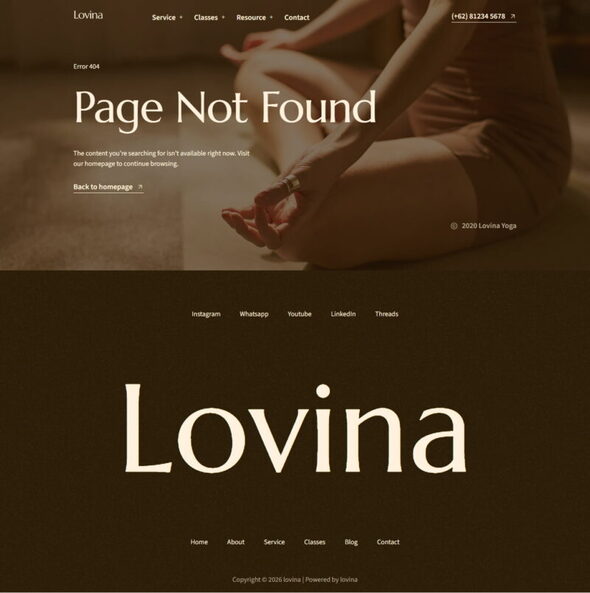
Lovina – Yoga Studio Service Template Kit
Lovina is an Elementor template kit designed for Yoga Studio Services. Built with Elementor Free, it’s simple to install, customize, and launch without extra cost.
Similar products

 Themeforest

Included Pages & Blocks
- Home
- Service
- Detail Service
- Classes
- Detail Classes
- About
- Blog
- Single Blog
- 404
- Contact
Plugin Dependencies
- Elementor
- Jeg Elementor Kit
- Elementskit
- Metform
- Header, Footer & Blocks Template
Fonts Used
- Marcellus
- Source Sans 3
How to Use Template Kits
- Install and activate the Envato Elements plugin via Plugins > Add New.
- Download your kit file (do not unzip).
- Go to Elements > Installed Kits and click Upload Template Kit.
- Click Install Requirements to load necessary plugins.
- Import Global Kit Styles first.
- Import templates one by one (stored under Templates > Saved Templates).
- Create a new page, click Edit with Elementor.
- Set page settings to Elementor Full Width and hide page title.
- Use the My Templates tab to insert your chosen template.
Note: If you have Elementor Pro, headers and footers can be customized under Theme Builder.
How to Import Metform Custom Form & Content Block
- Import the Metform template.
- Import the page where the form appears, then edit with Elementor.
- Install and activate the Hello Elementor theme.
- Click the Metform widget, then Edit Form.
- Select New, leave blank, then click Edit Form.
- Click Add Template (grey folder icon).
- Go to My Templates tab.
- Choose your imported Metform template, then click Insert.
- Click Update once the template is loaded.
Image Licensing
This template kit uses demo images from Envato Elements. You must license these images from Envato Elements or replace them with your own.
View Envato Workspace
- Item type
- template kit
- Category
- Others
- Version
- Latest Version
- Availability
- In stock
- Delivery
- Digital
- Last updated
- October 27, 2026
Lovina – Yoga Studio Service Elementor Template Kit belongs to the Others section and is treated as a template kit. Its preview, description, and listing facts can be checked without adding claims not found in the source.
Usage rights depend on the license selected at checkout. Review the complete terms before using this item for client work, redistribution, SaaS, or more than one end product.