Portnex - Creative Portfolio Agency Elementor Template Kit Latest Version
Others Themeforest 4.8 (3.5K reviews)
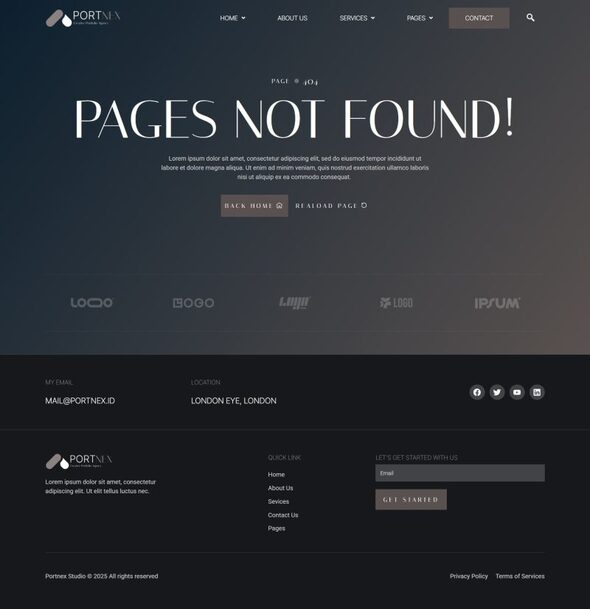
Portnex is an Elementor Template Kit designed for businesses looking to build a strong online presence in the portfolio agency industry. Perfect for creative agencies, freelancers, and design studios, this kit empowers you to showcase your work, highlight your expertise, and attract potential clients. With a sleek and modern design, Portnex helps you present your projects professionally, establish credibility, and stand out in the competitive creative industry. Portnex uses free elements, so don’t worry about trying this one. Portnex provides various pages including Home1, Home2 About Us, Services, Project, Pricing, Process, FAQs, Testimonials, Blog, 404, Contact Us.
Templates
- Home1
- Home2
- About Us
- Services
- Project
- Pricing
- Process
- FAQs
- Blog
- 404
- Testimonials
- Contact Us
Font Used
Other products to consider
 Themeforest

- Inter Tight
- Italiana
- Roboto
Plugin Dependencies :
- Elementor
- ElementsKit Lite
- Jeg Elementor Kit
- Metform
- Ultimate Addons for Elementor Lite
How to setup header in Jeg Elementor Kit plugin
If you have Elementor Pro, headers and footers may be customized under Theme Builder.
- Go to Jeg Elementor Kit menu item > Header Template
- Click Add New Header
- Add condition > All Site and click Create
- Click the pencil icon to Edit and elementor will appear
- Click gray folder icon to access My Templates tab
- Insert the header template.
- Customize and Save.
How to Import Metforms
If you have Elementor Pro, skip install of Metform and form blocks.
- Import the metform block templates
- Import the page template where the form appears and right-click to enable the Navigator
- Locate and select the Metform widget and click Edit Form. Choose New, then Edit Form. The builder will appear
- Click ‘Add Template’ grey folder icon.
- Click ‘My Templates’ tab.
- Choose your imported metform template, then click ‘Insert’ (click No for page settings).
- Once the template is loaded, make any desired customizations and click ‘Update & Close’ The form will appear in the template
- Click Update
Images
This Template Kit uses demo images from Envato Elements. You will need to license these images from Envato Elements to use them on your website, or you can substitute them with your own.
- https://elements.envato.com/collections/NZ9XR8PBQG
- Last updated
- October 20, 2026
- Delivery
- Digital
- Availability
- In stock
- Version
- Latest Version
- Category
- Others
- Item type
- template kit
Portnex - Creative Portfolio Agency Elementor Template Kit is cataloged as a Others under template kit. Review the preview and recorded details alongside the original description before purchase.
Usage rights depend on the license selected at checkout. Review the complete terms before using this item for client work, redistribution, SaaS, or more than one end product.