Pro Slider & Carousel Layout for Visual Composer 2.0
Wordpress Plugins Codecanyon 4.8 (922 reviews)
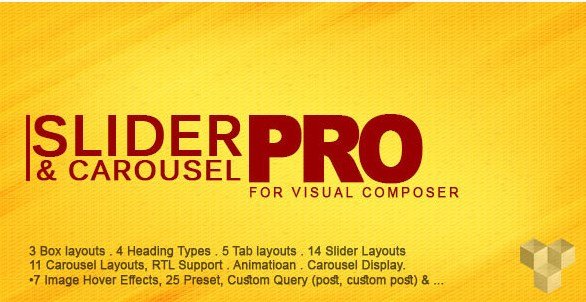
Pro Slider & Carousel Layout for Visual Composer is a WordPress plugin that gives site builders a direct way to turn posts and custom post types into interactive sliders and carousels. Rather than assembling separate plugins for each effect, you get one add-on that lives right inside the Visual Composer page builder. The plugin comes from Codecanyon and stays compatible with recent WordPress releases. Its job is to take content you have already published, such as blog posts or portfolio items, and display it in a more visual, compact format. That makes it useful for home pages, category overviews, and any spot where you want visitors to browse multiple entries without scrolling through a long list. The interface is built for Visual Composer, so you add a slider block, pick your settings, and drop it onto a page. The design is clean out of the box, so the sliders blend with most themes without extra styling work.
Under the hood, the plugin offers a broad set of display formats. There are seven simple slider layouts, seven multi-slider patterns, and eleven carousel layouts, which gives you plenty of options for matching content types to page design. You can show one post at a time, create grouped slides, or set up continuous carousels that move multiple cards at once. The choice depends on what feels right for the content and the space available. In addition, there are three header types available, so you are not stuck with a single generic title bar. This variety matters because different sections of a website often need different presentation styles. A news feed, for instance, may work better with a compact carousel, while a portfolio could use a larger single-slide slider. Every layout is responsive, so the number of visible items adjusts on smaller screens. The plugin also supports right-to-left languages, which removes a common headache when working with Arabic, Hebrew, or other RTL text.
On the technical side, the plugin is built with the latest version of Bootstrap, which explains why the responsive behavior feels consistent across browsers and devices. It is also kept in step with the current WordPress release, so you do not have to worry about broken layouts after a core update. The user interface is designed for non-developers. Once the plugin is installed, you add a new Visual Composer element, choose a layout from the available list, set whether you want posts or a custom post type, and the slider appears. There is no need to touch template files or write custom queries. The options are presented through the normal Visual Composer controls, with dropdowns and small settings panels. The whole process takes a few minutes, and the preview updates right away so you can see what visitors will get before you publish. If you work with custom post types, the plugin picks them up in the same dropdown, which keeps things consistent.
Related products
 Yithemes

Beyond the numbered layouts, the plugin includes a few smaller touches that make it feel complete. The different header styles give each slider its own character, and the clean design means you can drop these sections into an existing page without the layout clashing with your theme. Because everything is managed from one place inside Visual Composer, updating a slider is as easy as changing a couple of settings. There is no extra dashboard to learn or separate shortcode builder to figure out. The responsive behavior covers phones, tablets, and desktop screens, so the sliders stay usable no matter how someone visits the site. For site owners who want a reliable way to showcase posts and custom post content, this plugin handles the job without introducing a lot of overhead. It does not attempt to replace a full content management system; it simply makes your existing posts easier to browse and more pleasant to look at.
- Item type
- plugin
- Category
- Wordpress Plugins
- Version
- 2.0
- Availability
- In stock
- Delivery
- Digital
- Last updated
- August 10, 2026
The available listing for Pro Slider & Carousel Layout for Visual Composer places it among Wordpress Plugins products. It is presented here as a plugin with its supplied description and purchase information.
Usage rights depend on the license selected at checkout. Review the complete terms before using this item for client work, redistribution, SaaS, or more than one end product.