Propeble - Apartment & Property Elementor Template Kit Latest Version
Others Themeforest 4.8 (3.6K reviews)
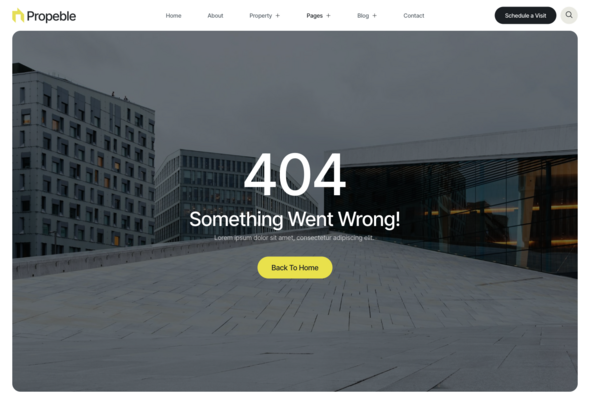
Propeble is a sophisticated Elementor Template Kit tailored for creating
exquisite real estate websites in WordPress. With meticulous attention to
detail, Propeble offers a collection of stunning templates designed to
impress. From showcasing apartments to highlighting single properties and
complex listings, each template captivates with its professional design and
responsive layout.
Effortless customization awaits with Propeble’s seamless integration with
Elementor, the industry-leading page builder. Whether you’re a real estate
agent, property developer, or agency, Propeble provides the tools you need to
showcase your listings beautifully and attract potential buyers effortlessly.
Elevate your real estate business with Propeble and make a lasting impression
in the digital realm.
Important: This is an
Elementor Template Kit. Do not use WordPress
Tools > Import. Install the
Template Kit Import plugin (Plugins > Add New > search
“Template Kit Import” by Envato), then go to
Tools > Template Kit to import.
Features:
- Great for Apartment & Property
- Fully With Elementor Free Version (Elementor Pro is not required)
- Simple, Modern and Clean Design
- No Coding Knowledge Required
- 17+ Ready To Use Templates
- Responsive & Retina Ready
- Easy & Fully Customizable
Templates Include:
- Global Kit Styles
- Home
- About
- Property List
- Property Details
- FAQ
- Agents
- Services
- Blog
- Single Post
- Contact
- Metform Contact
- Coming Soon
- Header
- Footer
- 404 Page
- Metform Appointment
Required Plugin:
- Elementor (Free)
- Jeg Elementor Kit
- MetForm
How to Use Template Kits:
This is not a WordPress Theme. Template kits contain the design data for
Elementor and are imported using the
Template Kit Import plugin via
Tools > Template Kit.
-
Plugins > Add New → search “Template Kit Import” (by Envato) → Install
& Activate - Go to Tools > Template Kit
- Upload your Template Kit ZIP
- Click “Install Requirements”
- Import “Global Kit Styles” first, then the pages/parts you need
Help & Support
Need more help? Choose an option below:
- Full Guide: How to Upload & Install Elementor Template Kits
- Contact Us
For further support, go to Elementor > Get Help in WordPress menu.
How To Import Metform Costum Form
- Import metform template
- Import the template where the form appears, then edit in Elementor
-
Click the Metform widget in the column where the form should be and click
Edit Form - Select New, leave blank selected then click Edit Form button
- Click ‘Add Template’ grey folder button
- Click ‘My Templates’ tab
- Choose your imported metform template, then click ‘Insert’
- Once the template is loaded, click ‘Update’
This Template Kit uses demo images from Envato Elements. You will need to
license these images from Envato Elements to use them on your website, or you
can substitute them with your own.
- https://elements.envato.com/collections/HKVBGLJ5FZ
FAQ
-
Can I import via WordPress Tools > Import? No. That
importer handles WXR posts/pages. This is an Elementor Template Kit and must
be imported with the Template Kit Import plugin via
Tools > Template Kit. -
Do I need Elementor Pro? No, this kit is built for
Elementor Free unless otherwise noted. -
My pages don’t look like the demo. Go to
Tools > Template Kit and click
Install Requirements, then import Global Kit Styles first
before importing pages/parts.
 Themeforest
- Last updated
- October 15, 2026
- Delivery
- Digital
- Availability
- In stock
- Version
- Latest Version
- Category
- Others
- Item type
- template kit
This page summarizes the available listing data for Propeble - Apartment & Property Elementor Template Kit in Others. The item type is recorded as template kit, with further details shown below.
Usage rights depend on the license selected at checkout. Review the complete terms before using this item for client work, redistribution, SaaS, or more than one end product.