Sociella – Social Media Agencies Elementor Template Kit Latest Version
Others Themeforest 4.8 (2.1K reviews)
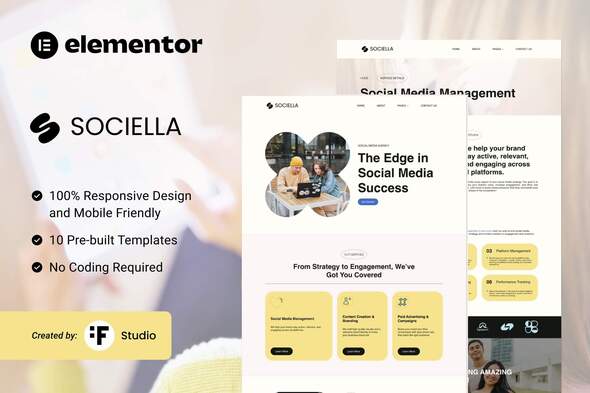
Sociella – Modern Elementor Template Kit for Social Media Agencies
Sociella is a cutting-edge and professionally designed Elementor Template Kit, perfect for social media agencies, digital marketing firms, and creative strategists. Featuring a vibrant and engaging layout, Sociella ensures your agency stands out while showcasing your services, portfolio, and expertise effectively.
Key Features:
- Comprehensive set of templates for various needs: Home, About Us, Services, Service Details, Works, Work Details, Pricing, Blog, Single Blog, Contact Us, and 404.
- Fully responsive and customizable design.
- Designed to enhance user experience and drive engagement.
Plugin Dependencies:
- Elementor
- ElementsKit Lite
- Jeg Elementor Kit
- Metform
Templates Included:
- Home
- About Us
- Services
- Service Details
- Works
- Work Details
- Pricing
- Blog
- Single Blog
- Contact Us
- 404
Fonts Used:
- Poppins (Free Google Font)
How to Use the Template Kit:
- Install and activate the “Envato Elements” plugin via Plugins > Add New in WordPress.
- Download your kit file (do not unzip it).
- Go to Elements > Installed Kits and click the Upload Template Kit button. You can also link your Envato account for automatic import.
- Follow the instructions in the orange banner to install required plugins.
- Start by importing Global Kit Styles, then individual templates under Templates > Saved Templates.
- Create a new page, click “Edit with Elementor,” and adjust page settings (gear icon) to Elementor Full Width to hide the page title.
- Use the gray folder icon in Elementor to load and customize your imported templates.
How to Import Metform Custom Forms:
- Import the Metform template.
- Edit the template where the form appears using Elementor.
- Click the Metform widget in the column where the form should be, then click “Edit Form.”
- Select “New,” leave it blank, and click the “Edit Form” button.
- Click the “Add Template” button (gray folder icon) and go to the My Templates tab to insert your imported Metform template.
- Save changes and click “Update.”
Demo Images:
This Template Kit uses demo images from Envato Elements. You will need to license these images or replace them with your own.
- Envato Elements Collection

 Themeforest
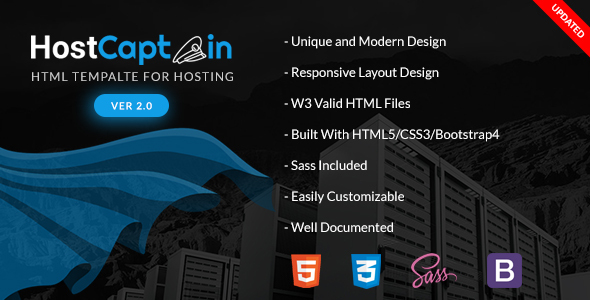
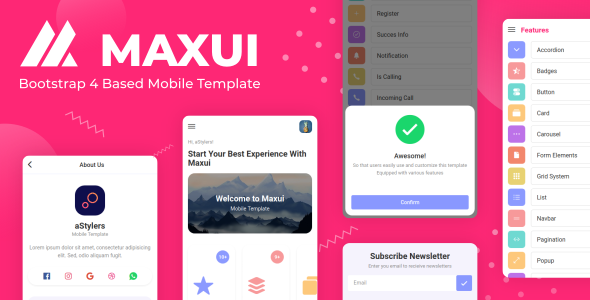
- Last updated
- October 20, 2026
- Delivery
- Digital
- Availability
- In stock
- Version
- Latest Version
- Category
- Others
- Item type
- template kit
Sociella – Social Media Agencies Elementor Template Kit appears in the Others catalog and is classified as a template kit. The page focuses on information available in the listing rather than unsupported performance or compatibility claims.
Usage rights depend on the license selected at checkout. Review the complete terms before using this item for client work, redistribution, SaaS, or more than one end product.