Themify Builder BG Video Slider Addon 3.5.4
Wordpress Plugins Themify 4.8 (4.6K reviews)
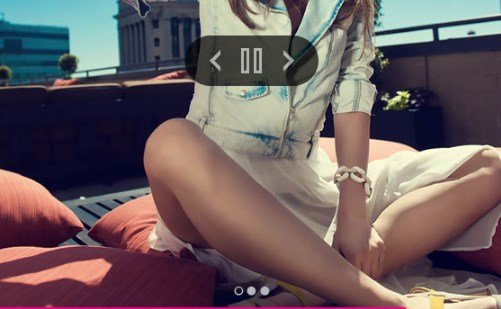
Themify Builder BG Video Slider Addon is an extension for Themify Builder that adds a new background option for rows. Instead of using one image or one video as a row background, you can set several videos that play in sequence. The videos rotate automatically, so the background stays in motion. This works directly inside the row settings panel, so no separate plugin or extra configuration is needed. You add videos through the standard media library or by providing external URLs. Once you select the row and enable the BG Video Slider option, the first video begins playing when the page loads. When that video ends, the next one appears. No coding is required. Because everything lives in the familiar row settings, anyone comfortable with Themify Builder can start using this addon right away. It works with all row widths, including full-width rows and standard contained rows.
The addon includes several controls that affect how the background video slider behaves. Autoplay is enabled by default, so videos start playing as soon as the row appears on screen. A progress bar shows how much of the current video has played. You can mute the audio entirely with a single setting, which helps when the background should not distract from the main content. There is also a set of video controller buttons for play, pause, previous, and next. These buttons appear on the row background, giving visitors direct control over the video playlist. The controller can be turned on or off, and the progress bar can be hidden if you prefer a cleaner look. All of these options sit in the same row settings panel, so adjusting them never requires leaving the builder or writing code. The mute option is especially useful for pages that already contain audio, such as a video testimonial or a music player.
Related products
 Codecanyon

This addon requires Themify Builder to be installed and active on your WordPress site. It installs like any other plugin, and once activated it registers its options with the builder. There is no separate settings screen for the addon; all of its controls appear inside the row options where you would normally set a background image or color. This makes it easy to add a video slider to an existing row or to a new row that you are building from scratch. You can combine the background video slider with other row options, such as padding, margin, borders, and overlays, without any conflict. The addon is developed by Themify, the same team that makes the Themify Builder, so it follows the same standards and behaves consistently within the builder. Updating the addon is handled the same way as other WordPress plugins, and there are no extra licenses to manage.
The BG Video Slider Addon is most useful on sites where the row background is a central part of the page design. Full-width rows with drifting video behind text or images give a landing page a more dynamic feel. Portfolio sites, product pages, and event pages often benefit from a changing background. The built-in mute option lets you keep the visuals interesting without forcing sound on visitors. The previous and next buttons give viewers a bit of control when they want to skip ahead or return to an earlier video. This addon does not replace the standard Themify Builder background choices; it simply adds one more option alongside image backgrounds and single video backgrounds. For anyone building with Themify Builder and wanting a multi-video background slider, this addon delivers that function as a lightweight extension. Everything is contained within the builder, so the final page remains just as fast and simple to manage as one built with static backgrounds.
- Last updated
- August 11, 2026
- Delivery
- Digital
- Availability
- In stock
- Version
- 3.5.4
- Category
- Wordpress Plugins
- Item type
- plugin
Listed under Wordpress Plugins, Themify Builder BG Video Slider Addon is a plugin. This presentation keeps the product name and recorded facts intact while organizing the details for easier review.
Usage rights depend on the license selected at checkout. Review the complete terms before using this item for client work, redistribution, SaaS, or more than one end product.