AIO Support Center - WordPress Ticketing System 2.22
Wordpress Plugins Codecanyon 4.8 (2.8K reviews)
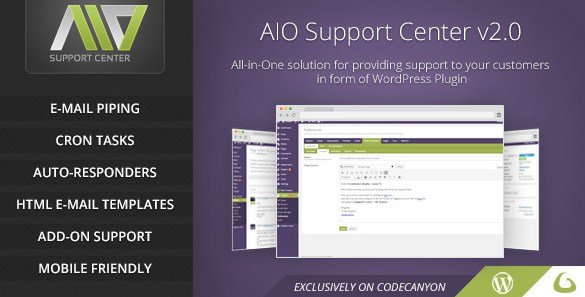
AIO Support Center is a WordPress plugin that turns your site into a fully functional support desk. Designed for site owners who want a straightforward way to handle customer questions and technical issues, it lets registered users submit support tickets directly from your website. You don't need a separate helpdesk platform or third-party service. Everything stays inside WordPress, where your existing user accounts and admin setup already live. The plugin is distributed through Codecanyon, so it follows the same delivery and licensing model as thousands of other premium WordPress plugins. Installing it is like installing any other plugin, and once activated, you can create your own support workflow. For anyone running a small business site, a membership portal, or an online store, this provides a practical, built-in way to keep support requests organized without forcing customers to use email or live chat. It can be installed on a standard WordPress site and managed from the admin dashboard.
The core workflow is simple. A registered user opens a ticket, describing their problem or question. The site's operators—one or more people you assign—can then respond to that ticket. Responses can be handled either from the WordPress back end or from the front end, thanks to shortcodes. That means you can place a support interface anywhere on your site, and your operators can work without ever entering the dashboard if you prefer. Shortcodes give you flexibility in how the support center looks and where it appears. You might have a dedicated support page, add the ticket form to a sidebar widget, or embed the whole queue in a custom layout. Because the plugin uses the built-in WordPress user system, nobody needs to create a separate account. A registered user logs in with their ordinary credentials and can create tickets right away. This setup keeps support inside your WordPress site and removes the need for an external helpdesk system.
Several features make the system easier to manage on a day-to-day basis. Cron tasks handle background processes automatically, so the system can check for new email or update ticket statuses without manual intervention. Ticket creation via email is supported, which means you can turn an incoming email into a support ticket automatically. This is particularly useful for customers who prefer writing to a support address rather than filling in a web form. Customers have the ability to reopen their own tickets once a response has been provided, which is a standard expectation in helpdesk software. The plugin also includes an “Awaiting reply” filter, so you can quickly see which tickets need attention from you or your operators. This filter helps you make sure nothing falls through the cracks. Configuration is straightforward, which means you can have the system running without going through a long setup process. These features cover the essentials of a support ticketing system without adding unnecessary complexity.
More from this category
 Codecanyon


The version you receive is the exact .zip file that the original author distributes on Codecanyon. There are no modifications, no additional limits, and no extra steps required beyond the usual plugin installation. The file is checked to be virus free before it reaches you. The installation process is the same as with any plugin archive you upload through the WordPress admin panel. You do not need special server hardware or any extra utilities. Because the plugin is distributed as a standard WordPress package, it works with any theme that follows normal WordPress practices. Support is handled through the plugin’s own channels, and the official product page has full documentation if you want to review it. This is not a trial version or a stripped-down bundle. It is the same package you would get from the author, intended for use on your own WordPress site. All original files and structure are kept intact, so the functionality matches a direct purchase.
- Item type
- plugin
- Category
- Wordpress Plugins
- Version
- 2.2
- Availability
- In stock
- Delivery
- Digital
- Last updated
- August 10, 2026
The AIO Support Center - WordPress Ticketing System listing is available in Wordpress Plugins as a plugin. Check the description, item facts, and purchase details to assess its relevance to a project.
Usage rights depend on the license selected at checkout. Review the complete terms before using this item for client work, redistribution, SaaS, or more than one end product.