CSS3 Responsive WordPress Compare Pricing Tables 11.8
Wordpress Plugins Codecanyon 4.8 (2.9K reviews)
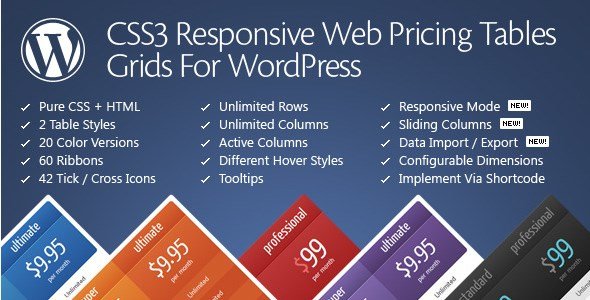
The CSS3 Responsive WordPress Compare Pricing Tables plugin lets you build pricing comparison tables directly inside WordPress. It works as a standard WordPress plugin and generates its tables with pure CSS and HTML, so there is no heavy JavaScript or external font dependencies slowing down your pages. A full admin panel provides live configuration: any change you make to colors, spacing, text alignment, or column widths appears instantly in a preview area. This makes it easy to experiment until the table matches the rest of your site. Since the output is plain HTML and CSS, the tables remain compatible with virtually any WordPress theme and render cleanly on mobile devices. You can create unlimited tables, and each table can hold any number of columns and rows. Two built-in table styles give you a quick starting point, and the twenty predefined color versions let you match the table to your brand without extra work.
An important part of any pricing table is how information is laid out, and this plugin gives you fine control over every column and row. You can set row heights and padding so that lines of text breathe properly. Column text alignment can be changed to left, right, center, or justified depending on what looks best in your content area. Because the tables are responsive, they automatically rearrange themselves when viewed on a small screen. Instead of cramming all columns side by side, the table scales down gracefully, keeping the comparison readable. This works without losing any hover effects or tooltip functionality. All of this is managed from the admin interface, so you never have to look at a style sheet. The two available table styles give you different starting structures, and each can be recolored using one of the twenty predefined color sets. That keeps the design process quick when you're building multiple pricing sections.
More from this category

 WPMU DEV


On the front end, the tables offer interactions that make pricing information easier to digest. Columns can slide into view, which draws attention to a highlighted plan, and rows can be expanded and collapsed so visitors can hide details until they need them. Hover effects are applied to columns and rows, and you can switch them off for specific columns if you want a calmer presentation. CSS3 tooltips give extra hints for terms like storage limits or setup fees without cluttering the table. The plugin also includes sorting options for rows and columns, so you can reorder the plan features with drag-and-drop in the admin area. These controls are all configured from the same live preview panel. A sliding column feature adds visual movement, and the expandable rows work with an expand and collapse option that saves space in crowded tables. You control which columns have hover states, so the effect never gets in the way of reading the data.
For people who want a finished look right away, the plugin ships with twenty sample configurations that you can load and then adjust. There are forty-two tick and cross icons available for the active and inactive features in each row, plus sixty ribbons that can be placed on top of the table to mark popular or limited plans. Ribbons are purely decorative and can be repositioned anywhere around the table edge. Everything remains in the WordPress admin, so there is no external service required to generate the tables. Install the plugin, pick a starting point, and customize. What you end up with is a set of clean, responsive pricing tables that present your offer clearly on any screen. No custom code is needed to modify the structure, and the same table can be duplicated and restyled for different products without rebuilding it. This plugin was designed specifically for WordPress, so it follows the familiar plugin workflow from installation to final output.
- Item type
- plugin
- Category
- Wordpress Plugins
- Version
- 7.8.0
- Availability
- In stock
- Delivery
- Digital
- Last updated
- August 11, 2026
This page summarizes the available listing data for CSS3 Responsive WordPress Compare Pricing Tables in Wordpress Plugins. The item type is recorded as plugin, with further details shown below.
Usage rights depend on the license selected at checkout. Review the complete terms before using this item for client work, redistribution, SaaS, or more than one end product.