Elementor Extras WordPress Plugin 2.2.52
Wordpress Plugins Elementor 4.8 (2.8K reviews)
Elementor Extras is a premium WordPress plugin developed by Namago for sites built with the Elementor page builder. It expands Elementor's capabilities by adding a dedicated set of new widgets and extensions. Instead of juggling several separate plugins to cover missing functionality, you install this single package and the extra tools appear right inside the Elementor editor. The plugin is distributed as a standard WordPress .zip file, so you upload it through the normal plugins screen and activate it like any other plugin. After activation, the new widgets show up in the widget panel, ready to drag and drop onto your pages. The plugin connects directly to Elementor's existing workflow, which means you work in the same familiar interface. These are the sort of tools you can use on any regular page or template you build, and they are arranged in a way that makes sense inside the editor. All styling happens through the same controls you already know from Elementor.
One of the main additions is a selection of widgets for building post layouts. These let you create custom designs for blog archives, single posts, and other dynamic content areas, all without touching a template file. You can place the post title, featured image, excerpt, author name, publish date, and more into any arrangement you like. Every field is controlled from the Elementor editor, so you can change spacing, typography, colors, and hover effects right alongside the rest of the page. Another core piece is the data display widgets. These are designed to show numbers and statistics in a clear, attractive way. They give you control over how the information is presented, and the settings work with the same visual language as the rest of the editor. The goal is to let you build sections that communicate information at a glance, using the same drag-and-drop approach you already use everywhere else in Elementor.
Button effects are another area where Elementor Extras adds value. The plugin includes several animated button styles that go beyond the standard look, giving you hover animations, icon movements, and decorative shapes that respond when someone clicks or hovers. These effects are configured directly in the widget settings, so you don't need to manually write CSS transitions. A featured widget is also part of the collection. This widget gives you a simple way to call out something notable on the page, using the same style controls found across the rest of the plugin. Beyond that, there are several smaller extensions that broaden the editor's options. They show up as new tools in the existing interface, meaning you don't have to switch contexts or learn a second way of working. Everything is built to feel like a natural extension of Elementor itself, so you don't have to break your usual flow to use them.
Other products to consider
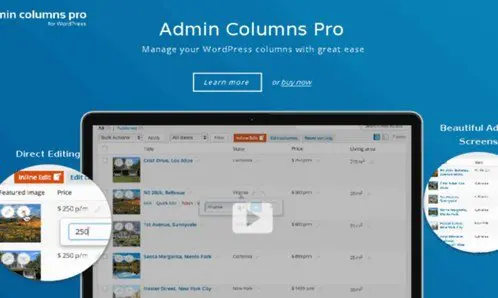
 Admin Columns
Elementor Extras is aimed at people who build sites with Elementor and want more options without adding a pile of extra plugins to their install. It sits alongside Elementor and expands the editing workspace directly. The zip file you receive is the same one you would get from the original author, so there is no repackaging or modified code included. That makes it easy to keep track of what's running on the site. The main thing to understand is that Elementor Extras is a companion plugin, not a standalone page builder. Elementor itself needs to be installed and activated first. Once that's done, the extra widgets and extensions appear inside your editor, ready to use on any page, post, or template you build. This keeps the learning curve low and the building process fast. It's designed to disappear into your normal workflow, letting you focus on the design itself rather than on managing extra tools.
- Last updated
- September 3, 2026
- Delivery
- Digital
- Availability
- In stock
- Version
- 2.0.4.2
- Category
- Wordpress Plugins
- Item type
- template kit
Elementor Extras WordPress Plugin is cataloged as a Wordpress Plugins under template kit. Review the preview and recorded details alongside the original description before purchase.
Usage rights depend on the license selected at checkout. Review the complete terms before using this item for client work, redistribution, SaaS, or more than one end product.