Follow My Blog Post - WordPress Plugin 2.4.2
Wordpress Plugins Codecanyon 4.8 (1.4K reviews)
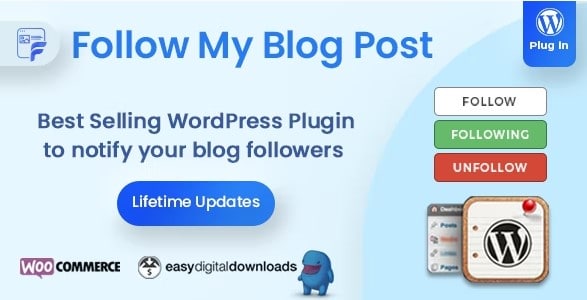
Follow My Blog Post is a WordPress plugin that turns any post, page, category, tag, or author into something people can follow. Visitors get a simple way to subscribe to future changes on just the content they care about, not your whole site. After someone opts in, they receive email alerts whenever that particular item is updated. This works for regular posts and pages, but also for taxonomy terms like categories and tags, and for individual authors. Custom post types are supported too, so a site with reviews, listings, or portfolio pieces can apply the same following behavior. The plugin integrates directly with your existing WordPress installation, meaning it fits into the structure you already have built. For site owners, this creates an ongoing connection with readers that does not depend on social media or third-party platforms. The feature set is focused: let people follow, notify them of changes, and give administrators the tools to manage the whole process.
Visitors control their own follows from the front end. A follow button appears on supported content, and clicking it immediately subscribes them to updates for that item. They can unfollow at any time, so there is no long-term commitment. Each piece of content shows the number of unique visitors currently following it, which gives a sense of popularity. When someone subscribes or unsubscribes, the plugin sends a confirmation email to keep the action clear. The email notification system also alerts followers when content gets updated. This works without forcing readers to create an account or log in, keeping the barrier to participation low. The whole interaction is designed to be self-explanatory: click to follow, click again to stop, and receive updates in between. Visitors can follow multiple items at the same time. There is no need to check back manually for changes at all. It is that convenience which keeps people following.
Similar products
 Codecanyon
Site administrators get a central panel dedicated to followers. The design is straightforward, with separate sections for different content types. The admin view breaks down subscriptions by page or post, by taxonomy term, and by author, so you can see exactly where your audience's attention goes. For each item, you can see how many unique visitors are following it, along with the confirmation emails that are triggered when someone subscribes or unsubscribes. A more powerful feature is the ability to send custom emails directly to followers of a particular post, page, term, or author. That means you can send a targeted update to an interested group without building a separate mailing list. The panel also handles standard notification emails automatically, making sure followers get informed whenever content changes. With that structure, the admin workflow stays clear: monitor who follows, manage targeting, and communicate directly when needed. This removes the need to export follower lists or rely on separate software.
Publishing the follow feature is handled through shortcodes, so you have control over where it appears. The shortcode can be placed inside a post, on a page, or in any template that accepts one. This flexibility means you can add a follow button to your standard content, to category archives, or next to an author bio. Since the plugin works with categories, tags, authors, and custom post types, the shortcode output adjusts to whatever context it is placed in. For site builders, this keeps the whole thing manageable from the editor. The plugin also respects the structure of your site, so the follow feature behaves consistently across regular posts, custom post types, and taxonomy pages. In essence, Follow My Blog Post gives you a complete following system that does not require a third-party service or a separate subscription platform. It handles the mechanics of following, notifications, and follower management from within WordPress itself.
- Item type
- plugin
- Category
- Wordpress Plugins
- Version
- 3.1.8
- Availability
- In stock
- Delivery
- Digital
- Last updated
- August 11, 2026
Listed under Wordpress Plugins, Follow My Blog Post - WordPress Plugin is a plugin. This presentation keeps the product name and recorded facts intact while organizing the details for easier review.
Usage rights depend on the license selected at checkout. Review the complete terms before using this item for client work, redistribution, SaaS, or more than one end product.