Multiverso - Advanced File Sharing Plugin 2.6
Wordpress Plugins Codecanyon 4.8 (4.0K reviews)
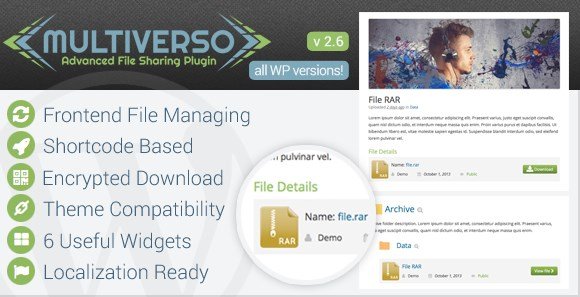
Multiverso is a WordPress plugin that gives you a private file sharing area inside your own website. Instead of depending on external cloud services or sending files through email, you create a dedicated section where every upload acts like a standard WordPress post. Each file can carry a title, a description, a featured image, and a custom slug for clean, readable URLs. The actual file is stored in a separate upload folder you control, kept apart from the default media library. This arrangement keeps downloads organized and lets you present them in the same look and feel as the rest of your site. The entire workflow happens in the WordPress admin area, using familiar editing screens. You do not need to learn a separate dashboard or portal to manage your file library. For anyone running a membership area, a client portal, or any site that distributes files with specific structure and permissions, this plugin brings that capability directly into WordPress.
Similar products
 Admin Columns


File protection is a central piece of Multiverso. Direct downloads are blocked by default, so people cannot guess a URL and grab the content. When you upload a file, the plugin generates an encrypted file path and runs a WordPress security check. The raw files stay out of public reach. You can attach a direct link to a download button, which lets a visitor go straight to a file instead of browsing the list. Download limits work per file, controlling how many times it can be accessed. Once the limit is reached, the link stops working, which suits time-limited products or event materials. The upload process follows the same validation rules as the rest of WordPress, so your existing site checks still apply. Together, these measures keep files secure. The stored files remain separate from the public pages that display them, and this separation matters for sensitive documents or paid downloads.
Multiverso gives you broad control over file handling. You decide which file types the upload system accepts, so PDFs and images can be allowed while executable files get blocked. A file size limit keeps uploads reasonable and stops the server from storing anything oversized. Each file can have its own download page with a title, description, and thumbnail, just like a regular WordPress post. This turns a simple link into a polished entry with context, helping visitors understand what they are about to download. The custom slug option gives each file a clean URL, which makes sharing by email or placing links in content much easier. These controls work together, so you are not just placing files in a directory. You are building a structured file management system inside your site, using the same editing experience you already have for posts and pages. It is a familiar workflow for anyone who already uses WordPress.
The final layer is access management. Multiverso lets you assign an owner to each file, and you control which users or groups can see and download them. Folders and categories give you a way to organize files into logical groups, so your file section does not turn into a long list of unrelated downloads. The plugin also includes a remote upload script, which means you can pull a file from another URL directly into your site without downloading it to your computer first. That is convenient when you need to import files from a server or a third-party service. The separate folder structure also keeps things tidy. Because the plugin is built as a WordPress solution, all of this runs on PHP and works with your existing user accounts. You do not need to set up a separate portal or database. Multiverso simply brings file sharing into the WordPress environment you already know and trust.
- Last updated
- August 11, 2026
- Delivery
- Digital
- Availability
- In stock
- Version
- 1.1.5
- Category
- Wordpress Plugins
- Item type
- plugin
Listed under Wordpress Plugins, Multiverso - Advanced File Sharing Plugin is a plugin. This presentation keeps the product name and recorded facts intact while organizing the details for easier review.
Usage rights depend on the license selected at checkout. Review the complete terms before using this item for client work, redistribution, SaaS, or more than one end product.