Site Content Navigator For WordPress 1.2
Wordpress Plugins Codecanyon 4.8 (3.2K reviews)
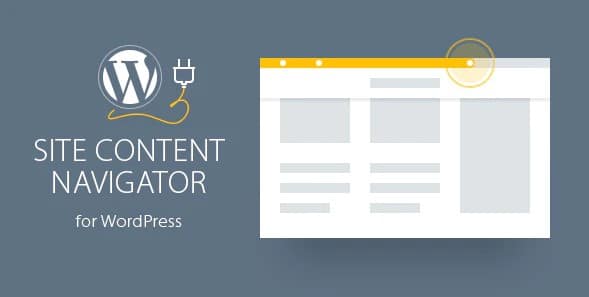
Site Content Navigator is a WordPress plugin built to solve a simple but common problem: keeping visitors oriented when they scroll through long pages. Many sites publish extended articles, detailed product pages, or documentation that runs far beyond the first screenful. Readers can lose track of where they are and what content comes next. This plugin adds a navigation layer that tracks the user's position on the page and presents that information in a clear, unobtrusive way. It is powered by jQuery, which keeps the interaction smooth without requiring the page to reload. Because the plugin was built with responsiveness in mind, it works on desktop browsers and mobile devices alike. Touch-based scrolling on phones and tablets is handled properly, so the navigation remains usable on smaller screens. For any WordPress site with substantial page content, this tool offers a way to guide visitors through the material without forcing them to scroll blindly.
The most visible feature is a progress bar that indicates reading progress. As the visitor scrolls down the page, the bar fills up to show how much content has been covered and how much remains. This gives immediate feedback and is especially helpful on long pages where readers might otherwise wonder if they have reached the end. The result is a straightforward way to understand an article's remaining length at a glance. Beyond that simple bar, the plugin can work with sections. The site owner can define distinct parts of the page, and the navigator will highlight the section currently in view. This creates a table-of-contents-like experience on a single page. When the reader moves between sections, the navigator updates to reflect the new position. The visual design is minimal and does not distract from the content itself. Site owners can rely on the automatic section configuration, which scans the page structure and identifies sections on its own, saving time during setup.
Similar products

 Codecanyon
For those who prefer full control, manual section configuration is also available. Instead of relying on the automatic detection, you can specify exactly which elements on the page should be treated as sections. This is useful when pages have irregular layouts or when you want the navigation to match a specific set of headings or blocks. Each defined section can display a tooltip with details about that section. When a visitor hovers over or interacts with the navigator, the tooltip shows useful information, such as the section title or a short description. Those tooltips become a quick preview of what each section covers, especially on pages with many distinct topics. This helps readers decide whether a section is relevant before jumping to it. The combination of automatic discovery and manual fine-tuning means the plugin adapts to both simple pages and more complex structures. The tooltips are also configurable, so you control what information appears and when.
What you receive is the exact zip file distributed by the original author on Codecanyon. The archive is not repackaged or edited, so the plugin installs and behaves exactly as it would if you downloaded it from the author directly. After installation, the plugin runs inside your WordPress environment with its full feature set available. The navigation controls appear on the front end of your site and do not interfere with the WordPress admin area. The navigator does not change how your content is written or stored; it simply adds a layer of guidance for people who are reading. Existing pages can use it right away. For sites that publish long articles, documentation, or any content that extends far beyond one screen, this navigator is a practical addition. It gives structure to lengthy pages and lets visitors move through the material with confidence. The progress bar and section markers read naturally, so most visitors understand them immediately.
- Last updated
- August 12, 2026
- Delivery
- Digital
- Availability
- In stock
- Version
- 2.7
- Category
- Wordpress Plugins
- Item type
- plugin
Listed under Wordpress Plugins, Site Content Navigator For WordPress is a plugin. This presentation keeps the product name and recorded facts intact while organizing the details for easier review.
Usage rights depend on the license selected at checkout. Review the complete terms before using this item for client work, redistribution, SaaS, or more than one end product.