Smart Post Lists Widget for WordPress 2.12
Wordpress Plugins Codecanyon 4.8 (1.8K reviews)
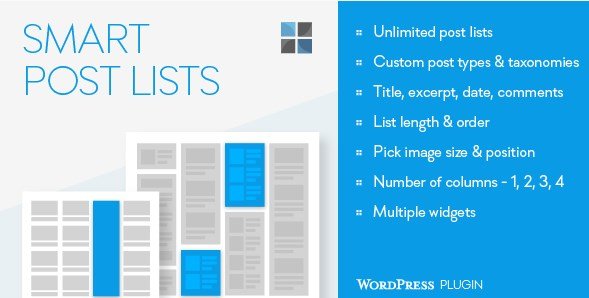
The Smart Post Lists Widget for WordPress is a plugin that gives you a highly flexible post list widget for your sidebars and other widget-ready areas. You can place this widget in any number of widget zones and create multiple list instances, each with its own configuration. You might want a short list in one sidebar, a longer list in another, and a third list limited to a specific author or tag. The plugin keeps all of those lists independent, so changes to one won't affect the others. Setup happens through the standard WordPress widget panel, where you drag the widget into place and adjust its settings. There is no code editing and no need to understand PHP or shortcodes. The widget works with any theme that supports native widgets. It is a practical tool for displaying your content without building custom templates. This makes it an easy addition to nearly any WordPress setup.
More from this category

 Codecanyon
The plugin gives you precise control over which posts appear in each widget instance. You can select posts from one or multiple categories, filter by tags, and limit results to a particular author. Multiple filters can be applied at once, so a list might show posts from one category while also being limited to a specific author. Custom post types are supported as well, so you can build lists from portfolios, products, testimonials, or any other registered content type. Custom taxonomies and terms can also be used as filters, which is handy when your site uses extra classification systems. For each list, you set the desired length and decide whether the order should be newest first, oldest first, or based on the last modified date. You can even control the delimiter that separates list items. All these options live inside the widget's settings screen, so you don't need to write a single line of code.
Beyond choosing the content, you control how each list appears visually. The widget can display titles, excerpts, publication dates, and comments, and you can turn each of those elements on or off independently. Each option is controlled separately, so you can show dates on one list and hide them on another. You decide the image size for thumbnails and where the image sits relative to the text. If your design calls for a multi-column layout, the widget supports a configurable number of columns. For styling flexibility, each widget instance accepts its own custom CSS class. That means you can target a specific list with your own styles without affecting other copies of the widget on your site. The list delimiter is also adjustable, so you can put separators between posts or keep them clean and borderless. These display settings are saved separately for every widget placement. You are never stuck with a single layout across every instance.
This widget is useful for anyone running a content-focused WordPress site. It handles the repetitive parts of building lists and lets you arrange posts according to your own rules inside the standard widget manager. Since every instance is independent, you can maintain a different set of filters, ordering, and design options for each sidebar or widget area. The plugin is distributed as a WordPress plugin from Codecanyon, so you receive the standard plugin package and activation follows the usual WordPress plugin workflow. It does not require extra plugins, shortcodes, or external services. The widget is intended for use in sidebars, but it also works in any widget area your theme registers. You don't have to create a separate page template or modify your theme's functions file. For site owners who want to present their posts in a clean, self-contained way, this widget covers the basics without loading your site with unnecessary extras.
- Item type
- plugin
- Category
- Wordpress Plugins
- Version
- 3.1
- Availability
- In stock
- Delivery
- Digital
- Last updated
- August 10, 2026
This listing covers Smart Post Lists Widget for WordPress, a Wordpress Plugins from plugin. Use the source description and recorded item details below to check whether it fits the intended project.
Usage rights depend on the license selected at checkout. Review the complete terms before using this item for client work, redistribution, SaaS, or more than one end product.