White Label Branding for WordPress 4.2.9.100641
Wordpress Plugins Codecanyon 4.8 (4.1K reviews)
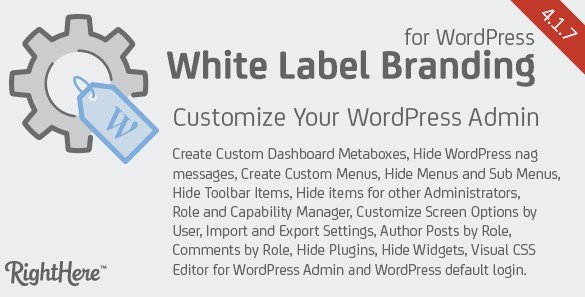
White Label Branding for WordPress is a plugin that takes control of the visual identity inside your WordPress admin area. You can replace the default WordPress logo, footer text, and admin styling with your own branding. The plugin lets you upload a favicon for the browser tab, set a custom header logo, and add a developer logo, developer name, and developer URL to the footer. Two of these options, the header logo and the custom header height, are marked as deprecated in WordPress 3.3, but the plugin still includes them for legacy setups. You also have the option to remove the "WordPress" label from the browser title bar. The effect is immediate and applies across the whole admin area. The goal is to make the dashboard feel like your own product. For anyone who delivers WordPress sites to clients, this is a direct way to present a polished dashboard that doesn't constantly mention the platform underneath.
Beyond the basic branding swaps, this plugin gives you the ability to hide several built-in WordPress elements that can clutter the admin experience. You can disable update nag messages, which are the notices that appear when a new version is available, and you can also remove the update download link. The contextual help tab in the top corner, the screen options dropdown, and the favorite actions star icon next to the admin bar can all be turned off as well. These features are useful for power users but can be confusing for clients who only need to write and publish content. Each setting works independently, so you can keep the pieces that help and remove only the ones that get in the way. That kind of control makes it possible to tailor the admin interface to different skill levels, which is especially valuable if you manage multiple sites for different clients with different needs.
More from this category
 Codecanyon

The plugin also gives you control over which users can access which branding features. You decide exactly who sees the modified admin area and who is allowed to adjust it. In a multi-author setup, you might want only the site owner to change the favicon or footer, while everyone else simply uses the branded interface as-is. By tying access to user roles, the plugin keeps the dashboard consistent and prevents accidental modifications. That means you can give a client a clean, custom experience without worrying they'll stumble into settings they don't understand. This kind of permission management is useful for agencies, freelancers, and anyone who resells WordPress as a managed service. The permissions are based on roles, so there is no need to configure each individual user. It is an administrative tool first, and its goal is to make your WordPress installation feel like your own product. The settings apply across the entire admin panel for the selected roles.
You receive the plugin as a standard WordPress plugin archive. You install it through the Plugins screen, just like any other plugin, and the version you receive is the exact zip file from the original author on Codecanyon. There is no modified code, no extra wrapper, and no hidden addition. The file has been scanned and confirmed free of viruses, so the only thing you are adding to your site is the plugin itself. After uploading the zip and activating it, the branding options immediately appear in your WordPress settings. All the settings live in one place, so you can update your favicon, footer, or permission rules at any time without touching a file. You can also adjust access rules for different user roles right from the same settings screen. The plugin works on its own, does not require external services, and stays out of the way until you decide to change something.
- Item type
- plugin
- Category
- Wordpress Plugins
- Version
- 2.1.1
- Availability
- In stock
- Delivery
- Digital
- Last updated
- August 10, 2026
White Label Branding for WordPress belongs to the Wordpress Plugins section and is treated as a plugin. Its preview, description, and listing facts can be checked without adding claims not found in the source.
Usage rights depend on the license selected at checkout. Review the complete terms before using this item for client work, redistribution, SaaS, or more than one end product.