WooCommerce File Approval Plugin 9.4
Wordpress Plugins Codecanyon 4.8 (4.8K reviews)
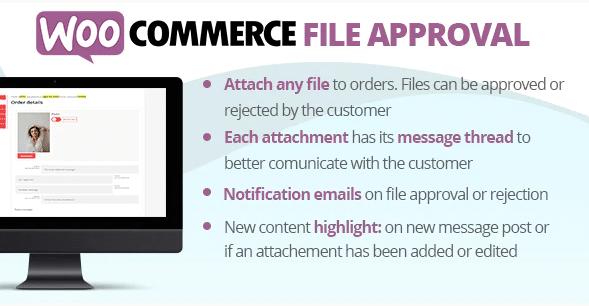
This plugin gives WooCommerce store owners a straightforward way to share files with customers while keeping control over access. Instead of simply attaching a file to an order or email, you can set up a workflow where each file is reviewed before the customer sees it. That makes sense for shops selling creative assets, legal documents, custom work, or any product where you need to ensure the right version is delivered. The plugin works directly through your WooCommerce order flow, so you don't have to maintain a separate file system. Your customers get a clear path to the files they purchased, and you get a simple approval step that keeps everything organized. It is built for people who need more than just a basic download link, but who also don't want to build a custom solution from scratch. The core idea is simple: you share files, and you decide what gets approved.
The approval process sits right at the heart of this plugin. When you upload or assign a file to an order, it doesn't go straight to the customer. Instead, it waits for your decision. You can approve it, which makes it available for download, or reject it, which triggers a different response. That means you control exactly what your customers receive and when they receive it. This level of control is hard to achieve with standard WooCommerce downloads. For businesses that sell custom-made goods or services, this is especially useful because you might need to review the final output before letting the customer access it. The plugin does not force a particular approval order, so you can fit it into your existing routine. Whether you approve files manually or as part of a larger admin process, the interface is straightforward and keeps you focused on the work that matters. Customers do not see files until you give the go-ahead.
Other products to consider

 Codecanyon


Getting the plugin set up is a straightforward process. It installs like any other WooCommerce extension and works with your existing shop settings, so you do not need to create a separate portal or manual upload area. After installation, you will find the approval controls where you expect them, right inside your order management screens. Each file that you link to a product or order can be treated individually, which means you can approve some files and reject others without disrupting the rest of the order. The configuration options are kept simple, allowing you to decide whether approval happens automatically for certain product types or only after your manual input. You are not locked into one way of working. That flexibility makes it a practical choice for shops with mixed catalogs. The plugin respects the structure you already have in place, so it does not add unnecessary complexity to your daily operations.
This plugin is distributed as a standard .zip archive, the same file you would get if you purchased it directly from the original author on Codecanyon. That means there are no altered files, no missing components, and no extra steps to make it work. The download contains everything needed to install and activate the plugin in your WordPress installation. You can treat it like any other plugin you have installed. Because it comes from the Codecanyon distribution channel, you can expect it to follow the usual requirements for that marketplace, including the need for a valid support period if you choose to reach out to the developer. The approval functionality is included in the main plugin, so you do not need to purchase separate add-ons for the basic file sharing and review workflow. If you work with WooCommerce every day, this plugin slots into your existing setup without requiring you to change how you handle orders, customers, or downloads.
- Item type
- plugin
- Category
- Wordpress Plugins
- Version
- 1.1.2
- Availability
- In stock
- Delivery
- Digital
- Last updated
- August 12, 2026
WooCommerce File Approval Plugin belongs to the Wordpress Plugins section and is treated as a plugin. Its preview, description, and listing facts can be checked without adding claims not found in the source.
Usage rights depend on the license selected at checkout. Review the complete terms before using this item for client work, redistribution, SaaS, or more than one end product.