Woocommerce Tabs Pro - Extra Tabs for Product Page 4.2
Wordpress Plugins Codecanyon 4.8 (2.0K reviews)
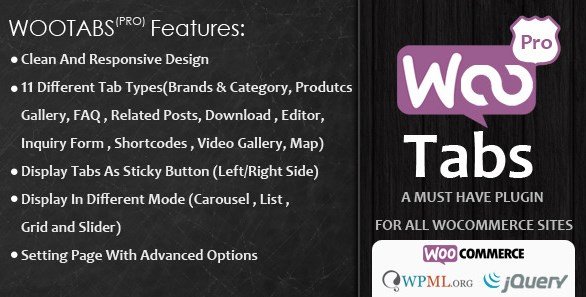
Extra tabs on a product page can make all the difference for shoppers who want more details without leaving the page. WooCommerce Tabs Pro does exactly that by letting you add any number of additional tabs to your WooCommerce product pages. Instead of being stuck with the standard Description and Reviews sections, you get the freedom to create custom tab content that fits your products and your customers. The plugin gives you 11 distinct tab types to work with, so you are not limited to plain text. You can build tabs that show different kinds of information, from specifications to shipping details to anything else you think buyers should see. Each tab type is there for a reason, giving you the ability to choose the format that best suits the information you are presenting. The design stays clean and does not clutter your product layout. That matters because presentation affects how people judge the quality of your store.
Understanding that store owners rarely run a single site, the plugin includes multisite support. That means you can install it once and use it across a network of WordPress sites, which is a practical time-saver. The responsive layout ensures the extra tabs look good whether your customers are on a desktop, tablet, or phone. A significant part of the appeal is the WPML plugin support. If your store operates in multiple languages, you can translate the tab content and have it display properly for each audience. The plugin works within the WooCommerce environment, so you manage everything from your product edit screen. This keeps the workflow simple and puts the customization right where you already spend your time. You do not need to jump between different settings pages to make your tabs appear and behave the way you want. The whole process stays in familiar territory. That makes the plugin a solid choice for stores with a large catalog.
More from this category

 WPMU DEV

The 11 tab types included in WooCommerce Tabs Pro cover a range of presentation options. You are not forced to settle for a single format. Some tabs work well for text-heavy content, others for lists or tables, and still others for structured data. That flexibility helps store owners organize product information clearly and reduce confusion. A customer who wants the dimensions of a piece of furniture will find a dedicated specification tab easier to scan than a long paragraph. The clean design of the tabs also helps maintain a consistent look across your site. Since the plugin is distributed through Codecanyon, it fits into the ecosystem of products that many WordPress users already know. Managing your tabs does not require coding skills, which opens the possibility to a broader range of store owners. You can customize the tab content directly from the product screen and see how it will look without touching the theme files.
What makes this product useful is how it turns a simple product page into a richer buying experience. You can group information logically, answer common questions before they are asked, and keep everything visible just a click away. The tabs save space because you are not stacking all the details vertically; instead, you organize them into sections that customers can open or close based on their interests. This is especially useful for products that have a lot of specifications, care instructions, or shipping policies. By giving customers control over what they read, you reduce the effort it takes to find the right answer. The extension is also straightforward to apply, since it works with your existing WooCommerce product setup. There is no need to rebuild your pages or start over from scratch. You simply add tabs to your current product pages and fill them with the content you already have. The result is a more structured product page for everyone involved.
- Item type
- plugin
- Category
- Wordpress Plugins
- Version
- 2.2.1
- Availability
- In stock
- Delivery
- Digital
- Last updated
- August 11, 2026
The catalog entry for Woocommerce Tabs Pro - Extra Tabs for Product Page is grouped with Wordpress Plugins and classified as a plugin. Available product information is shown below with related items from the local catalog.
Usage rights depend on the license selected at checkout. Review the complete terms before using this item for client work, redistribution, SaaS, or more than one end product.