WPMU DEV Contact Widget 2.2.1
Wordpress Plugins WPMU DEV 4.8 (3.6K reviews)
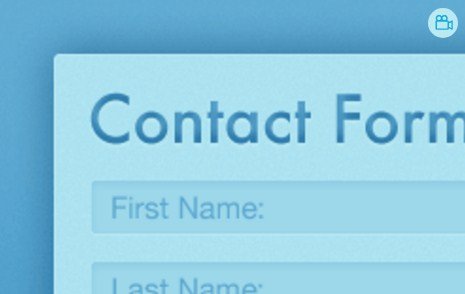
The WPMU DEV Contact Widget is a WordPress plugin that brings a contact form directly into your site's widget areas. Developed by WPMU, it's built for people who want a straightforward way to let visitors send messages without creating a whole custom page. Instead of juggling shortcodes or building complex forms, you simply add this widget to a sidebar, footer, or any widget-ready spot on your site. Your form appears right where you place it, making it easy for visitors to reach out without hunting for a contact link. It works like any other widget in your WordPress dashboard, so there is no learning curve and no setup wizard. Add it to more than one location if your theme supports multiple widget areas, which gives you flexibility in how you collect messages. No HTML skills are ever required, and the output is clean and consistent with the rest of your site. You get a simple and effective tool for staying reachable.
The widget offers a few key options that cover the basics of running a contact form. Drag and drop the widget into any widget area, just like you would with a recent posts widget or a text widget. Once it's in place, you can decide where the submitted messages should go by setting the recipient email address. That means you won't have to dig through settings or edit files to make sure the right person gets the mail. There's also a field for adding your own text after the form. This is handy for a phone number, office hours, or a simple note about response times. You can also adjust the widget title, which lets you label it something like 'Contact Us' or 'Send a Message.' These options stay visible right inside the widget's own settings panel, so you never have to look elsewhere in your dashboard to make changes.
Related products
 Codecanyon
Because this is a widget rather than a standalone plugin that forces you into a specific page template, it fits naturally alongside your existing layout. Drop it in a sidebar, below a post, or in a footer widget area, and it will inherit the styling conventions of your theme to a large extent. The drag-and-drop system is what you already know from managing menus and widgets, so there is no special configuration screen to memorize. For site owners who just need a reliable way to collect messages, this removes a lot of the overhead that comes with larger contact form plugins. You don't have to build an email list, set up integrations, or learn form builder toolbars. The plugin keeps its focus narrow: a contact form, a destination email, and an optional note. This makes it a particularly good fit for personal blogs, small business sites, and any page where a full contact page simply feels like overkill.
The WPMU DEV Contact Widget is a solid pick for anyone who wants a no-frills contact form that sits wherever widgets can go. It does not pretend to be a full marketing automation suite or a multi-step form constructor. Instead, it does one thing and keeps that one thing simple. The plugin comes from the WPMU development team, so it's part of a broader ecosystem of WordPress tools, but it works independently. There is no need to purchase a bundle or install a companion plugin to get it running. After activation, your widget areas gain a new option, and you can start receiving messages within a couple of minutes. It is a lightweight addition to your dashboard, and it does not force you to adopt a page builder or a new editor. That keeps the setup simple from start to finish. If your goal is to give visitors a straightforward path to reach you, this widget delivers exactly that without extra clutter.
- Last updated
- August 10, 2026
- Delivery
- Digital
- Availability
- In stock
- Version
- 4.3
- Category
- Wordpress Plugins
- Item type
- plugin
This listing covers WPMU DEV Contact Widget, a Wordpress Plugins from plugin. Use the source description and recorded item details below to check whether it fits the intended project.
Usage rights depend on the license selected at checkout. Review the complete terms before using this item for client work, redistribution, SaaS, or more than one end product.