WordPress Social Share Plugin – Share Buttons 1.6.1
Wordpress Plugins Codecanyon 4.8 (4.1K reviews)
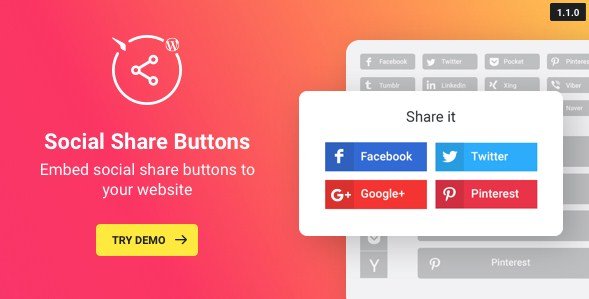
Share buttons help your readers spread your content across the web, and this WordPress plugin puts that capability right on your site. It is a straightforward tool that displays icons next to your posts or pages, allowing visitors to share what they read on any social network you choose to include. The plugin comes from Codecanyon, where it is maintained as a standard WordPress plugin, and it installs through the usual WordPress process. Once active, you can decide which networks appear and how the buttons look. The core idea is simple: make sharing easy enough that people actually do it. Because the plugin focuses on presentation and function, it keeps the experience clean for both you and your audience. There is no bloat here, just the essential sharing interface with enough flexibility to fit into most site designs. You do not need to be a developer to manage the settings, and the learning curve is nearly flat.
Customization is where this plugin shows its strengths. You have four predefined icon styles to choose from, so you are not stuck with a single default look. Those styles give you a range of visual approaches, from simple and unobtrusive to more eye-catching designs. Alongside the icon styles, you get four color options that can be combined in four different ways. That means you can adjust the buttons to match your brand colors or make them stand out against your page background. For the icon shapes themselves, there are three options available. You might prefer circles, rounded squares, or something sharper, depending on the overall feel of your website. On top of that, the plugin includes five icon animations. These add a small motion effect when someone hovers over or interacts with a button, which can make the sharing area feel more responsive without being distracting. All these choices are presented in a clear configuration panel.
Other products to consider

 Codecanyon


Transparency is another setting you can control directly. The plugin lets you adjust the transparency of the share buttons, which is useful when you want them to sit lightly over a busy background or blend in with a subtle page design. This level of control means you are not forced to accept a default that clashes with your content. The configuration process itself is designed to be easy. You do not need to touch code or struggle with complicated settings screens. Everything is laid out in a straightforward way, so you can set up the plugin and start using it within a few minutes. For site owners who want a social sharing option without the hassle of building something from scratch, this plugin covers the essentials. It handles the technical side while you focus on what you publish. The result is a sharing experience that feels natural to your visitors, encouraging them to pass along the things they find valuable.
A social share plugin only earns its place if it works reliably and adapts to your site. This one does both by offering a simple installation process and a set of visual options that cover most design preferences. Whether you run a blog, a news site, or an online store, adding share buttons gives your readers an easy way to recommend your content. The plugin is distributed as a zip file, ready for upload through your WordPress admin dashboard. The setup itself is straightforward, with all configuration options easy to find. The included features are all about giving you control over the appearance and behavior of the buttons. With four icon styles, four color combinations, three shapes, five animations, and customizable transparency, you can make the share buttons look like they belong on your site. The flexibility makes it a practical choice for anyone who wants social sharing without the overhead of a heavy solution.
- Last updated
- August 12, 2026
- Delivery
- Digital
- Availability
- In stock
- Version
- 3.5.2
- Category
- Wordpress Plugins
- Item type
- plugin
The available listing for WordPress Social Share Plugin – Share Buttons places it among Wordpress Plugins products. It is presented here as a plugin with its supplied description and purchase information.
Usage rights depend on the license selected at checkout. Review the complete terms before using this item for client work, redistribution, SaaS, or more than one end product.