WordPress Store Locator 2.2.7
Wordpress Plugins Codecanyon 4.8 (2.8K reviews)
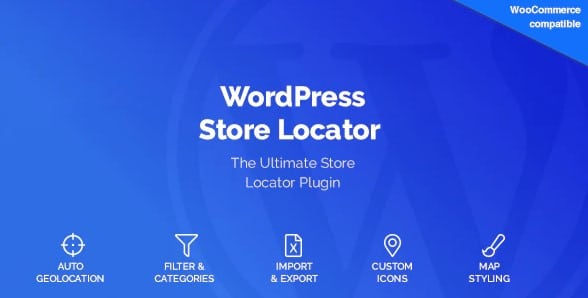
WordPress Store Locator is a plugin that adds a functional store finder to your website. You can place it on any page, post, or custom template using a simple shortcode: [wordpress_store_locator]. The plugin is built for businesses that have physical locations and want online visitors to locate them quickly. Visitors can enter a city, region, or postal code, and the map shows the closest stores. It works equally well as a standalone map or as a section inside a larger dealer locator page. Since this is a standard WordPress plugin, installation follows the normal process: upload, activate, and insert the shortcode. No theme file edits are required, and the map will adapt to your site's existing layout. This makes it an easy addition for a site owner who isn't a developer. The shortcode approach also means you can reuse the same locator in multiple places without duplicating any configuration. Each location you add to the map is stored within WordPress, so you manage your stores from the admin dashboard just like posts and pages.
The plugin includes several settings that let you control how the map behaves. It uses HTML5 geolocation to automatically detect a visitor's position when the visitor gives permission, so someone can find a nearby store without typing anything. You can also set a default map position, choose the map type, and specify a zoom level. These settings make sure the map opens on the right area for your business. A distance unit setting lets you show results in miles or kilometers, and a default radius determines how far the search reaches from the visitor's chosen spot. The default icons for store markers can be changed as well, which lets you match the map to your brand. All of these options live in the plugin's settings screen, so you can adjust them after installation without touching the shortcode or the pages where the map appears.
Similar products

 Codecanyon


The practical applications of this plugin are straightforward. You can embed it directly on a product page so shoppers can see which physical retailers carry that particular item. Alternatively, you can create a dedicated dealer locator page and list every location where your products or services are available. Both setups rely on the same shortcode, so you don't need to maintain separate map configurations. Once the map is on the page, the visitor does the rest: they search for a nearby store and get directions or contact details, depending on the data you have entered for each location. Since all of this happens within WordPress, you don't need to rely on an external service to run the map. You simply build your store list in the admin area, and the shortcode handles the display. This is a practical tool for any merchant with more than one physical sales point.
This particular copy comes from Woocrack.com, a distribution site for Codecanyon plugins. The download provides the exact .zip file that the original author published on Codecanyon. You won't find modified code, extra files, or unrelated add-ons bundled into the archive. The distributed file is checked for viruses prior to upload, so you can install it with confidence. Since you receive a standard plugin package, you can upload it through WordPress' built-in plugin installer or extract the folder into your site's plugins directory. The plugin works just like any other WordPress extension, and it requires no special server setup beyond the standard WordPress environment. For a complete list of configuration options and advanced usage notes, the official website for this plugin has additional documentation. This description covers the main features you'll use day to day when setting up the store locator.
- Last updated
- August 12, 2026
- Delivery
- Digital
- Availability
- In stock
- Version
- 3.5
- Category
- Wordpress Plugins
- Item type
- plugin
WordPress Store Locator is one of the Wordpress Plugins items recorded as a plugin. The content below uses the supplied listing information and current local catalog data.
Usage rights depend on the license selected at checkout. Review the complete terms before using this item for client work, redistribution, SaaS, or more than one end product.