AB Testimonial WordPress Plugin 1.0.1
Wordpress Plugins Codecanyon 4.8 (3.3K reviews)
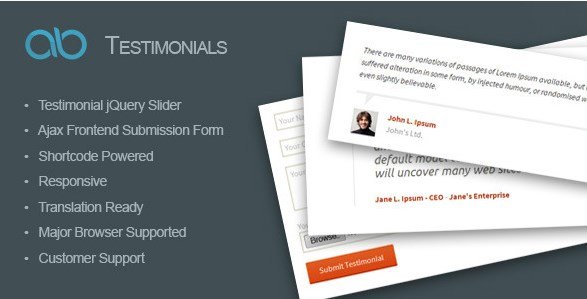
AB Testimonial is a WordPress plugin that collects customer feedback and displays it anywhere on your site through a simple shortcode. It is distributed through Codecanyon, and the install file is a standard WordPress plugin zip that you upload from the dashboard and activate. Once active, the plugin adds its own custom post type, so every testimonial is stored separately from your pages and posts. That structure makes the plugin easy to manage and easy to extend if you want to customize it later. Writing a testimonial into a page, post, or text widget takes nothing more than pasting the shortcode in the editor. The plugin then takes care of rendering the testimonials on the front end. There is no need for page builders, third-party services, or any external connection. It is a self-contained tool that does one job: turning customer quotes into a presentable part of your website.
Related products

 Download Monitor


On the display side, AB Testimonial ships with a jQuery slider that cycles through your reviews automatically. The autoplay option can be turned on or off, so you decide whether the slider moves on its own or waits for the visitor to click. Two built-in testimonial styles are included, letting you switch between layouts without touching any CSS. Each style is clean and readable, and the whole slider is fully responsive, so it adjusts smoothly to phones, tablets, and desktop screens. This makes the plugin a practical choice for anyone who wants to display customer quotes without adding extra page weight. You can drop the shortcode into a narrow sidebar or a full-width content area, and the plugin will adapt the layout accordingly. Because everything is styled by the plugin itself, you don't have to worry about your theme conflicting with the output. It simply works with the design you already have.
Managing testimonials inside the dashboard is straightforward. The plugin's admin interface lists all submitted reviews, and you can add new ones manually, edit existing entries, or remove them with a few clicks. You can also organize testimonials into categories, which gives you more control over where each review appears. When you set up the shortcode, you can choose a specific category to display, so different pages can show different sets of feedback. This is especially handy if you have multiple products or service areas and want each page to feature relevant customer experiences. The plugin also lets your clients submit testimonials from the front end of your site through an AJAX-driven form. That means visitors can share their feedback without logging into the admin area, and the page doesn't reload when they hit submit. The submitted content is then added to the same testimonial list you manage from the dashboard.
Under the hood, AB Testimonial relies on a custom post type, which means all your testimonials are stored as a distinct content type rather than being squeezed into posts or pages. That makes it easier to keep things organized and to perform edits or batch changes when needed. The shortcode system gives you direct control without needing a page builder or extra plugins. You can place the shortcode in any classic editor block, a widget area, or a page builder that supports shortcodes, and the plugin will output the testimonial slider in that spot. The package includes everything you need in one zip file, and because it comes from Codecanyon, you know it follows the standard WordPress plugin structure. All the core functions are part of that single installation. For site owners who want a dependable way to display client feedback, AB Testimonial keeps the whole process simple from start to finish.
- Last updated
- August 10, 2026
- Delivery
- Digital
- Availability
- In stock
- Version
- 1.0.1
- Category
- Wordpress Plugins
- Item type
- plugin
The AB Testimonial WordPress Plugin listing is available in Wordpress Plugins as a plugin. Check the description, item facts, and purchase details to assess its relevance to a project.
Usage rights depend on the license selected at checkout. Review the complete terms before using this item for client work, redistribution, SaaS, or more than one end product.