CyberChimps WP Legal Pages WordPress Plugin 4.13
Wordpress Plugins CyberChimps 4.8 (2.9K reviews)
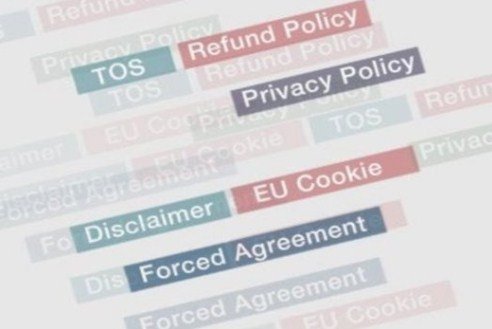
CyberChimps WP Legal Pages is a WordPress plugin built by the team at CyberChimps.com to manage visitor consent for the legal sections of your site. Most websites carry documents such as Terms of Service, Disclaimers, and similar legal texts, and those documents only carry real weight when visitors actually acknowledge them. This plugin moves that acknowledgment from an optional nicety to a required step. When you activate it, you can choose which pages or posts should be locked behind an agreement prompt. A visitor cannot simply scroll past your terms and move on; they have to register their consent first. That makes the plugin useful for anyone who sells digital goods, shares sensitive advice, or simply wants a clear record that their rules were seen and accepted before someone used their site. The plugin treats your legal pages as the gateways they should be, giving you control over exactly when consent is demanded and for which content it applies.
The lock down features are the heart of the plugin. You can force visitors to agree to your terms before they access specific pages, posts, or sections of your website. This is not a passive checkbox buried at the bottom of a long form; it is an active barrier that appears when a visitor tries to open protected content. Once they click to agree, they can proceed; if they decline, they are turned away from that content. This gives you a practical way to protect premium articles, product documentation, downloadable files, or membership areas that should only be viewed by people who accept your rules. The forced page and post options let you apply this protection selectively, so some parts of your site remain open while others stay guarded. That flexibility matters because not every page on a website needs the same level of restriction. You decide what gets a gate and what does not.
Other products to consider

 Codecanyon

Beyond the lock down behavior, the plugin includes extended menu options and custom shortcode integration. The menu options let you control how legal links appear in your site's navigation, so you can place your Terms, Disclaimer, and other legal pages where visitors can find them without cluttering the main menu. The built-in shortcode gives you more control over placement. You can drop the agreement prompt into any page, post, or widget area using a simple shortcode, meaning you are not limited to the default positions chosen by the theme. This makes the plugin flexible enough to work with almost any layout. Whether the agreement box sits at the top of a page, inside a sidebar, or on a dedicated confirmation page, the shortcode puts you in charge of the exact look and position. You can also use it for custom legal pages that do not follow the standard template.
Setting up the plugin does not require a technical background. The interface is designed to be simple, and the features you actually need in daily use are kept straightforward. You decide which legal documents to enforce, which pages or posts are locked, and how the agreement prompt appears. Once those choices are made, the plugin handles the rest in the background, so you can concentrate on running your site instead of managing consent forms. It is a practical tool for blogs, business websites, online stores, and content creators who want to make their legal terms meaningful. The plugin works with the pages you already have, which means you do not need to rebuild your legal section from scratch. For anyone looking for a dependable way to require agreement to their site's terms, it provides the necessary control without adding unnecessary complexity. That balance of control and simplicity is what makes it a good fit for site owners who want legal protection without a heavy learning curve.
- Item type
- plugin
- Category
- Wordpress Plugins
- Version
- 4.13
- Availability
- In stock
- Delivery
- Digital
- Last updated
- August 11, 2026
This listing covers CyberChimps WP Legal Pages WordPress Plugin, a Wordpress Plugins from plugin. Use the source description and recorded item details below to check whether it fits the intended project.
Usage rights depend on the license selected at checkout. Review the complete terms before using this item for client work, redistribution, SaaS, or more than one end product.