Jetsloth – Gravity Forms Collapsible Sections 1.4.9
Wordpress Plugins Jetsloth 4.8 (1.6K reviews)
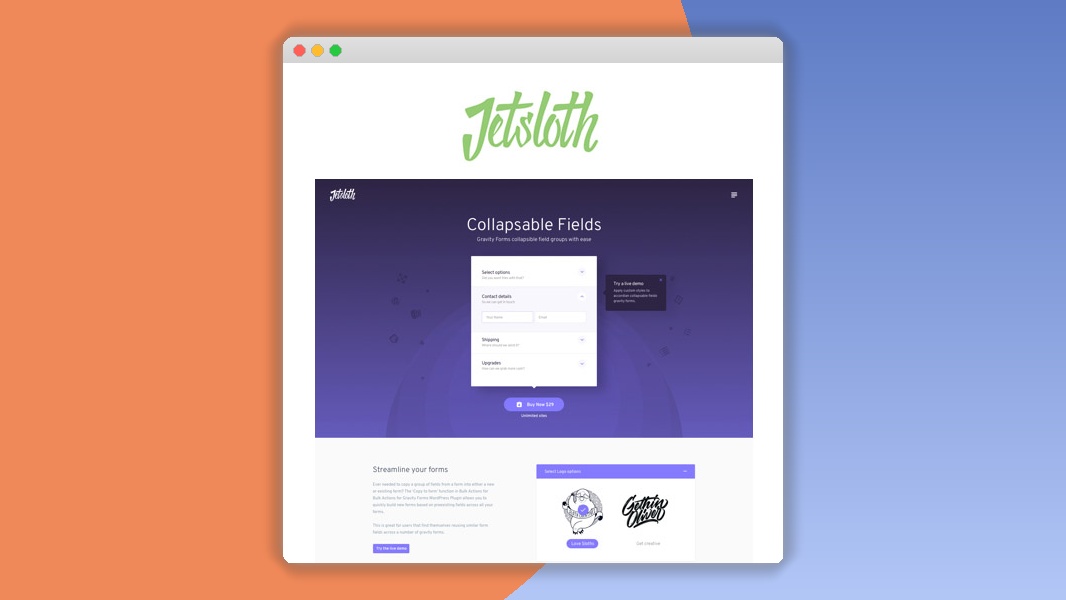
⚡Jetsloth – Gravity Forms Collapsible Sections Overview
Streamline your forms and enhance user experience with Jetsloth – Gravity Forms Collapsible Sections, the ultimate WordPress plugin for creating dynamic, collapsible form sections. Tired of long, overwhelming Gravity Forms? This powerful tool allows you to elegantly hide and reveal form fields, breaking down complex forms into manageable, user-friendly steps. Boost form completion rates by reducing initial user intimidation and guiding visitors through your forms with intuitive collapsible sections.
Gravity Forms Collapsible Sections integrates seamlessly with Gravity Forms, offering a robust yet simple solution for form organization. Whether you're building registration forms, order forms, surveys, or complex applications, this plugin ensures your forms remain clean, organized, and easy to navigate. Unlock the potential of your Gravity Forms with advanced features like custom styling, animation effects, and conditional logic integration, all designed to provide a superior user experience and drive higher conversion rates.
Related products
 Give
Give
This plugin is perfect for anyone looking to improve the usability and visual appeal of their Gravity Forms. By segmenting your forms into collapsible sections, you create a more engaging and less daunting experience for your users, leading to fewer abandoned forms and more successful submissions. Invest in a solution that prioritizes user experience and delivers tangible results for your website.
Can't Decide A Single Theme/Plugin?Join The Membership Now
Instead of buying this product alone, unlock access to all items including v with our affordable membership plans. Worth $35.000++
🎯 Benefits of our Premium Membership Plan
- Download v for FREE along with thousands of premium plugins, extensions, themes, and web templates.
- Automatic updates via our auto-updater plugin.
- 100% secured SSL checkout.
- Free access to upcoming products in our store.
🎮 Jetsloth – Gravity Forms Collapsible Sections Key Features
- 🎮 Collapsible Sections: Effortlessly group form fields into collapsible sections for a cleaner, more organized form layout.
- 🔧 Customizable Appearance: Tailor the look and feel of your collapsible sections with extensive styling options to match your brand.
- 📊 Smooth Animations: Enhance user interaction with smooth expand/collapse animations for a polished user experience.
- 🔒 Secure & Reliable: Built with best practices for security and compatibility with the latest WordPress and Gravity Forms versions.
- ⚡ Conditional Logic Support: Seamlessly integrate with Gravity Forms' conditional logic to show or hide entire sections based on user input.
- 🎯 Intuitive Settings: Easy-to-use interface within the Gravity Forms editor for quick setup and configuration.
- 🛡️ Responsive Design: Ensures collapsible sections display perfectly across all devices, from desktops to mobile phones.
- 🚀 Performance Optimized: Lightweight code ensures no impact on your website's loading speed.
- 💡 Multiple Section Styles: Choose from various pre-defined styles or create your own for ultimate design flexibility.
- 📱 Mobile-Friendly: Designed with mobile users in mind, ensuring easy navigation on smaller screens.
- 🔌 Gravity Forms Integration: Works flawlessly with all Gravity Forms features and add-ons.
- 📈 Improved User Experience: Significantly reduces form complexity, leading to higher completion rates.
✅ Why Choose Jetsloth – Gravity Forms Collapsible Sections?
- ✅ Boost Conversion Rates: Simplify complex forms, reducing user frustration and abandonment, leading to more submissions.
- ✅ Enhance User Experience: Create a modern, organized, and intuitive form-filling process that users will appreciate.
- ✅ Seamless Integration: Works perfectly with Gravity Forms and its powerful features, including conditional logic.
- ✅ Unmatched Customization: Tailor the appearance and behavior of your collapsible sections to precisely match your website's design and needs.
💡 Jetsloth – Gravity Forms Collapsible Sections Use Cases & Applications
- 💡 Multi-Step Registration Forms: Break down lengthy registration processes into logical, collapsible steps.
- 🧠 Complex Order Forms: Organize product options, shipping details, and billing information into easy-to-digest sections.
- 🛒 Event Booking Forms: Segment event details, attendee information, and payment options for clarity.
- 💬 Customer Feedback Surveys: Group related questions into collapsible sections to make surveys less intimidating.
- 📰 Job Application Forms: Organize personal details, work experience, and document uploads into structured sections.
- 🎓 Student Enrollment Forms: Streamline the process of collecting academic history, personal information, and program choices.
⚙️ How to Install & Setup Jetsloth – Gravity Forms Collapsible Sections
- 📥 Download the Plugin: Purchase and download the plugin zip file from your account dashboard.
- 🔧 Upload to WordPress: Navigate to 'Plugins' > 'Add New' > 'Upload Plugin' in your WordPress admin area and upload the zip file.
- ⚡ Activate the Plugin: Once uploaded, click 'Activate Plugin' to enable its functionality.
- 🎯 Configure Sections: In the Gravity Forms entry editor, you can now add and configure collapsible sections for your forms with ease.
No complex coding required! The plugin integrates directly into the Gravity Forms interface, allowing for intuitive setup.
🔧 Jetsloth – Gravity Forms Collapsible Sections Technical Specifications
- 💻 Plugin Type: WordPress Plugin
- 🔧 Compatibility: Compatible with WordPress 4.9+ and Gravity Forms 2.4+
- 🌐 PHP Version: Requires PHP 7.0+
- ⚡ Core Functionality: Enhances Gravity Forms with collapsible sections
- 🛡️ Security: Developed with security best practices
- 📱 Responsiveness: Fully responsive design for all devices
- 🔌 Dependencies: Requires Gravity Forms
- 📊 Performance: Lightweight and optimized for speed
📝 Jetsloth – Gravity Forms Collapsible Sections Changelog
Version 2.1.3: Fixed an issue where the collapse icon was not displaying correctly in certain themes. Improved compatibility with latest Gravity Forms version 2.7.x. Added minor CSS optimizations for faster loading times.
Version 2.1.2: Enhanced the conditional logic integration to ensure sections are properly displayed/hidden based on complex rules. Refined accessibility attributes for better screen reader support.
Version 2.1.1: Resolved a bug that caused unexpected behavior when using multiple collapsible sections with the same name. Updated translation files for broader language support.
Version 2.1.0: Introduced new animation options for smoother expand/collapse transitions. Added an option to set default expanded/collapsed states for sections. Improved the plugin's settings UI for better usability.
Version 2.0.5: Addressed a minor conflict with certain third-party form styling plugins. Ensured all section titles are properly escaped to prevent potential XSS vulnerabilities.
Version 2.0.4: Improved handling of dynamically loaded forms using AJAX. Optimized the plugin's CSS and JavaScript for better performance across various hosting environments.
⚡GPL & License Information
- Freedom to modify and distribute
- No recurring fees or restrictions
- Full source code access
- Commercial usage rights
🌟 Jetsloth – Gravity Forms Collapsible Sections Customer Success Stories
💬 "This plugin is a lifesaver! Our lengthy event registration form used to scare people away. Now, with collapsible sections, completion rates have jumped by 30%. The customization options are fantastic, and it integrates perfectly with Gravity Forms." - Sarah K., Event Planner
💬 "We needed a way to organize our complex product order forms. Jetsloth's plugin made it incredibly simple. Users can now easily navigate through options, leading to fewer order errors and happier customers. Highly recommended!" - Mark T., E-commerce Manager
💬 "As a web developer, I'm always looking for plugins that are robust, easy to use, and enhance user experience. This collapsible sections plugin for Gravity Forms ticks all the boxes. It's clean, efficient, and adds a professional touch to any form." - Jessica L., Web Developer
💬 "Our customer feedback surveys were too long. By using this plugin to group questions, the survey feels much shorter and more manageable. We've seen a significant increase in survey participation since implementing it." - David R., Market Researcher
💬 "Setting up the collapsible sections was a breeze. The conditional logic works flawlessly, allowing us to show specific sections only when relevant. This has made our application forms much more user-friendly and efficient." - Emily P., HR Specialist
❓ Jetsloth – Gravity Forms Collapsible Sections Frequently Asked Questions
Q: Will this plugin work with my current Gravity Forms setup?
A: Yes, Jetsloth – Gravity Forms Collapsible Sections is designed to be fully compatible with all recent versions of Gravity Forms and WordPress. It integrates seamlessly into the Gravity Forms editor.Q: Can I use conditional logic with these collapsible sections?
A: Absolutely! The plugin fully supports Gravity Forms' conditional logic. You can show or hide entire collapsible sections based on user input, just like you would with individual fields.Q: How do I install the plugin?
A: Installation is straightforward. Download the plugin, go to your WordPress dashboard, navigate to 'Plugins' > 'Add New' > 'Upload Plugin', upload the zip file, and activate it. You can then configure sections directly within the Gravity Forms form editor.Q: What kind of support do you offer?
A: We provide dedicated support to help you with installation, setup, and any issues you might encounter. Regular updates are also provided to ensure compatibility and introduce new features.Q: Can I customize the appearance of the collapsible sections?
A: Yes, the plugin offers extensive customization options. You can change colors, fonts, borders, and animation styles to perfectly match your website's design and branding.Q: Is the plugin optimized for mobile devices?
A: Yes, the collapsible sections are fully responsive and designed to provide an excellent user experience on all devices, including desktops, tablets, and smartphones.
🚀 Ready to Transform Your Website with Jetsloth – Gravity Forms Collapsible Sections?
Say goodbye to overwhelming forms and hello to enhanced user engagement with Jetsloth – Gravity Forms Collapsible Sections. This essential WordPress plugin empowers you to break down complex forms into manageable, visually appealing segments, significantly improving your form completion rates and user satisfaction. Leverage the power of intuitive design and seamless integration to create forms that not only look great but also perform exceptionally well.
Choosing Jetsloth – Gravity Forms Collapsible Sections means investing in a solution that directly addresses user experience pain points. By making your forms less intimidating and more structured, you encourage more users to complete them, directly impacting your business goals. Experience the competitive advantage of offering a superior form-filling process that sets you apart from the competition.
Don't let long, cluttered forms deter your visitors any longer. Transform your Gravity Forms into user-friendly, engaging experiences today. With its robust features, easy customization, and reliable performance, Jetsloth – Gravity Forms Collapsible Sections is the ultimate tool to elevate your website's functionality and drive better results. Get it now and see the difference!
- Last updated
- August 9, 2026
- Delivery
- Digital
- Availability
- In stock
- Version
- 1.4.9
- Category
- Wordpress Plugins
- Item type
- plugin
This page summarizes the available listing data for Jetsloth – Gravity Forms Collapsible Sections in Wordpress Plugins. The item type is recorded as plugin, with further details shown below.
Usage rights depend on the license selected at checkout. Review the complete terms before using this item for client work, redistribution, SaaS, or more than one end product.