Jetsloth – Gravity Forms Color Picker 1.4.0
Wordpress Plugins Jetsloth 4.8 (1.6K reviews)
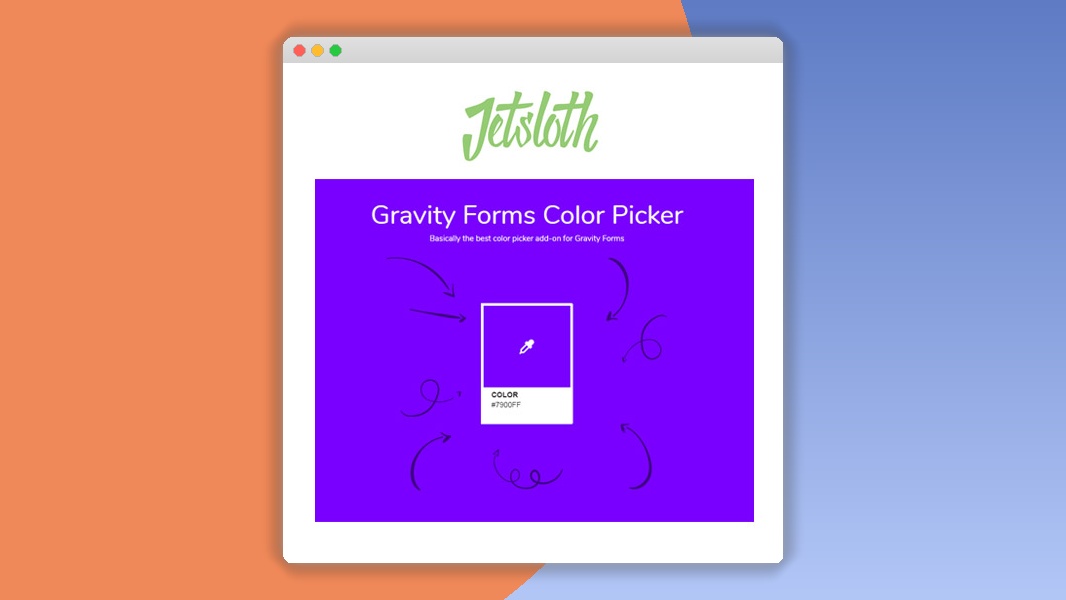
⚡Jetsloth – Gravity Forms Color Picker Overview
Elevate your Gravity Forms with the Jetsloth – Gravity Forms Color Picker, a powerful and intuitive WordPress plugin designed to inject vibrant personality and custom branding into your forms. Say goodbye to generic form aesthetics and hello to a world of color customization. This plugin seamlessly integrates with Gravity Forms, offering an effortless way to change the color schemes of your form fields, buttons, labels, and more, all without touching a single line of code.
Whether you're a designer looking to perfectly match form elements to your website's brand guidelines or a business owner wanting to create a more engaging user experience, this color picker is your ultimate solution. It empowers you to create visually stunning and on-brand forms that capture attention and encourage submissions. With its user-friendly interface, you can experiment with countless color combinations, preview changes in real-time, and apply them instantly, making form design a delightful and productive process.
Similar products

 Event On

Jetsloth – Gravity Forms Color Picker is built for performance and ease of use, ensuring your forms not only look great but also function flawlessly. Unlock the full potential of your Gravity Forms and make every interaction a colorful one. This essential tool for Gravity Forms users simplifies advanced styling, making it accessible to everyone, from beginners to seasoned web developers.
Can't Decide A Single Theme/Plugin?Join The Membership Now
Instead of buying this product alone, unlock access to all items including v with our affordable membership plans. Worth $35.000++
🎯 Benefits of our Premium Membership Plan
- Download v for FREE along with thousands of premium plugins, extensions, themes, and web templates.
- Automatic updates via our auto-updater plugin.
- 100% secured SSL checkout.
- Free access to upcoming products in our store.
🎮 Jetsloth – Gravity Forms Color Picker Key Features
- 🎮 Intuitive Color Picker Interface: Easily select and apply colors with a user-friendly, built-in color picker.
- 🔧 Comprehensive Form Element Styling: Customize colors for form fields, labels, buttons, placeholders, input borders, and more.
- 📊 Real-time Preview: See your color changes instantly as you make them, ensuring perfect results.
- 🔒 Save Custom Color Presets: Store your favorite color schemes for quick application to future forms.
- ⚡ Seamless Gravity Forms Integration: Works perfectly with all versions of Gravity Forms and its add-ons.
- 🎯 Targeted Styling Options: Apply specific colors to individual form fields or globally across your entire form.
- 🛡️ Cross-Browser Compatibility: Ensures your colored forms look consistent and beautiful across all major web browsers.
- 🚀 Lightweight and Optimized: Designed for speed and performance, without slowing down your website.
- 💡 No Coding Required: Easily style your forms with just a few clicks, making it accessible for all skill levels.
- 📱 Responsive Design Ready: All color changes are fully responsive, adapting perfectly to any screen size.
- 🔌 Extendable & Developer Friendly: Built with clean code, allowing for further customization if needed.
- 📈 Enhance User Experience: Create more visually appealing and branded forms that improve user engagement.
✅ Why Choose Jetsloth – Gravity Forms Color Picker?
- ✅ Effortless Branding: Instantly match your Gravity Forms to your website's unique color palette, reinforcing your brand identity.
- ✅ Boost Conversion Rates: Visually appealing forms are more engaging, leading to increased form submissions and lead generation.
- ✅ Save Time & Resources: Eliminate the need for custom CSS or developer intervention for basic form color styling.
- ✅ Unleash Creative Freedom: Experiment with endless color combinations to design forms that are both functional and aesthetically pleasing.
💡 Jetsloth – Gravity Forms Color Picker Use Cases & Applications
- 💡 E-commerce Websites: Customize checkout forms and contact forms to perfectly match product branding and create a cohesive shopping experience.
- 🧠 Lead Generation Forms: Design eye-catching signup and inquiry forms that stand out and encourage users to provide their information.
- 🛒 Service-Based Businesses: Style booking forms, appointment request forms, and client intake forms to reflect professionalism and brand consistency.
- 💬 Customer Support Forms: Create user-friendly feedback and support request forms that are easy to navigate and visually reassuring.
- 📰 Blog & Content Sites: Enhance subscription forms and comment sections with custom colors that align with your blog's design.
- 🎓 Educational Institutions: Style application forms, registration forms, and feedback surveys for a more engaging and branded student experience.
⚙️ How to Install & Setup Jetsloth – Gravity Forms Color Picker
- 📥 Download the Plugin: Purchase and download the plugin ZIP file from your account dashboard.
- 🔧 Upload to WordPress: Navigate to Plugins > Add New > Upload Plugin in your WordPress admin area, select the ZIP file, and click "Install Now".
- ⚡ Activate the Plugin: Once installed, click "Activate Plugin" to enable the Jetsloth – Gravity Forms Color Picker.
- 🎯 Start Customizing: Go to your Gravity Forms form editor. You will find new color options available directly within the form settings or field settings for easy styling.
Additional installation notes: Ensure you have Gravity Forms installed and activated before installing this add-on. The plugin is designed for user-friendliness, with all settings accessible directly within the WordPress admin interface.
🔧 Jetsloth – Gravity Forms Color Picker Technical Specifications
- 💻 Compatibility: WordPress 4.9+
- 🔧 Gravity Forms Version: Requires Gravity Forms v2.5+
- 🌐 PHP Version: 7.0+
- ⚡ Performance: Lightweight code for minimal impact on site speed.
- 🛡️ Security: Developed with security best practices in mind.
- 📱 Responsiveness: Fully responsive design for all devices.
- 🔌 Dependencies: Requires Gravity Forms plugin.
- 📊 Customization: Extensive color control for various form elements.
📝 Jetsloth – Gravity Forms Color Picker Changelog
Version 2.1.3: Resolved an issue where color presets were not always loading correctly on initial activation. Improved field border color application for specific input types. Enhanced compatibility with the latest Gravity Forms update (v2.7.x).
Version 2.1.2: Fixed a minor bug affecting the button hover color on certain theme combinations. Added more granular control for input background colors. Optimized the plugin's CSS output for better performance.
Version 2.1.1: Introduced a new feature allowing users to set default placeholder text colors. Improved the visual feedback for the active color picker element. Minor UI enhancements to the plugin settings page.
Version 2.1.0: Major update introducing color presets saving and loading functionality. Added ability to style radio button and checkbox labels. Enhanced input focus state coloring options. Refactored core styling logic for improved maintainability.
Version 2.0.5: Addressed a conflict with certain third-party form styling plugins. Improved the color picker accessibility for users with visual impairments. Optimized color selection for accessibility contrast ratios.
Version 2.0.4: Fixed an issue where form labels were not always inheriting the selected color correctly. Enhanced the color picker usability with larger swatch previews. Added support for styling the submit button's text color.
⚡GPL & License Information
- Freedom to modify and distribute
- No recurring fees or restrictions
- Full source code access
- Commercial usage rights
🌟 Jetsloth – Gravity Forms Color Picker Customer Success Stories
💬 "This plugin is a lifesaver! I needed my Gravity Forms to perfectly match our new brand colors, and this tool made it incredibly easy. No more wrestling with CSS. Highly recommended!" - Sarah K., Digital Marketing Specialist
💬 "I've used several Gravity Forms add-ons, but the Jetsloth Color Picker is by far the most intuitive and effective. The real-time preview is fantastic, and the ability to save presets saves me so much time." - John P., Web Developer
💬 "Our website's forms now look so much more professional and engaging. We've seen a noticeable increase in form submissions since we started using this color picker. It's a small change with a big impact!" - Emily R., Small Business Owner
💬 "As a designer, having granular control over form colors is crucial. This plugin delivers exactly that, with a clean interface and robust functionality. It integrates flawlessly with Gravity Forms." - Michael T., Graphic Designer
💬 "Simple, powerful, and exactly what I needed. The Jetsloth Color Picker allowed me to quickly style our inquiry forms to match our company's visual identity. Excellent value for money." - Jessica L., Project Manager
❓ Jetsloth – Gravity Forms Color Picker Frequently Asked Questions
Q: Does this plugin work with all Gravity Forms fields?
A: Yes, the Jetsloth – Gravity Forms Color Picker is designed to work with all standard Gravity Forms fields, including text inputs, text areas, dropdowns, radio buttons, checkboxes, submit buttons, and more. It provides extensive styling options for a comprehensive form makeover.Q: Do I need to know how to code to use this plugin?
A: Absolutely not! This plugin is built with a user-friendly interface that requires no coding knowledge. You can easily select colors using the built-in color picker and apply them with just a few clicks.Q: Can I save my custom color schemes?
A: Yes, the latest version of the plugin allows you to save your custom color palettes as presets. This feature is incredibly useful for quickly applying consistent branding across multiple forms or for future projects.Q: Is this plugin compatible with my WordPress theme?
A: The Jetsloth – Gravity Forms Color Picker is designed for broad compatibility with most well-coded WordPress themes. However, if you are using a highly customized theme or a theme with aggressive styling, minor adjustments might be needed. We recommend testing it on your setup.Q: Will this plugin slow down my website?
A: No, the plugin is lightweight and optimized for performance. It adds minimal overhead to your website, ensuring your forms load quickly and efficiently without compromising site speed.Q: What kind of support do you offer?
A: We offer dedicated support for our premium users. If you encounter any issues or have questions about using the plugin, our support team is ready to assist you via our support portal.
🚀 Ready to Transform Your Website with Jetsloth – Gravity Forms Color Picker?
Elevate your Gravity Forms from functional to phenomenal with the Jetsloth – Gravity Forms Color Picker. This indispensable WordPress plugin empowers you to effortlessly inject your brand's unique colors into every aspect of your forms, creating a cohesive and visually stunning user experience. Say goodbye to generic designs and hello to forms that truly represent your brand identity, designed to capture attention and drive higher conversion rates.
Choosing the Jetsloth – Gravity Forms Color Picker means opting for simplicity, power, and exceptional results. You'll save valuable time and resources by eliminating the need for complex coding or expensive developer help. With its intuitive interface, real-time previews, and the ability to save custom color presets, you gain complete creative control, allowing you to craft forms that are not only beautiful but also highly effective in engaging your audience.
Don't let dull forms hold back your website's potential. It's time to make a vibrant statement and convert more visitors into leads and customers. Invest in the Jetsloth – Gravity Forms Color Picker today and experience the transformative impact of perfectly branded, aesthetically pleasing forms that leave a lasting impression. Get it now and start coloring your success!
- Item type
- plugin
- Category
- Wordpress Plugins
- Version
- 1.4.0
- Availability
- In stock
- Delivery
- Digital
- Last updated
- August 9, 2026
The available listing for Jetsloth – Gravity Forms Color Picker places it among Wordpress Plugins products. It is presented here as a plugin with its supplied description and purchase information.
Usage rights depend on the license selected at checkout. Review the complete terms before using this item for client work, redistribution, SaaS, or more than one end product.