WooCommerce Advanced Bulk Edit 6.2
Wordpress Plugins Codecanyon 4.8 (3.8K reviews)
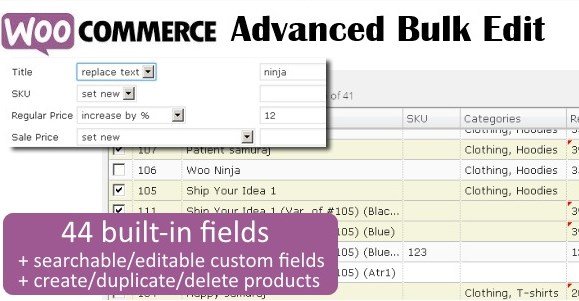
WooCommerce Advanced Bulk Edit is a practical extension designed for store owners who manage large catalogs. Instead of opening each product page to make changes one at a time, this tool lets you apply edits across many products at once, or work on a single product when needed. It covers both simple products and variations, so the same workflow handles a standalone item just as easily as every size and color within a variable product. The interface is built around tables and forms that display your product data clearly, giving you direct control over fields like titles, prices, and SKUs. For merchants who deal with hundreds or thousands of products, this removes the repetitive clicking that normally eats up hours of administrative time. It is distributed as a standard WooCommerce extension, and it installs like any other plugin, adding bulk editing capabilities directly to your store's dashboard.
The filtering system is the starting point for most bulk operations. You can narrow down your product list by title, category, attributes, regular price, sale price, or SKU, among other fields. Once the list is filtered, you can apply changes only to what's visible. Price adjustments are particularly flexible: you can increase or decrease prices by a fixed value or by a percentage, which is useful for seasonal sales, currency adjustments, or margin updates. The tool can also generate sale prices automatically from the regular price, so you can set up clearance events or promotional periods without typing each new price manually. Because the filters support multiple criteria at once, you can target a very specific group—for example, products in a certain category with a specific attribute and a price above a certain amount—and apply one consistent change to all of them. This makes it easy to run a targeted promotion or align pricing across a product line.
Beyond price, the extension handles structural data. You can set, add, or remove categories and attributes across selected products, which keeps your catalog organized without visiting each edit screen individually. There's also a copy function that lets you duplicate values from one field to another, saving time when two fields should share the same content. The display of product fields can be toggled, so you only see the columns that matter for the task at hand. When your store needs new taxonomies, you can create product categories and attribute terms directly inside the bulk edit interface, so there is no need to switch to a separate settings page. These options are useful for cleaning up a messy store, standardizing attribute values, or rolling out a new category structure across many products at once. The interface keeps these operations straightforward, so you do not need to switch between multiple screens or remember complex configuration steps.
More from this category

 Codecanyon


Product creation is also covered. You can create new products and variations from scratch, and the tool can generate variations for multiple products at once. This is particularly helpful when you're adding new attributes, like a new size or color, and need those variations to appear across an entire product line. Deleting is handled too: unwanted products or variations can be removed in bulk after you filter for them, making cleanup fast. The overall goal is to reduce the number of manual steps involved in managing a WooCommerce store. Most of the operations you'd normally perform one product at a time can be done in batches, with the filtering system ensuring you affect only the intended items. For anyone running a store with substantial inventory, this kind of tool addresses the daily maintenance work that otherwise accumulates. It brings the editing capabilities directly into your existing WooCommerce dashboard.
- Item type
- plugin
- Category
- Wordpress Plugins
- Version
- 6.2
- Availability
- In stock
- Delivery
- Digital
- Last updated
- August 10, 2026
WooCommerce Advanced Bulk Edit is one of the Wordpress Plugins items recorded as a plugin. The content below uses the supplied listing information and current local catalog data.
Usage rights depend on the license selected at checkout. Review the complete terms before using this item for client work, redistribution, SaaS, or more than one end product.